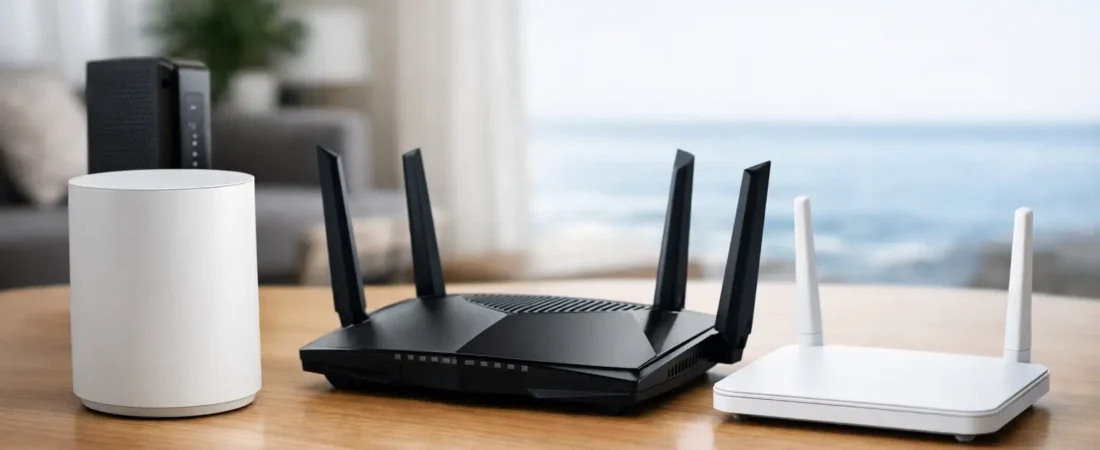
If your Breezeline Wi-Fi keeps dropping in the back bedroom, or you are tired of paying a monthly equipment fee for a gateway you did not choose, it is time to compare Breezeline compatible modems and routers that actually fit your plan. The right pick depends on one simple question: do you need only a router, or do you need both a modem and a router for your Breezeline plan?
That distinction matters more than most shoppers expect. Breezeline commonly uses cable internet in many markets, which means a standalone router cannot connect directly to the service line by itself. In that setup, you need a compatible cable modem plus a router, or a modem-router combo. If Breezeline provided a modem or gateway already and you are only replacing the Wi-Fi portion, then a router-only upgrade makes sense.
How to think about Breezeline compatible router options
The fastest way to avoid buying the wrong device is to start with your current setup. If the coax cable from the wall screws into your existing ISP box, you are usually on cable internet. That means you need a DOCSIS modem in the picture somewhere. A router-only device from Netgear, TP-Link, or ASUS will improve coverage and speed inside your home, but it will not replace the modem function.
If Breezeline supplied you with a gateway and you want better Wi-Fi, you may be able to keep that gateway in bridge mode and add your own router. This is often the easiest path for households that want stronger coverage without changing the full connection setup.
For most homes, the decision comes down to three lanes. You can keep Breezeline equipment and add your own router, replace everything with a modem-router combo, or use a separate modem and router pair. Separate devices usually give you the most flexibility and easier upgrades later. Combos are simpler and use less shelf space, but they can be limiting if your Wi-Fi needs change.
The best fit depends on your internet plan
Not every home needs a high-end tri-band router. If your Breezeline plan is in the lower or mid speed tiers and you live in a smaller house or apartment, a solid Wi-Fi 6 router is usually enough. You are paying for stability, decent range, and enough capacity for streaming, work calls, and smart home devices.
If you have a larger home, multiple gamers, or a lot of 4K streaming going on at once, stronger hardware starts to matter. In those cases, stepping up to a mesh system or a higher-performance router makes more sense than chasing the absolute cheapest option.
There is also a point where spending more brings smaller gains. A household on a modest cable plan will not see much real-world benefit from an expensive top-tier router if the broadband speed itself is the bottleneck. Better Wi-Fi can still help with coverage and consistency, but it will not magically turn a mid-tier internet plan into gigabit service.
Router-only choices for Breezeline customers
If you already have a working modem or gateway, router-only upgrades are often the smartest buy. A good Wi-Fi 6 router is the sweet spot for many families because it balances price, performance, and broad device support, and our roundup of the best routers for Breezeline Internet compares top models.
Netgear routers are a common fit here because they are easy to find, simple to set up, and available across a wide price range. A midrange model works well for average households that need stronger whole-home coverage than the ISP gateway can provide. If your current issue is dead spots, buffering on TVs far from the router, or weak signal in a home office, this kind of upgrade usually gives more value than sticking with rental hardware.
For larger homes, a mesh system is worth serious attention. A single router can still be the right answer in a townhouse or smaller single-floor home, but mesh is often better for multi-story layouts, long ranch homes, or houses with signal-blocking walls. It costs more, and that is the trade-off, but it usually fixes coverage problems more effectively than one powerful router placed in a bad spot.
A higher-end standalone router can make sense for homes with heavy gaming, lots of connected devices, or users who want more control over network settings. Just be honest about whether you will use those extra features. Many shoppers pay for advanced options they never touch.
Modem-router combos for simple Breezeline setups
Some households want fewer boxes, fewer cables, and less setup hassle. That is where modem-router combos come in. These can be a practical choice for Breezeline cable internet, especially for apartments, smaller homes, or buyers who want one device instead of managing separate gear.
The appeal is obvious: lower clutter, simpler installation, and often a lower upfront cost than buying two separate devices. The downside is flexibility. If the Wi-Fi side becomes outdated or underpowered, you cannot swap only the router portion. If one function fails, you may end up replacing the whole unit.
For shoppers who care most about convenience and basic savings on rental fees, a combo can still be the right call. Just make sure the modem side is approved for your Breezeline service tier and supports the speed you actually pay for. Buying a combo that is technically compatible but undersized for your plan is a common mistake.
Separate modem and router setups are usually the best long-term value
If you want the cleanest upgrade path, separate devices are usually the better investment. A compatible DOCSIS cable modem paired with a good router gives you more control and often better performance than an all-in-one gateway.
This setup is especially smart if you expect your needs to change. Maybe today you just want better streaming in the living room, but six months from now you are adding a work-from-home office or upgrading your speed tier. With separate devices, you can swap the router without touching the modem, or upgrade the modem if Breezeline changes speed requirements.
There is a little more setup involved, but not as much as some people fear. For most homes, activation is straightforward once the modem is approved, and router setup is usually guided through an app. RouterForMyISP focuses on this kind of practical compatibility guidance because the wrong hardware combination creates the most buyer frustration.
What to check before you buy
When comparing breezeline compatible router options, do not start with brand hype. Start with compatibility, speed tier, and home size.
First, confirm whether you need a router only or a modem-router solution. Second, check that any modem you buy is approved for Breezeline in your market. Third, match the router to the size and layout of your home, not just the advertised top speed on the box.
It also helps to think about device load. A couple streaming TVs, phones, and a laptop is one thing. A busy family with game consoles, tablets, security cameras, video calls, and smart devices places a very different demand on home Wi-Fi.
Price matters too, but monthly rental fees should be part of the math. A more expensive setup can still make financial sense if it replaces ongoing equipment charges and gives better coverage at the same time.
Common mistakes with Breezeline equipment upgrades
The biggest mistake is buying a router and assuming it replaces everything. If you are on cable internet, that router still needs a modem in front of it. The second mistake is overspending on raw speed while ignoring coverage. Fast hardware does not help much if the signal is weak where you actually use it.
Another common problem is buying older gear just because it is cheap. A bargain router that struggles with modern device loads can become annoying fast. Wi-Fi 6 is a solid baseline for most buyers now, even if you do not need premium hardware.
Lastly, do not ignore placement. Even the best equipment can disappoint if it is tucked in a corner, shoved behind a TV, or placed in the basement when most of your usage happens upstairs.
Approved Breezeline modems and combos
Many Breezeline customers search for an approved modem as much as they search for a router, because Breezeline runs cable internet in most markets and keeps an official list of approved modems. Breezeline asks anyone buying their own equipment to use a DOCSIS 3.1 modem, and a modem that worked for an older cable provider is not automatically compatible with your plan speed.
A DOCSIS 3.1 modem approved for Breezeline is the right baseline for most current plans. Pair it with the router or mesh system that fits your home, or choose a modem-router combo if you want one box instead of two. If you rent a Breezeline gateway, you can still add your own router in bridge mode, but check the provider’s approved list before you buy so you reach the speed you actually pay for.
Which option makes the most sense for most homes?
For many Breezeline customers, the safest recommendation is a separate modem and a midrange Wi-Fi 6 router. It gives you good performance, room to upgrade, and usually better long-term value than renting ISP equipment forever. If your home is larger or you already know coverage is the issue, a mesh Wi-Fi system is often the smarter move.
A combo unit still has a place if your top priority is simplicity. And if Breezeline already provides a modem that works fine, adding your own router can be the cheapest and fastest improvement.
The best choice is the one that matches how your household actually uses the internet, not the one with the flashiest box. Buy for your floor plan, your device count, and your speed tier, and you will usually end up happier than if you shop by marketing claims alone.
A good router setup should fade into the background. When your video calls stay steady, your streaming works in every room, and nobody in the house complains about Wi-Fi, you picked the right one.