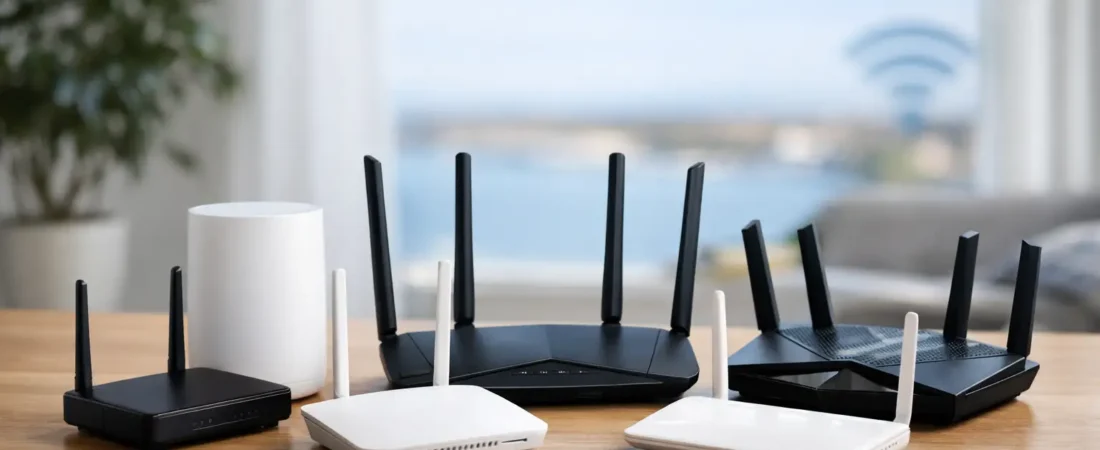
If your Breezeline connection looks fine on paper but your Wi-Fi still drops in the back bedroom, buffers during movie night, or crawls when everyone gets online at once, the router is often the weak point. The best routers for Breezeline internet (formerly Atlantic Broadband) are not just fast – they need to match your speed tier, your home size, and whether you use a separate modem or a gateway from Breezeline.
For most households, this comes down to one simple decision: do you want a standard router for a small to mid-size home, or do you need a mesh system to fix coverage problems? Once you answer that, the shortlist gets much easier.
How to choose the best router for Breezeline internet
Breezeline uses different network types depending on your area, but many customers are on cable internet. That matters because a router is not the same thing as a modem. If you have cable service and want to replace all provider equipment, you usually need a compatible cable modem plus a router, unless you buy a modem-router combo. If you already have a Breezeline gateway and only want better Wi-Fi, you may be able to switch it to bridge mode and use your own router.
The biggest mistake shoppers make is buying more router than they need in one area and not enough in another. A household on a 300 Mbps plan in a 1,400 square foot home does not need an expensive gaming monster. But a family with gig-speed service, multiple TVs, and work-from-home traffic can absolutely feel the difference between an entry-level router and a stronger Wi-Fi 6 or Wi-Fi 6E model.
It also helps to keep expectations realistic. A faster router will not raise the speed your plan delivers. What it can do is improve wireless efficiency, reduce congestion, cover more of your home, and handle more devices without turning your network into a mess by 7 p.m.
Best routers for Breezeline internet by use case
Best overall – NETGEAR Nighthawk AX5400
For most Breezeline homes, the NETGEAR Nighthawk AX5400 hits the sweet spot. It has enough speed for mid-tier and gigabit plans, strong Wi-Fi 6 performance, and better device handling than older AC routers people often keep for too long. If your household streams on several screens, takes video calls, and has a growing pile of smart home devices, this is the kind of upgrade you notice right away.
It is also a practical pick because it does not force you into paying for features many households never use. You get strong performance without jumping straight to the highest price tier. For buyers who want one router that is easy to recommend to a wide range of Breezeline users, this is the safest choice.
If you already know you want a Netgear router, our guide to the best Netgear routers for Breezeline gigabit internet breaks down which models fit each plan tier and home size.
Best for smaller homes and budgets – NETGEAR R6700AX
If your Breezeline plan is on the lower or middle end and your home is not especially large, the NETGEAR R6700AX makes a lot of sense. It brings Wi-Fi 6 benefits at a more approachable price, which matters if your goal is cutting rental fees without spending a fortune upfront.
This is the kind of router that works well for apartments, condos, and smaller single-story homes. It will not be the right fit for very large homes or heavy power users, but it is a strong value option for everyday streaming, browsing, and work calls.
Best for gigabit plans – NETGEAR Nighthawk AX6600
Breezeline gigabit customers should look for a router that can keep up with heavier traffic and more connected devices. The NETGEAR Nighthawk AX6600 is a better match for that kind of workload than cheaper models. It gives you more headroom for larger households, especially if several people are online at once.
This is also a better pick if you want your router to last through your next speed upgrade instead of just meeting your current needs. You are paying more for capacity and flexibility, which is worthwhile if your home network is busy every day.
Best mesh system for coverage issues – NETGEAR Orbi RBK752
If your main complaint is dead spots rather than raw speed, a mesh system is often the better answer. The NETGEAR Orbi RBK752 is a strong choice for Breezeline users in larger homes, multi-story layouts, or homes with tricky Wi-Fi conditions caused by walls and distance.
Mesh is not always the cheapest route, but it can be the most effective. Instead of trying to blast one router signal across the whole house, you place multiple units in better positions. That usually leads to more stable whole-home coverage and fewer frustrating zones where Zoom freezes or streaming quality falls apart.
Best premium mesh upgrade – NETGEAR Orbi 960 Series
For very large homes, high-end gigabit service, or households that are constantly pushing the network, the Orbi 960 Series is the premium option. This is more system than most homes need, and that is exactly the trade-off. It performs extremely well, but the price puts it in the category for buyers with a real coverage or performance problem to solve.
If you have a large property, many users, and want top-tier wireless performance, premium mesh can be worth it. If your home is average-sized and your speed plan is moderate, this would be overkill.
NETGEAR’s current flagship is the WiFi 7 Orbi 970 series, with the Orbi 870 as the more practical premium option; our guide to choosing a Netgear mesh system for thick walls compares both in detail.
Best for gamers and heavy users – NETGEAR Nighthawk XR1000
The XR1000 is a smart pick for Breezeline users who care about gaming performance and traffic control. It is not magic – it will not erase every latency issue coming from your ISP or game servers – but it gives you more tools to manage traffic and prioritize devices.
That makes it appealing for homes where gaming, streaming, and work all compete for bandwidth. Even then, this is more specialized than a general-purpose family router, so it is best for buyers who will actually use those features.
Best modem-router combo option – NETGEAR CAX30
Some Breezeline customers want the simplest possible setup with fewer boxes and cables. In that case, a modem-router combo like the NETGEAR CAX30 can be attractive. It saves space and can reduce setup complexity, which is helpful for less technical users.
The trade-off is flexibility. When you combine modem and router into one device, upgrades are less modular. If one part starts to feel outdated, you replace the whole unit. For people who want easier setup, that may be fine. For people who like having more control over future upgrades, a separate modem and router is usually the better long-term play.
What matters most before you buy
Compatibility comes first. If you are replacing Breezeline equipment entirely, make sure your modem is approved for your service type and speed tier. A router may be excellent on its own and still be the wrong purchase if your setup requires separate modem compatibility that you have not checked.
Coverage is next. Many people assume poor internet means they need a faster router, when the real issue is that the signal is not reaching the parts of the house where they actually use it. If your speed is decent near the router but bad across the house, mesh is often the smarter purchase than a more powerful standalone router.
Then think about the number of devices and the kind of activity happening each day. A retired couple with two TVs and a few phones has very different needs than a family with remote workers, students, security cameras, tablets, and game consoles. This is where spending a little more can make sense, but only if your household really needs the extra capacity.
Should you replace the Breezeline router at all?
If you are renting equipment from Breezeline and your Wi-Fi is weak, replacing the router can make sense for both performance and long-term cost. Rental fees add up, and many households can justify the purchase over time. You also get more control over your network and a better chance of choosing hardware that actually fits your home.
That said, not every problem is fixed by swapping hardware. If the issue is an outage, a line problem, poor modem placement, or an internet plan that is too slow for your household, a new router will only do so much. The smart move is to match the hardware to the problem you are actually having.
For most readers, the best move is straightforward. Buy a strong Wi-Fi 6 router if your home is small to medium and your coverage is mostly fine. Buy mesh if coverage is your main pain point. And if you are trying to get rid of monthly equipment fees, double-check compatibility before you spend a dime. A good router should make your Breezeline service feel less frustrating, not just look better on a spec sheet.
If you want the safest recommendation, start with a solid mid-range Wi-Fi 6 model and only move up if your home size, speed tier, or device count clearly calls for it.