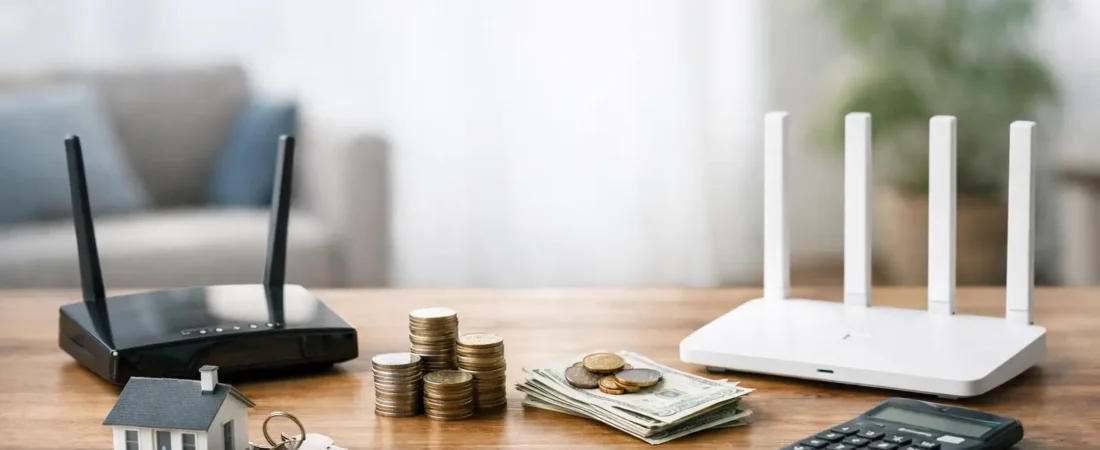
If your internet bill keeps creeping up by $10 to $20 a month, there is a good chance equipment fees are part of the problem. For many households, the real question is not just price but router rental vs buying – and whether paying your ISP every month is actually getting you better Wi-Fi, easier support, or both.
This choice matters more than it used to. Households now stream on multiple TVs, run video calls for work or school, connect smart home devices, and expect solid Wi-Fi in every room. A basic rented gateway might be fine for a small apartment with modest speeds, but it can also become the weak link in a busy home. On the other hand, buying your own router is not always the automatic win people assume it is. It depends on your provider, your plan, and what kind of support you want.
Router rental vs buying: the cost difference
The biggest reason people consider buying is simple: monthly rental fees add up fast. If your ISP charges $15 per month for equipment, that is $180 a year. Over two years, you have spent $360 and still own nothing.
That math is what pushes many cable internet customers toward buying. A solid Wi-Fi 6 router or a compatible modem/router setup can often pay for itself in under two years. After that, the savings are real. If you stay with the same provider for a while, buying usually wins on cost alone.
But there is a catch. Not every ISP setup lets you replace everything. Some fiber providers use gateway equipment that is tied more closely to the service, and some households still need the provider device for phone service, TV features, or authentication. In those cases, you may be able to add your own router behind the ISP box, but not remove the rental fee entirely.
That is why the cheapest option on paper is not always the cheapest option in practice. You need to check what your ISP actually allows before assuming you can cut the fee.
When renting a router makes sense
Renting is not just for people who do not want to shop. In some situations, it is the more practical choice.
If you move often, rent for a short period, or expect to switch providers soon, buying may not give you enough time to recover the upfront cost. The same is true if you are on a lower-speed plan in a small space and your current equipment works well enough. A monthly fee may be annoying, but it can still be the easier option if your goal is zero hassle.
Support is another reason some people stick with ISP equipment. When you use the provider’s gateway, customer service cannot blame your hardware first. That can save time during outages or setup problems. If something fails, the ISP usually replaces it.
Renting also makes sense for people who do not want to think about compatibility, firmware, or setup. You plug it in, follow the app or instructions, and call support if needed. For plenty of households, convenience is worth paying for.
When buying your own router is the better move
Buying starts to look much better when your home has real Wi-Fi demands. If you work from home, game online, stream on multiple devices, or have dead spots in the house, a better router can do more than cut a fee. It can improve the day-to-day experience.
ISP-provided gateways are often built to hit a price target, not to deliver the strongest whole-home coverage. They may be fine in a small condo, but struggle in larger homes or layouts with thick walls. A quality retail router or mesh system usually gives you stronger range, better device handling, and more control over your network.
You also get more choice. Instead of accepting whatever model your ISP sends, you can pick hardware that matches your internet plan and home size. That matters if you are trying to support gigabit speeds, add mesh nodes later, or make sure your router has the right features for your family.
For many cable customers, this is where the decision becomes easy. If your provider supports customer-owned equipment and you plan to stay put for at least a couple of years, buying often gives you lower long-term cost and better performance.
Router rental vs buying for different ISP types
The answer changes depending on the kind of internet service you have.
For cable internet providers like Xfinity, Spectrum, and Breezeline, buying is often the strongest value play. These providers commonly allow approved customer-owned modems and routers, though the exact rules vary. In many cases, you can avoid recurring equipment fees completely if you choose compatible gear.
For fiber providers like Verizon Fios and AT&T Fiber, it gets more complicated. You may be able to use your own router for Wi-Fi, but not fully replace the provider gateway. Sometimes the ISP device is still required for activation, TV service, or backend network functions. In that setup, buying can still improve coverage and speed inside your home, but the savings may be smaller because you are not always eliminating every fee.
For fixed wireless or specialty provider plans, renting is often more common because the hardware is tightly tied to the service. If that is your setup, the better comparison may be between using only the provider equipment or adding your own router to improve indoor Wi-Fi.
This is where ISP-specific guidance matters. The smartest buying decision is not just about picking a good router. It is about picking one that works with your provider and your plan.
Performance is where buying often wins
Cost gets the headline, but performance is usually what makes people glad they switched.
A better router can handle more devices without feeling overloaded. It can give newer phones, laptops, and streaming boxes faster Wi-Fi through newer standards like Wi-Fi 6. It can also offer stronger parental controls, better guest network options, and improved coverage in rooms where the ISP gateway falls short.
That does not mean every household needs premium gear. If you have 300 Mbps internet, live in a smaller home, and only connect a handful of devices, a mid-range router may be enough. Spending top dollar only makes sense if your home and usage justify it.
The key point is that buying lets you match the hardware to your actual needs. Renting usually means accepting a one-size-fits-most device.
The hidden trade-offs people miss
The router rental vs buying decision is not only about monthly math. There are trade-offs on both sides.
When you buy, you take on the setup process and the responsibility for replacing the device if it fails after warranty. You also need to make sure it stays compatible with your service, especially if your ISP changes speed tiers or modem approval lists.
When you rent, you are paying for convenience, but sometimes overpaying for average hardware. You may also have less control over settings, fewer upgrade options, and weaker Wi-Fi than you could get from a retail model.
There is also a middle-ground option that works well for some homes: keep the required ISP equipment if necessary, then add your own router or mesh system for better coverage. This will not always remove the rental fee, but it can solve the performance problem without fighting your provider’s setup rules.
How to decide what makes sense for your home
Start with three questions. First, can your ISP fully or partially support customer-owned equipment? Second, how long do you expect to keep your current service? Third, is your problem mainly cost, performance, or convenience?
If your provider allows it, you expect to stay for at least two years, and your Wi-Fi needs are growing, buying is usually the stronger move. If you want the simplest support experience, expect to move soon, or have a provider that still requires its own gateway, renting may be the less frustrating option.
If you are stuck in the middle, look at your current pain point. If your issue is a weak signal in the back bedroom or buffering on the living room TV, better hardware is probably the fix. If your internet works fine and you mostly hate the monthly bill, the decision comes down to whether your ISP lets you replace that fee with compatible equipment.
For readers comparing provider rules and home networking options, that is where a site like RouterForMyISP can help narrow the choices faster. The best router is not just the best-reviewed one. It is the one that works cleanly with your provider, fits your speed tier, and solves the problem you actually have.
Paying monthly for average equipment is easy. Paying once for the right equipment is usually smarter. The trick is knowing when your ISP will let you do it and when convenience is worth the extra cost.