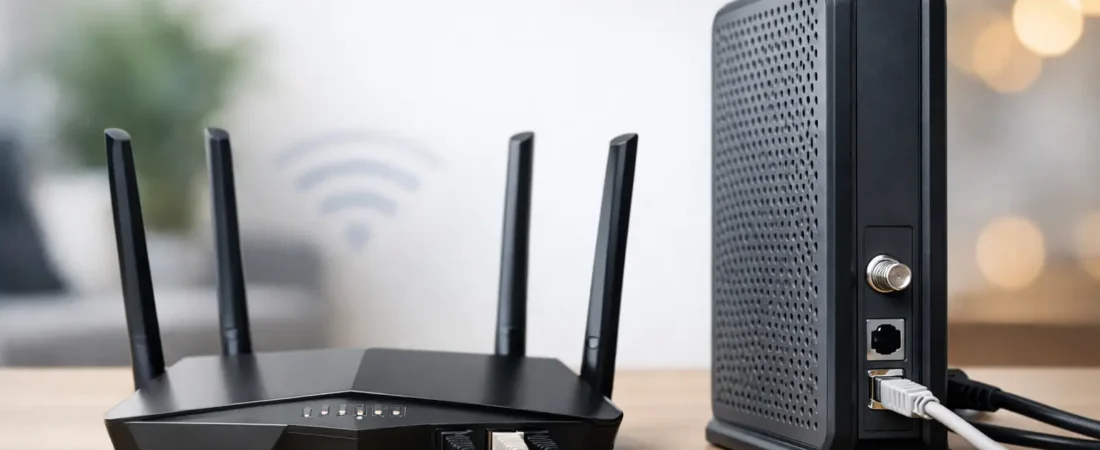
If you’ve ever looked behind your TV stand and wondered why there are two internet boxes blinking at you, you’re asking the right question. The router vs modem difference matters because it affects your monthly rental fees, your Wi-Fi performance, and whether a new device will even work with your ISP.
For a lot of households, the confusion starts when the internet company installs equipment and calls the whole thing a “router.” Then you shop for an upgrade and see modems, routers, mesh systems, and modem-router combos all mixed together. The good news is that the job of each device is pretty simple once you separate them.
What is the router vs modem difference?
A modem connects your home to your internet provider. A router takes that internet connection and shares it with the devices inside your home.
That is the shortest version, but it helps to make it more practical. Think of the modem as the device that talks to your ISP, whether that’s Xfinity, Spectrum, Breezeline, or another cable provider. The router is the device that creates your home network, handles Wi-Fi, and lets your phone, laptop, smart TV, game console, and security camera all get online at the same time.
If you only had a modem, you could usually connect one wired device to the internet. If you add a router, you get Wi-Fi and the ability to connect multiple devices across your house.
What a modem actually does
Your modem is the translator between your ISP’s network and your home. It takes the signal coming from the provider and converts it into a form your devices can use.
For cable internet, that usually means a cable modem connected to a coax wall outlet. For fiber, the setup can be a little different. Some fiber providers use an ONT instead of a traditional modem, and that device fills a similar role by bringing the provider’s signal into the home.
What matters for most shoppers is this: the modem side of your setup has to be compatible with your provider. That is why modem shopping is usually more restrictive than router shopping. A cable modem has to be approved for your ISP and support the speed tier you’re paying for.
This is also where many people save money. If your ISP charges a monthly equipment fee for a rented gateway, buying your own compatible modem can cut that recurring cost. But that move only makes sense if your provider allows customer-owned equipment and if your service type supports it.
What a router actually does
Your router manages your home network. It takes the internet coming from the modem and distributes it to all your devices, either through Ethernet cables or over Wi-Fi.
This is the device that affects your wireless coverage, your network capacity, and often your day-to-day experience more than the modem does. If your bedroom Wi-Fi is weak, your video calls freeze upstairs, or your smart home devices drop off the network, the router is usually the main suspect.
A better router can improve coverage, support more connected devices, and handle faster wireless speeds. It can also give you better features such as guest networks, parental controls, or stronger security settings. For larger homes, a mesh router system may be a better fit than a single traditional router.
So if the modem is about ISP compatibility, the router is more about home performance.
Do you need both a modem and a router?
Usually, yes – but not always as separate boxes.
Many homes use two standalone devices: one modem and one router. That setup gives you more flexibility because you can upgrade one without replacing the other. If your Wi-Fi coverage is the problem, you can swap in a better router and keep the same modem. If your ISP speed increases and your modem is outdated, you can replace the modem and keep the router.
Other homes use a combo unit, often called a gateway. This is a single device that includes both modem and router functions. ISPs commonly rent these out because they are easy to install and simple to support.
A combo unit is convenient, but there are trade-offs. It is usually less flexible for upgrades, and the built-in Wi-Fi may not be strong enough for larger homes or households with heavier streaming and gaming demands. For apartments or smaller spaces, though, a good combo device can be perfectly fine.
Router vs modem difference in real-world buying decisions
This is where shoppers often make the wrong purchase. They want better Wi-Fi, so they buy a modem. Or they want to replace ISP rental gear, so they buy a router only and realize it cannot connect directly to cable internet.
If your internet works fine but the Wi-Fi is weak, you probably need a better router, not a new modem.
If your ISP rental fee is the issue and you have cable internet, you may need a compatible modem, and possibly a separate router if you do not want a combo device.
If your internet drops completely and the provider says your line signal is fine but your equipment is old, the modem may be the problem.
If you have fiber internet from a provider like Verizon Fios or AT&T Fiber, the modem question may not even apply in the usual cable-internet sense. In those cases, many people are really choosing whether to keep the provider’s gateway or use their own router with the provider’s required hardware.
How ISPs affect the modem decision
The modem side of the equation depends heavily on your internet provider.
With cable ISPs like Xfinity, Spectrum, and Breezeline, modem compatibility lists matter. You cannot assume any modem will work. You need one approved by the ISP and rated for your speed plan.
With fiber providers, the situation is less open. The provider may require its own equipment for at least part of the connection. That means your best upgrade path is often replacing or bypassing the router function, not the provider-side hardware.
This is why the same advice does not fit every household. A cable subscriber trying to avoid rental fees faces a different decision than a Fios customer who mainly wants stronger whole-home Wi-Fi.
Separate modem and router vs combo unit
For most shoppers who want better performance and flexibility, separate devices are the better long-term choice. You get more control over upgrades, and you are less likely to outgrow the Wi-Fi side of the setup.
A combo unit makes more sense if you want fewer boxes, easier setup, and a simpler support process. That can be a smart choice for a smaller home, lower device count, or anyone who does not want to manage network hardware.
There is no automatic winner here. Separate equipment is usually better for performance-minded households. Combo units are better for convenience.
Signs you need a new router, not a new modem
A lot of internet complaints come down to Wi-Fi limitations inside the house. If streaming buffers only in certain rooms, if speeds are much better near the device than across the house, or if your network struggles when many devices are online, the router is usually the bottleneck.
This is especially common in homes using older ISP gateways. The internet service itself may be fine, but the built-in Wi-Fi hardware is underpowered for modern households with remote work, 4K streaming, gaming, and smart home devices all happening at once.
If that sounds familiar, upgrading to a stronger router or mesh system is often the move that makes the biggest difference.
Signs you need a new modem
A modem upgrade is more likely when your current device is no longer approved by your ISP, cannot support your subscribed speeds, or has become unstable with frequent disconnects.
This matters most for cable internet customers. If you upgraded to a faster plan but still use an old modem, you may never reach the speeds you’re paying for. In that case, a new router will not solve the core issue.
If you are shopping for replacement equipment, RouterForMyISP focuses on this exact problem: matching households with gear that fits both their provider and their performance needs.
The simplest way to think about it
The modem brings the internet into your home. The router spreads that internet around your home.
Once you understand that, buying decisions get easier. Start by asking what problem you’re trying to fix. If it’s weak Wi-Fi, poor coverage, or too many devices fighting for bandwidth, look at the router. If it’s ISP compatibility, rental fees, or outdated cable equipment, look at the modem first.
The best setup is not always the fanciest one. It is the one that fits your provider, your home size, and the way your household actually uses the internet. A family with multiple streamers and remote workers needs something different than a one-bedroom apartment with basic browsing. Buy for your real situation, not the box with the loudest promises.