You usually notice the problem in the same places: the back bedroom where Zoom calls freeze, the kitchen where music cuts out, or the upstairs TV that buffers right when everyone sits down. That is where the single router vs mesh question becomes real. This is not about buying the fanciest box. It is about getting reliable Wi-Fi where your household actually uses it.
For most homes, the right answer depends on layout more than internet speed. A fast plan from Xfinity, Spectrum, Verizon Fios, AT&T Fiber, or another provider does not automatically fix weak coverage. If the signal has to push through thick walls, multiple floors, or a long floor plan, your router choice matters just as much as the plan you pay for.
Single router vs mesh: the basic difference
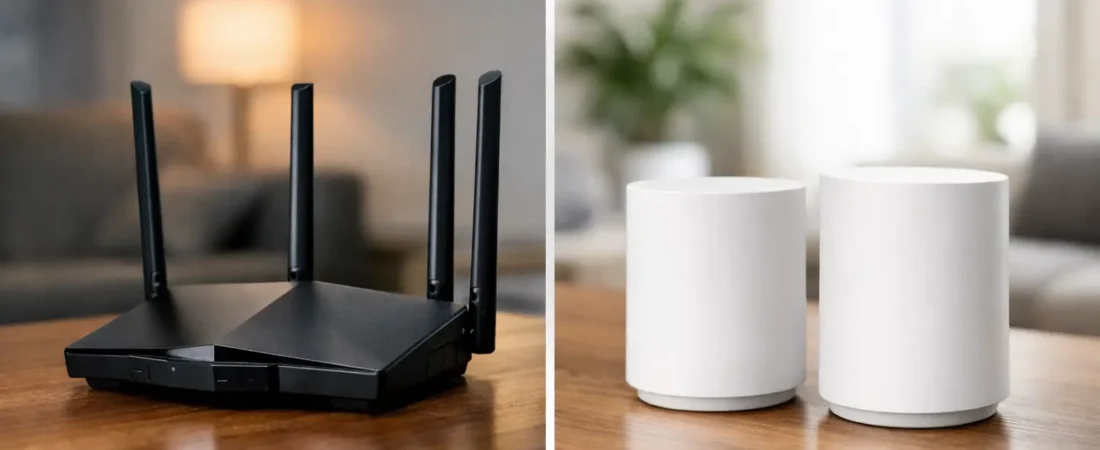
A single router setup uses one main device to handle your Wi-Fi. It may be perfectly fine if your home is smaller, your layout is simple, and most of your devices stay fairly close to the router. It is also the cheaper and simpler option in many cases.
A mesh system uses a main router plus one or more satellite units, often called nodes, to spread coverage across a larger area. Instead of one box trying to reach every room, multiple units work together to create a wider Wi-Fi footprint.
That sounds like an easy win for mesh, but there is a catch. Mesh costs more, and in some homes it solves a problem you do not actually have. If your current frustration is caused by an outdated modem, a bad ISP gateway, poor placement, or a weak internet plan, mesh may not be the first thing to fix.
When a single router makes more sense
If you live in an apartment, condo, townhouse, or a smaller single-story house, a good standalone router is often the better buy. You get stronger value for the money because your budget goes into one better-performing unit instead of being split across several nodes.
This matters if you want high speeds for gaming, 4K streaming, or large downloads near the router. A quality single router can sometimes outperform an entry-level mesh system in close range performance. If your office, living room, and main streaming devices are all fairly central, you may not benefit much from extra nodes.
A single router also keeps setup simpler. There are fewer devices to place, fewer chances for placement mistakes, and usually less troubleshooting later. For buyers replacing an ISP rental unit, this is appealing. You can pair a compatible modem and router, reduce monthly fees, and still get a meaningful Wi-Fi upgrade without turning your home into a networking project.
Placement matters a lot here. A single router works best when it can sit near the center of the home, elevated, and out in the open. If your internet connection enters the house in a terrible location, like a basement corner or one far end of the house, even a strong router may struggle.
When mesh is worth the extra cost
Mesh starts to make sense when coverage is your main problem, not just raw speed. If your home is over about 2,000 square feet, has multiple floors, or has rooms that consistently lose signal, mesh is often the cleaner fix.
It is especially useful in homes where the router has to sit wherever the ISP line comes in, even if that spot is bad for Wi-Fi. Many households do not get to place their equipment in the ideal location. If your modem or fiber gateway is stuck in a corner, a mesh system gives you a way to extend reliable coverage without relying on a single device to do all the work.
Mesh can also help households with a lot of active devices spread around the home. Think two adults working from home, kids streaming in separate rooms, smart home gear, tablets, gaming consoles, and outdoor devices all pulling on the network. In that kind of environment, a mesh setup can feel more consistent from room to room.
The trade-off is that not every mesh system is equally fast. Some budget mesh kits improve coverage but cut peak performance. That may be fine if your main goal is stopping dead zones. It is less ideal if you are paying for gigabit internet and expect every node to deliver near-router speeds wirelessly.
Speed vs coverage: where buyers get confused
A lot of shoppers assume mesh means faster internet. That is not always true. Mesh usually improves where Wi-Fi reaches, but that is different from increasing the internet speed entering your home.
If your ISP plan is 300 Mbps and your current router already delivers close to that in the rooms you use most, a mesh system may not make your internet feel dramatically faster. What it can do is make performance more consistent in rooms that currently perform badly.
On the other hand, if you pay for fast cable or fiber and your old router is several years old, replacing it with either a modern router or a higher-end mesh system can improve both speed and stability. The key is matching the product to the actual problem. Coverage issues point toward mesh. Performance issues in a smaller home often point toward a better standalone router.
ISP compatibility still matters
This is where many buyers waste money. If you are replacing ISP equipment, you need to know whether you need just a router, a modem and router, or a router that works alongside your provider’s gateway.
Cable internet customers, including many Xfinity, Spectrum, and Breezeline households, often need a compatible modem plus a router or mesh system. Fiber customers like Verizon Fios and AT&T Fiber may not need a modem in the traditional sense, but they may need to keep part of the provider equipment in place depending on the setup.
That means the single router vs mesh decision should come after you understand your ISP requirements. Buying the wrong equipment category creates frustration fast. A great mesh system is still the wrong purchase if your provider setup requires something else first.
Cost, value, and what you are really paying for
For budget-conscious households, a single router usually wins on value. If your home does not need expanded coverage, paying double or triple for mesh is hard to justify.
But value changes when weak Wi-Fi affects daily life. If one parent cannot take calls upstairs, the kids cannot stream in the den, and the bedroom TV never holds a signal, the added cost of mesh may be cheaper than continuing to fight your network every day. This is especially true if you have already tried moving the router, rebooting equipment, and replacing older hardware.
There is also a middle ground. Some homes do better with a strong router plus a wired access point or extender, but that setup is usually less beginner-friendly than mesh. For the average shopper who wants something easy to manage, mesh often wins on convenience even when it is not the cheapest option.
How to choose the right one for your home
Start with your layout. If your home is small to medium-sized and your dead zones are minor, buy a good single router first. It is the simpler, cheaper bet, and in many homes it is all you need.
If your home has multiple floors, long hallways, thick walls, or obvious weak spots far from the main internet connection, go with mesh. You are paying for better coverage, not just another Wi-Fi box.
Next, think about your device habits. If most activity happens in one area, a router is often enough. If usage is spread across the whole house, mesh becomes more attractive.
Finally, be honest about your tolerance for trial and error. Some buyers want the best possible value and do not mind tweaking placement. Others want the more forgiving option that covers more of the home with less guesswork. RouterForMyISP generally sees happier buyers go with mesh when coverage is the clear issue, and with a single router when the home is compact and the budget matters.
The best choice is not the one with the longest spec sheet. It is the one that fits your floor plan, your ISP setup, and the way your household actually uses Wi-Fi every day.