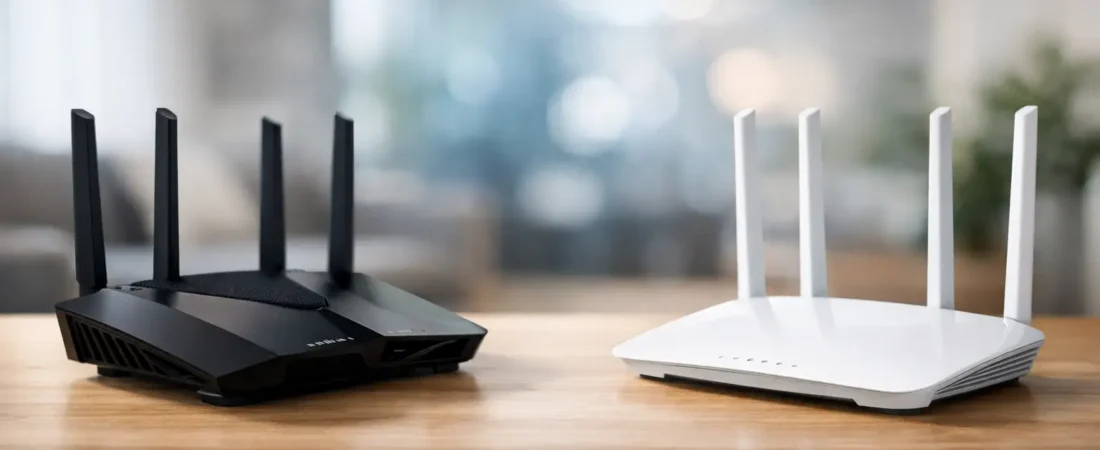
A lot of router shoppers land on the same question after five minutes of browsing: netgear vs tp link – which one is actually better for my house, my internet plan, and my budget? That is the right question, because the better brand on paper is not always the better router for your setup. A small apartment on Spectrum has very different needs than a two-story Verizon Fios home with gamers, smart TVs, and two people working remotely.
If you want the short version, Netgear often feels like the safer pick for shoppers who care most about performance, premium hardware, and established mesh systems. TP-Link usually wins on value, especially if you want solid speed and coverage without paying top-tier prices. The right answer depends on whether you are buying for raw performance, easier affordability, or a specific ISP setup.
Netgear vs TP-Link: The real difference
The biggest difference between these brands is not that one makes good routers and the other makes bad ones. Both make plenty of reliable home networking gear. The real difference is how they position their products.
Netgear tends to aim higher in the market. Its routers and mesh systems often feel more premium, and its better models are common picks for larger homes, faster internet plans, and users who do not want to outgrow their equipment in a year. You will usually see stronger emphasis on high-end Wi-Fi performance, gaming-focused models, and advanced mesh systems.
TP-Link is more aggressive on price. That does not mean cheap in a bad way. It means the brand is very good at offering features that would cost more from competitors. For a lot of households, that matters more than brand prestige. If your goal is to stop renting a router, improve Wi-Fi, and keep your total cost reasonable, TP-Link often looks very appealing.
Performance depends on the model, not just the brand
This is where shoppers get tripped up. Comparing Netgear to TP-Link as brands only gets you so far. A high-end Netgear router will usually beat an entry-level TP-Link model, but that says more about price tier than brand quality.
For example, if you have a gigabit cable plan from Xfinity or Spectrum, or fiber service from AT&T Fiber or Fios, performance matters more than ever. At those speed levels, an underpowered router can become the bottleneck, especially when several devices are active at once. Netgear has a strong reputation in this space because many of its midrange and premium routers are built for heavier household use.
TP-Link still competes well here, especially with its Archer and Deco lines, but it is often strongest when you want a good balance of speed and value instead of the absolute best hardware available. For many homes, that balance is enough. If your internet plan is 300 to 600 Mbps and your usage is mostly streaming, video calls, and everyday browsing, a good TP-Link router may feel just as fast in daily life.
Mesh Wi-Fi is one of the biggest deciding factors
If you have dead zones, a long ranch-style home, or a two-story layout, brand choice often becomes mesh choice. That is where this comparison gets more practical.
Netgear’s Orbi line has long been one of the better-known mesh systems for people who want strong whole-home coverage and are willing to pay for it. Orbi systems are often recommended for larger homes and harder layouts because they tend to deliver very good coverage and stable backhaul performance. The downside is simple: they can be expensive.
TP-Link’s Deco systems are popular because they make mesh more affordable. For many households, Deco hits the sweet spot. Setup is usually simple, coverage is good, and pricing is easier to justify. If you are replacing weak ISP equipment and just want consistent Wi-Fi across the house, TP-Link Deco is often the easier value play.
If your home is under 2,000 square feet and your plan is midrange, TP-Link mesh may be all you need. If your home is larger, your walls are unfriendly to Wi-Fi, or you want stronger top-end performance, Netgear often earns its higher price.
Setup and ease of use
Most mainstream shoppers do not want to spend their Saturday reading networking forums. They want to plug in a router, follow an app, and get back online.
Both brands have improved app-based setup over the years. TP-Link generally gets good marks for making setup approachable, especially on consumer models aimed at less technical users. Its app experience often feels straightforward enough for first-time router buyers.
Netgear setup is not hard, but depending on the model, the experience can feel a little more feature-heavy. That can be a plus or a minus. If you like having more control, it may suit you better. If you want the simplest path from box to working Wi-Fi, TP-Link sometimes feels more beginner-friendly.
That said, setup ease also depends on your ISP. If you are replacing a standalone router behind a provider modem, things are usually simple. If you are replacing a gateway or trying to use your own equipment with a specific cable provider, compatibility matters just as much as brand.
ISP compatibility matters more than brand loyalty
For cable internet users, this is especially important. Netgear and TP-Link both make routers, but your provider may also require a separate modem unless you are on fiber or already using an ONT setup. Some households blame the router when the actual problem is an old modem, a gateway that was never put in bridge mode, or equipment that is not approved by the ISP.
Netgear has a stronger presence in the modem-router space, which can make it more visible among Xfinity and Spectrum shoppers looking to replace rental equipment. TP-Link is stronger as a router and mesh brand than as a cable modem brand. So if you are shopping for a full replacement setup, Netgear may offer a more direct path depending on your provider.
For fiber customers, the equation changes. With Verizon Fios or many AT&T Fiber setups, you are often focusing mainly on the router or mesh side, not the modem. In that case, TP-Link becomes more competitive because the comparison is less about all-in-one hardware and more about Wi-Fi coverage, speed, and price.
Security and software support
Security features matter, but most households do not need enterprise-level controls. They need automatic updates, basic parental controls, guest networks, and a clear way to manage devices.
Both brands offer these basics on many models. Netgear often packages extra security and management features into its ecosystem, which can appeal to users who want more oversight. TP-Link also offers useful management tools, and for many buyers the practical difference is not dramatic unless you care about specific subscriptions or advanced controls.
The thing to watch is long-term software support. Premium routers tend to age better when the manufacturer continues firmware updates and app support. This is one reason some shoppers lean toward Netgear for longer ownership, though that does not mean every TP-Link router is a short-term buy. It just means you should avoid choosing on price alone if you expect to keep the hardware for five years.
Which brand gives you better value?
If value means lowest upfront price for solid everyday performance, TP-Link usually wins. It is hard to ignore how often TP-Link offers enough speed, enough coverage, and enough features for less money. That makes it especially attractive for apartments, smaller homes, and families trying to stop paying monthly rental fees without overspending.
If value means spending more now to avoid upgrading again soon, Netgear often makes the better case. A stronger router or mesh system can be worth it if your household is busy, your internet plan is fast, or your home layout is difficult. Paying more once can be cheaper than buying the wrong system and replacing it a year later.
This is why blanket recommendations are not very helpful. A budget-conscious household with 400 Mbps service may get excellent value from TP-Link. A household with gigabit internet, multiple 4K streams, and a detached office may find Netgear worth every extra dollar.
Netgear vs TP-Link: Which should you buy?
Choose Netgear if you want stronger premium options, you have a larger or busier home, or you are shopping for hardware that can better keep up with faster plans and heavier use. It is also a smart brand to prioritize if you are looking at cable-compatible hardware and want a more established name in that space.
Choose TP-Link if you want the best chance of getting good performance for less money, especially in a small to midsize home. It is often the easier recommendation for mainstream buyers who want better Wi-Fi, easy setup, and a practical upgrade from ISP equipment without paying premium-brand prices.
At RouterForMyISP, we usually tell readers to start with their internet plan, home size, and whether they need a separate modem before they worry about brand loyalty. That approach tends to lead to better purchases and fewer returns.
If you are stuck between the two, think less about the logo on the box and more about what your home is asking your network to do. The best router is the one that fits your ISP, covers your rooms properly, and does not leave you shopping again six months from now.