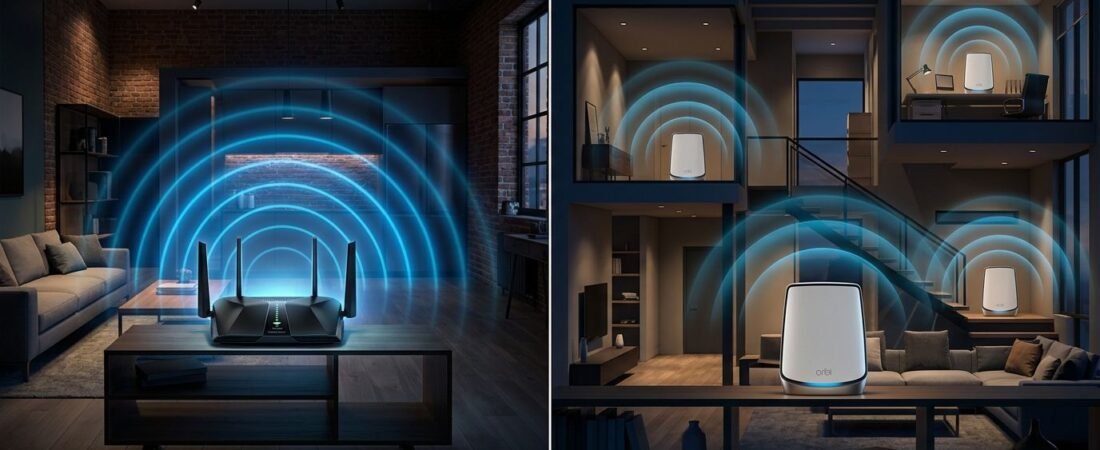
A fast internet plan won’t help much when your office, bedroom, or patio still has weak Wi-Fi. The real question behind Netgear Orbi vs Nighthawk is simple: do you need stronger Wi-Fi in one area, or reliable coverage across the whole house?
The Nighthawk line puts a lot of power in one central location. Orbi systems use a router and satellites to spread that connection across more rooms. The right choice depends on your floor plan, internet speed, device count, and budget.
Start with your home’s layout, not the biggest speed number on the box.
This post may contain affiliate links. If you make a purchase through these links, I may earn a small commission at no extra cost to you.
Key Takeaways
- Choose Nighthawk when you have a smaller, open home and can place one powerful router centrally.
- Choose Orbi when walls, multiple floors, long layouts, or distant rooms create weak Wi-Fi coverage.
- Wi-Fi 7 features such as MLO, 320 MHz channels, and 4096 QAM help most when your internet plan and client devices support them.
- Wired Ethernet backhaul provides a more stable connection between Orbi units and preserves wireless capacity for your devices.
- Focus on floor plan, device locations, internet speed, and budget rather than choosing the model with the biggest advertised number.
Orbi vs. Nighthawk: The Core Difference
A Nighthawk router is usually a single high-performance router. You place it in a central area, connect it to your modem or fiber gateway, and it handles Wi-Fi for the home from that point.
An Orbi mesh system uses a main router plus one or more satellites. The router connects to your internet service. Satellites go in other parts of the home and extend the same network name and password.
That design matters more than the product name. A powerful Nighthawk model can be the better choice in a compact home with an open floor plan. An Orbi mesh system is usually the better fit when walls, floors, garages, and long hallways get in the way.
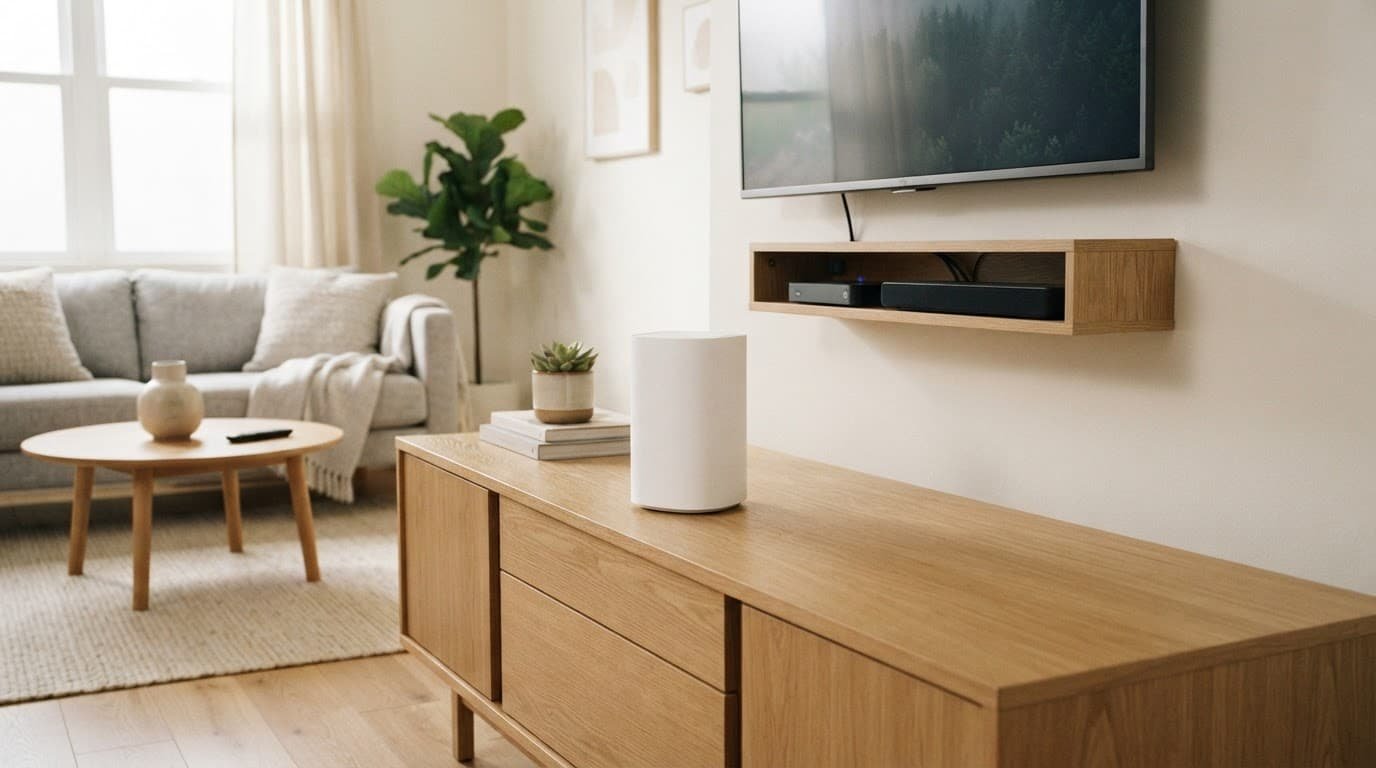
NETGEAR describes the same basic difference in its router vs. mesh Wi-Fi guide. A standalone router concentrates performance in one location. A mesh system spreads the signal through multiple access points.
One Router vs. Router Satellites
Think of a Nighthawk router as one strong ceiling light. It can brighten a large room, but the light fades behind walls and around corners.
Orbi router satellites act more like additional lights placed where you need them. You aren’t asking one device to force a signal through a brick fireplace, a finished basement ceiling, and two interior walls.
This makes an Orbi setup easier for homes with:
- Multiple floors, long layouts, dense walls, or an attached garage where Wi-Fi drops.
- A home office, gaming room, or media room far from the modem.
- Smart cameras, speakers, thermostats, and TVs spread around the property.
- More than one regular Wi-Fi dead zones.
Adding a satellite doesn’t improve the internet plan coming into your house. It improves the connection between your devices and the network.
Nighthawk is still a broad product family. It includes standard routers, gaming router models, mesh kits, extenders, and cellular options. In most comparisons, though, the choice is between an Orbi mesh WiFi system and a standalone Nighthawk model.
Match the Wi-Fi System to Your Floor Plan
Square footage is useful, but it isn’t the whole story. A 2,000-square-foot ranch can be harder to cover than a 3,000-square-foot open home. Concrete, brick, metal ductwork, radiant floor heating, and large appliances can weaken Wi-Fi quickly.
Place a standalone router in the middle of the home whenever possible. A router hidden in a basement utility room or far corner of the house starts at a disadvantage. If your modem is stuck there, you may need a longer Ethernet cable, a different modem location, or a mesh system.

Photo by Jens Mahnke
Use a Nighthawk router when your home is fairly compact, the layout is open, and you can place the router well. It is also a practical choice if you want maximum performance near the router for a desktop PC, game console, or work setup.
Choose Orbi when wireless coverage is the first problem to solve. A two-pack often makes sense for a two-story home or a home with a distant office. A three-pack can make sense for a large property with several separate coverage areas.
NETGEAR’s own Orbi vs. Nighthawk comparison is useful here: Orbi is built around whole-home coverage, while Nighthawk focuses on a powerful central router.
Don’t buy a mesh system simply because it sounds more advanced. If one well-placed router covers every room, a satellite is an added cost with little benefit.
What Wi-Fi 7 Changes, and What It Doesn’t
WiFi 7 technology brings features that can help busy homes with newer phones, laptops, gaming PCs, and streaming devices. It also brings marketing numbers that can be easy to overvalue.
Multi-Link Operation, often called MLO, lets compatible Wi-Fi 7 devices use more than one wireless band at once. Instead of relying only on 5 GHz or 6 GHz, MLO can combine available links to reduce delays and make performance more consistent when the network is busy.
Wi-Fi 7 also supports wider 320 MHz channels in the 6 GHz band and 4096 QAM data encoding. These features can increase local network speed when devices support them and signal conditions are good.
The Client Device Still Matters
A Wi-Fi 7 router does not make an older Wi-Fi 5 laptop into a Wi-Fi 7 laptop. Older devices connect using the standards they support.
It also won’t turn a 500 Mbps internet plan into multi-gig internet. Your internet provider, modem or fiber gateway, Ethernet wiring, and device ports all set limits.
WiFi 7 technology is worth paying for when you have multi-gig internet, newer devices, or expect to keep the router for several years. For a household with 300 Mbps cable internet and mostly older devices, a reliable Wi-Fi 6 or Wi-Fi 6E setup may still be the better value.
Comparing Orbi 770, Orbi 970, and Nighthawk RS300
The Orbi 770 and Orbi 970 use WiFi 7 technology, but they target different budgets and internet speeds. The single-router option suits homeowners who want Wi-Fi 7 without buying router satellites.
Here is the practical difference between the three. The table compares the Ethernet ports, network design, and best fit for each model.
| Model | Best fit | Network design | Port setup | What to know |
|---|---|---|---|---|
| Orbi 770 | Larger homes that need mesh coverage without top-tier pricing | Tri-band mesh Wi-Fi 7 | Router includes a 2.5 Gbps internet port and three 2.5 Gbps LAN ports | A strong fit for gigabit speeds and 2-gig service |
| Orbi 970 | Large luxury homes, multi-gig service, and demanding wired setups | Quad-band mesh Wi-Fi 7 | Router has a 10 Gbps internet port, 10 Gbps LAN port, and four 2.5 Gbps LAN ports | Built for high-end coverage and wired backhaul |
| Nighthawk RS300 | Small to mid-size homes with a good router location | Single Wi-Fi 7 router | 2.5 Gbps internet port, 2.5 Gbps LAN port, and Gigabit LAN ports | Less expensive than a multi-node Orbi system |
The Orbi 970 Series is the clear choice for very large homes needing coverage across several floors or buildings. Its quad-band WiFi design includes a dedicated band for mesh traffic, which helps satellites stay connected while your devices use the other bands.
A three-pack Orbi 970 system is marketed for homes up to 10,000 square feet, though real coverage depends on wall materials and placement. It can deliver combined wireless speeds up to 27 Gbps under the right conditions. That is far beyond what most homes need, but it can make sense for multi-gig fiber, large wired networks, and many active devices.
The Nighthawk RS300 is the more sensible Wi-Fi 7 starting point for a smaller home. It gives you modern wireless features and a multi-gig WAN connection without the cost of a full Orbi package.
The Nighthawk RS700S is a step above it. It is a BE19000 tri-band router with a 10 Gbps internet port, a 10 Gbps LAN port, and four Gigabit LAN ports. It is rated for up to 3,500 square feet, although that number assumes favorable conditions. You can check current RS700S pricing on Amazon before deciding if its single-router design fits your home.
Wired vs. Wireless Backhaul Matters More Than Most Buyers Expect
Backhaul is the connection between the main Orbi router and its router satellites. Your devices connect to the nearest unit, but the satellite still needs a fast path back to the router.
With wireless backhaul, the Orbi units communicate over Wi-Fi. This is the normal setup for most homes. It is easier to install because you only need power outlets. The satellite should still sit where it receives a strong signal from the main router.
With wired Ethernet, each satellite connects to the router through a cable. This is the better option when your home already has Ethernet jacks or you can run cable. It provides a more stable connection, improves network reliability, and saves wireless capacity for phones, laptops, and streaming devices.
The Orbi 970 is especially attractive for wired homes because of its 10 Gbps and 2.5 Gbps Ethernet options. The Orbi 770 also supports multi-gig wired connections, which is enough for many homes with gigabit or 2-gig internet.
Don’t place a satellite in the weakest part of the house and expect a fix. Put it between the router and the dead zone, where it still gets a good connection. Then run a local speed test in the former weak area.
Older comparisons can still show why placement matters. This real-world test of Orbi, Nighthawk Mesh, and other systems shows how different layouts can affect results even when the products look similar on paper.
Can a Nighthawk M6 Pro Replace Home Internet?
The Nighthawk M6 Pro is a mobile hotspot, not a traditional fixed home router. It uses a cellular data plan and provides Wi-Fi while traveling, working in an RV, or living without reliable wired service.
A mobile hotspot can replace home internet in the right situation. You need strong 5G coverage at home, a plan with enough high-speed data, and reasonable carrier terms. Some cellular plans slow down after heavy use, deprioritize traffic during busy periods, or restrict certain online services.
For a household that streams 4K video, downloads large games, works remotely, and uses cloud backups, wired broadband internet is usually more predictable. A mobile hotspot works better as a backup connection or as the primary service where wired service is unavailable.
Before choosing a mobile hotspot over either Wi-Fi system, check what your ISP provides. Cable customers may need a separate compatible modem. Fiber customers may use an optical network terminal and a gateway. If your provider gateway handles routing, pairing a mobile hotspot with another router may require bridge mode or access point mode to avoid a double NAT problem.
Security Features for Smart Homes and Remote Work
A good router protects more than computers. It also connects doorbells, cameras, TVs, voice assistants, phones, appliances, and work devices.
Current NETGEAR Wi-Fi 7 routers may support WPA3, while Netgear Armor availability varies by model. Some models include trials with threat protection and device security tools. Subscription terms and trial periods can change, so check the product page before treating Armor as a permanent feature.
Keep these basics in place regardless of which system you buy:
- Install firmware updates and turn on automatic updates when available.
- Use a unique admin password and a strong Wi-Fi password.
- Put smart home devices on a guest or separate network when the router supports it.
- Disable remote management unless you have a real reason to use it.
These security features only work when the router stays updated. A low-cost router that stops receiving updates can expose your home to security vulnerabilities over time.
A Simple Way to Choose the Right Netgear Setup
Use your home layout as the first filter. Then look at internet speed, wired devices, and budget.
Choose a Nighthawk router if you have a smaller home, an open layout, and a central place for the router. The RS300 is a practical Wi-Fi 7 option for many homes. The RS700S makes more sense when you have faster than gigabit internet or want 10 Gbps wired connections near the router.
Choose the Orbi 770 if you need mesh coverage and have gigabit speeds or multi-gig service. It gives you better port options than entry-level mesh systems without the price of the Orbi 970.
Choose the Orbi 970 if you have a large home, high-end internet service, several wired rooms, or a setup where weak Wi-Fi costs you time. It is expensive, but its quad-band WiFi and multi-gig ports are built for homes that will use them.
If you’re on the fence, map the dead zones first. A community discussion on why homeowners choose Orbi over Nighthawk makes the same practical point: extra nodes matter most when one router cannot reach the places you use every day.
Frequently Asked Questions
Is Orbi better than Nighthawk?
Neither is always better. Orbi is usually the better choice for whole-home coverage, while Nighthawk works well when one centrally placed router can reach every room.
Should I buy Orbi or a Nighthawk router for a large house?
Orbi is generally the better fit for a large or multi-story house with walls, long hallways, or distant rooms. Its router satellites can extend coverage to areas a single Nighthawk router may not reach reliably.
Does Wi-Fi 7 make Orbi or Nighthawk faster on every device?
No. Wi-Fi 7 benefits require compatible phones, laptops, and other client devices, along with a fast enough internet connection and good signal conditions. Older devices will connect using the Wi-Fi standard they support.
Is wired or wireless backhaul better for Orbi?
Wired Ethernet backhaul is usually more stable and leaves more wireless capacity available for connected devices. Wireless backhaul is easier to install and works well when the satellites are placed where they still receive a strong signal.
Can the Nighthawk M6 Pro replace my home internet?
It can in areas with strong 5G coverage, a suitable data plan, and reasonable carrier terms. For heavy streaming, gaming, remote work, and large downloads, wired broadband is usually more predictable, so the M6 Pro may be better as a backup connection.
Final Thoughts
The better choice is not always the faster-looking model. Choose the setup that reaches your work desk, TV, cameras, and bedrooms without constant dropouts.
Choose Nighthawk when one well-placed router can cover the home. Choose Orbi when your floor plan needs more than one strong Wi-Fi point.
Reliable coverage usually matters more than a speed number you only see beside the router.