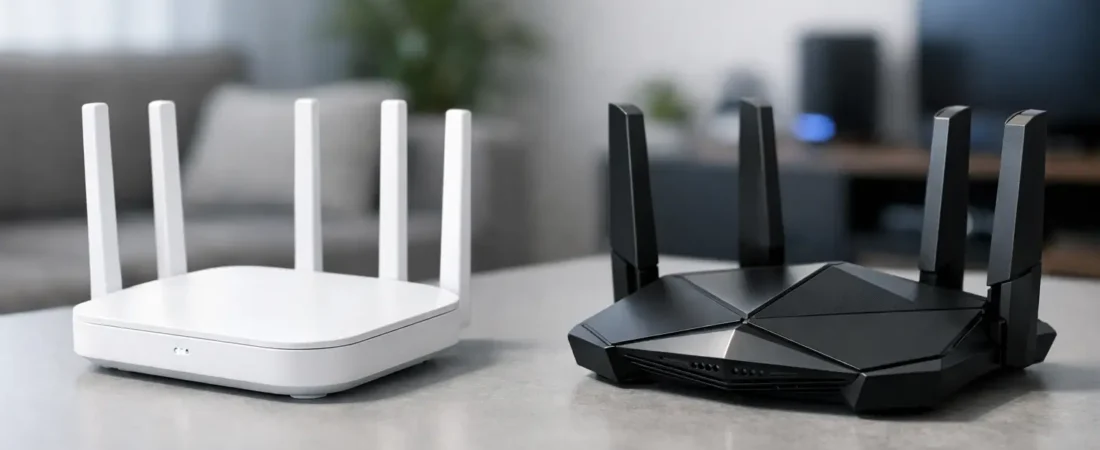
If you are shopping for a new router right now, the wifi 6 vs wifi 7 question usually comes down to one thing: do you need better value today, or do you want more headroom for the next few years? For most households, both standards can deliver fast, reliable internet. The difference is whether your internet plan, devices, and budget can actually take advantage of what WiFi 7 adds.
A lot of buyers assume the newer standard automatically means a better experience in every home. That is not always true. A WiFi 7 router can be excellent, but if you have a 300 Mbps cable plan, a small apartment, and mostly older phones and TVs, you may not notice much real-world improvement over a good WiFi 6 model. On the other hand, if your house is full of newer devices, heavy streaming, gaming, and work-from-home traffic, WiFi 7 starts to make more sense.
WiFi 6 vs WiFi 7 in plain English
WiFi 6 was built to improve efficiency, especially in busy homes where lots of devices are fighting for bandwidth at the same time. It does a better job than older Wi-Fi generations at handling congestion, which matters more than raw speed for many families. If your current issue is buffering in the living room while someone else is on Zoom and another person is gaming upstairs, WiFi 6 was designed for exactly that kind of problem.
WiFi 7 takes that idea further. It pushes much higher top-end speeds, wider data channels, and better use of multiple bands at once. In simple terms, it is built for homes that want more performance overhead, especially as internet plans move into multi-gig territory and more devices support newer wireless features.
The key point is this: WiFi 6 already covers a lot of normal household needs very well. WiFi 7 is more about future-proofing and high-performance use cases than basic internet access.
What actually changes with WiFi 7?
The biggest practical upgrade is capacity. WiFi 7 can move more data, more quickly, and do it with lower latency in ideal conditions. That sounds abstract, but it matters in homes with 4K streaming on several TVs, cloud gaming, large file uploads, smart home gear, and work devices all active at once.
One major reason is channel width. WiFi 7 can use wider 320 MHz channels, while WiFi 6 tops out lower. Wider channels can translate into faster throughput, assuming your device supports it and your environment is clean enough to use it well.
Another major change is multi-link operation. Instead of leaning on one band at a time, compatible WiFi 7 devices can use multiple bands together more intelligently. In real life, that can help with responsiveness and consistency, not just headline speed. It is especially useful when your network is under pressure.
There is also 4K-QAM support, which improves how much data can be packed into the signal. Again, this is most noticeable when both your router and client device support it. That point matters because router marketing often makes WiFi 7 sound like an instant upgrade for every device in your house. It is not. Older phones, laptops, smart TVs, and streaming boxes will not magically become WiFi 7 devices.
Speed is only part of the story
When people compare wifi 6 vs wifi 7, they often focus on maximum speed numbers. Those numbers are real, but they are also the least useful part of the buying decision for many households.
Your ISP plan is the first limit. If you pay for 500 Mbps internet, a router capable of several gigabits over Wi-Fi does not mean your internet connection suddenly gets faster than 500 Mbps. It can still help with local performance and device handling, but the jump may not feel dramatic.
Your devices are the second limit. A WiFi 7 router works with older devices, but they connect using the standards they support. If most of your hardware is WiFi 5 or WiFi 6, you are paying partly for future compatibility, not immediate gains.
Your home layout is the third limit. Thick walls, long distances, poor router placement, and dead zones can make any router underperform. In many homes, moving to a mesh system or placing access points better does more for day-to-day performance than jumping from WiFi 6 to WiFi 7.
Is WiFi 7 better for range?
Not automatically. This is one of the most common shopping mistakes.
WiFi 7 can improve performance, but it does not break the laws of physics. Higher-frequency bands still struggle more with walls and distance than lower-frequency bands. If your problem is that the back bedroom or upstairs office barely gets signal, a single expensive WiFi 7 router may not fix it.
That is why router choice should start with your home size and layout, not just the standard. A strong WiFi 6 mesh kit can be a much smarter buy than a high-end WiFi 7 standalone router if coverage is your main issue. For many ISP households, especially in larger homes, coverage beats raw speed every time.
When WiFi 6 is still the smart buy
WiFi 6 remains the better value for a lot of people. If you want to replace an ISP rental gateway, cut monthly equipment fees, and get stronger home Wi-Fi without overspending, WiFi 6 is often the practical answer.
It makes especially good sense if you have internet speeds under 1 gig, your devices are mostly a few years old, or you are trying to improve streaming and general reliability instead of chasing the fastest possible benchmark. It is also a solid fit for many cable internet customers on Xfinity, Spectrum, or Breezeline plans where stable coverage and compatibility matter more than top-tier wireless specs.
A good WiFi 6 router can still handle remote work, 4K streaming, gaming, video calls, and a busy smart home. For the average family, that is enough.
When WiFi 7 is worth paying for
WiFi 7 starts to justify its price when your household is already pushing a network hard or likely will soon.
If you have a multi-gig fiber plan from Verizon Fios or AT&T Fiber, newer flagship phones and laptops, heavy local file transfers, or several demanding users online at once, WiFi 7 gives you more room to grow. It can also make sense if you plan to keep your router for many years and would rather buy once than upgrade again soon.
The other good reason to choose WiFi 7 is if you are shopping at the higher end anyway. Once you are already spending premium money, the extra cost over a top WiFi 6 model may be easier to justify. You are not just buying speed. You are buying a longer runway for future devices and faster service tiers.
Still, this is where honest trade-offs matter. WiFi 7 gear costs more, and the benefits are strongest only when the rest of your setup can match it.
ISP compatibility matters more than people think
The standard alone does not tell you whether a router is the right fit for your provider.
If you have cable internet, you need to think about modem compatibility separately unless you are buying a modem-router combo. If you have fiber, you may need to work around provider equipment or place your own router behind an ISP gateway or ONT. That is why the best buying decision is not just WiFi 6 or WiFi 7. It is WiFi 6 or WiFi 7 with the right setup for your ISP, plan speed, and home size.
That is also why RouterForMyISP focuses so much on matching router choices to the provider, not just the spec sheet. A fast router that is awkward with your ISP setup can create more frustration than value.
So which should you buy?
If you want the simple answer, buy WiFi 6 when price matters, your plan is under 1 gig, or your devices are not especially new. It is the safer value pick, and for many homes it will feel plenty fast.
Buy WiFi 7 if you have a high-performance household, a multi-gig plan, newer devices, or you want to keep your router for a long time and avoid feeling outdated too soon. It is the better long-term choice, but not always the better immediate value.
A lot of shoppers do not need the newest badge on the box. They need stable coverage in the rooms that matter, enough speed for the plan they actually pay for, and hardware that works cleanly with their ISP. Start there, and the right answer gets much easier.
If you are stuck between the two, lean toward the router that fits your internet plan and home layout first. The standard matters, but a well-matched setup will always beat a flashy upgrade that your household cannot fully use.