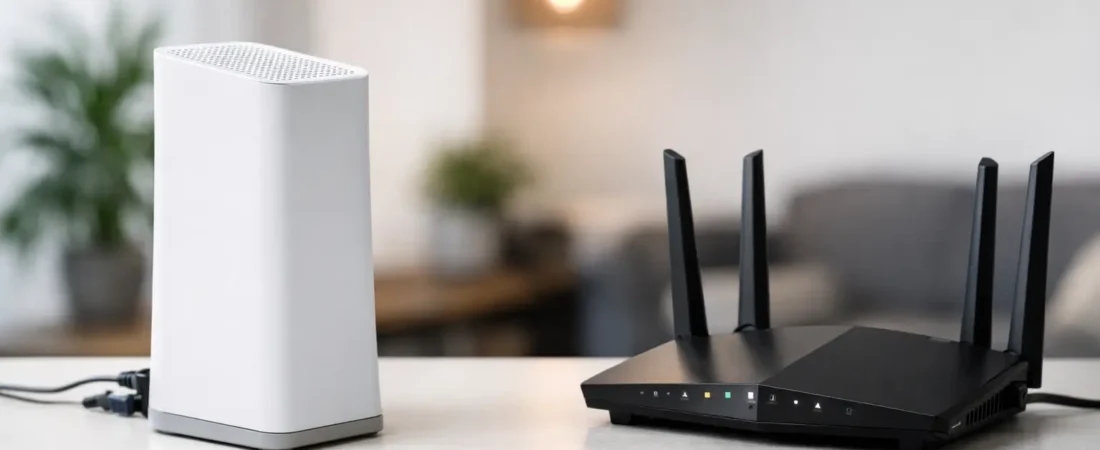
If your Wi-Fi drops in the back bedroom, your monthly bill keeps creeping up, or your video calls get shaky when the kids start streaming, the xfinity gateway vs own router question stops being theoretical fast. For most households, this choice comes down to three things: monthly cost, whole-home Wi-Fi performance, and how much hassle you want to deal with.
The short version is simple. Xfinity’s gateway is easier. Your own router is often better long term. But that does not mean everyone should rush out and replace the ISP equipment tomorrow.
Xfinity gateway vs own router: the real difference
An Xfinity gateway is a combo device. It includes a modem and a router in one box, and in many cases it also handles Xfinity-specific features like account activation and optional whole-home Wi-Fi add-ons. You rent it from Xfinity, plug it in, and the company supports it.
Your own router is only half of the setup. With Xfinity cable internet, you still need a compatible modem unless you buy a modem-router combo. That distinction matters because many people say they want to “use their own router” when what they really mean is they want to stop renting the Xfinity box.
So this is not just one decision. It is really two. First, do you want to rent Xfinity’s modem/router combo or buy your own modem? Second, if you buy your own modem, do you also want a separate router for better Wi-Fi?
For most people who care about performance, the best non-rental setup is a separate modem plus a separate router or mesh system. It costs more upfront, but it usually gives you better Wi-Fi control, better upgrade flexibility, and no recurring rental fee.
When the Xfinity gateway makes more sense
There is a reason many households stick with the gateway. It is convenient.
Setup is usually straightforward, and if something goes wrong, Xfinity cannot point at your third-party hardware as the problem. That matters if you do not want to troubleshoot firmware settings, modem compatibility, or bridge mode. If you just want internet that works with the least effort, the gateway is the lower-friction option.
It can also make sense if your internet plan is modest, your home is smaller, and you do not have many demanding devices. In an apartment or small house, the gateway may be perfectly fine for streaming, browsing, and a few smart home devices.
There is also a support angle. If you rent the gateway, Xfinity manages that hardware. Replacements are easier, updates are handled for you, and installation support is simpler. For households that value convenience more than fine-tuning, that has real value.
The catch is that convenience comes with a monthly fee. Over time, that fee adds up fast.
When your own router is the better move
If you are reading this because your Wi-Fi is weak, not because you love networking gear, that is the biggest clue. In many homes, the problem is not the internet service itself. It is the Wi-Fi hardware.
A good standalone router usually beats an ISP gateway on range, device handling, and advanced features. That becomes more noticeable in larger homes, homes with multiple floors, households with heavy streaming, and work-from-home setups where stable video calls matter.
Owning your equipment also gives you control. You can choose a router that fits your home size and speed tier instead of taking whatever hardware the ISP provides. If your needs change, you can upgrade the router later without replacing the modem. That flexibility is one of the best reasons to buy instead of rent.
Then there is the money side. Rental fees may not look painful month to month, but over two or three years they can easily exceed the cost of buying a solid modem and router. If you plan to stay with Xfinity for a while, owning often makes financial sense.
Cost is where the gateway often loses
The gateway’s biggest weakness is not always performance. It is the long-term math.
A rental fee can quietly become one of those charges you stop noticing, which is exactly why it sticks around. Buying your own setup means a larger upfront purchase, but after that, the equipment is yours. For many households, the break-even point arrives sooner than expected.
That said, upfront cost still matters. If your budget is tight today, renting may be easier even if it costs more over time. That is why this is not a one-size-fits-all answer. The better value depends on whether you want to lower this month’s expense or reduce total cost over the next few years.
Performance depends on your home, not just your speed plan
People often focus on internet speed numbers and miss the bigger issue. A home on a mid-tier Xfinity plan with a strong router can feel better than a faster plan running through weak Wi-Fi hardware.
If your home is under about 1,500 square feet and your gateway sits in a central spot, the gateway may do the job. But if you have thick walls, multiple floors, dead zones, or lots of devices connected at once, a better router or mesh system usually makes a bigger difference than people expect.
This is especially true for families. One person on Zoom, another streaming 4K video, a teenager gaming, smart TVs, cameras, and phones all competing for Wi-Fi can expose the limits of average ISP equipment quickly.
Gateway in bridge mode: a middle-ground option
Some Xfinity customers keep the gateway but add their own router. This setup can work well if you need better Wi-Fi but are not ready to replace everything.
In that case, the Xfinity gateway can be put into bridge mode, which turns off most routing functions so your own router handles the network. That can improve coverage and features while keeping the Xfinity hardware in place for modem duties.
This approach makes sense if you already have the gateway, want to test a better router first, or need a simpler path with less guesswork about modem compatibility. It is not always the cheapest long-term answer, but it can be a practical stepping stone.
Features you may care about more than you think
The xfinity gateway vs own router decision is also about what you want your home network to do.
A standalone router often gives you stronger parental controls, better app management, more Ethernet ports, better traffic handling, guest network options, and easier upgrades to mesh Wi-Fi. If you have a bigger home or specific needs like home office reliability, these quality-of-life features matter.
The gateway, by comparison, is built for broad simplicity. That is useful, but it also means fewer reasons to get excited about it. It is designed to be good enough for many people, not the best fit for every household.
Who should choose each option?
Choose the Xfinity gateway if you want the easiest setup, prefer ISP support, live in a smaller space, or do not want to spend much upfront. It is the convenience pick.
Choose your own modem and router if you want to stop paying rental fees, improve Wi-Fi coverage, handle more devices better, or build a setup you can upgrade over time. It is the value and performance pick.
If you are somewhere in the middle, start by asking what frustrates you most. If it is the bill, buying your own equipment is usually the answer. If it is weak Wi-Fi, a better router or mesh setup is usually the answer. If it is setup hassle, keeping the gateway may still be worth it.
For readers who want the practical answer RouterForMyISP tends to recommend, it usually goes like this: if you have a larger home, a family, a work-from-home schedule, or any history of dead spots, owning your equipment is the smarter move. If your internet needs are basic and you value simplicity above all else, the gateway is fine.
The better question is what problem you are trying to solve
A lot of people frame this as a hardware battle, but the better question is simpler. What problem are you trying to fix?
If your current setup works, your home is small, and you do not mind the rental fee, there is no urgent reason to change. If you are tired of paying every month for average equipment or your Wi-Fi feels like the weak link in the house, your own router is usually the better path.
The right choice is not the one with the most features on paper. It is the one that fits your home, your budget, and your tolerance for tinkering. If your internet is supposed to make life easier, your equipment should do the same.