
A Gig plan can feel slow when your router is the weak point. Dead spots, video calls that drop, and a game console stuck on an older Wi-Fi band can make high-speed internet feel ordinary.
The right spectrum gig internet routers give your home better coverage when subscribing to Spectrum Internet Gig, ensuring your connection isn’t bottlenecked during streaming, gaming, or everyday use. You don’t need the most expensive model, but you do need the right ports and Wi-Fi standard.
Start by separating the modem job from the router job.
This post may contain affiliate links. If you make a purchase through these links, I may earn a small commission at no extra cost to you.
Key Takeaways
- The TP-Link Archer BE550 is the best overall choice for most Spectrum Internet Gig homes, offering Wi-Fi 7 and 2.5 Gbps Ethernet ports at a reasonable price.
- A third-party router works with your Spectrum modem; it does not replace the cable modem itself.
- Choose Wi-Fi 6E or Wi-Fi 7 when replacing an older router, and look for a 2.5 Gbps WAN port to provide more room for gigabit and future multi-gig speeds.
- Mesh Wi-Fi is a better solution than a single router for large homes, multiple floors, thick walls, or detached offices.
- Router placement, compatible devices, Ethernet cables, and home layout affect real-world speeds as much as the router’s advertised specifications.
Best Spectrum Gig Internet Routers for Most Homes
Spectrum Internet Gig needs a router that can handle close to 1 Gbps over Ethernet and strong wireless traffic across the home. Your Spectrum modem connects to the router with an Ethernet cord. The router then manages Wi-Fi, wired devices, guest access, and most of the settings you use every day.
A third-party router does not replace a cable modem. If Spectrum supplied your Spectrum modem, keep it connected. Buying your own router is often the easier upgrade because you can improve Wi-Fi without changing the cable side of the setup.
Look for a router with a 2.5 Gbps WAN port if you are buying new. A standard Gigabit WAN port can still work, but its real wired ceiling is usually around 940 Mbps. A 2.5 Gbps port gives your equipment more headroom, helps you reach true gigabit speeds over Ethernet, and supports stronger wireless speeds as your network grows.

Wi-Fi 6 is still fine for smaller homes and tight budgets. Wi-Fi 6E adds the less crowded 6 GHz band, which helps newer phones, laptops, and gaming devices. If you’re ready for an Advanced WiFi router, a modern WiFi 7 router costs more but offers the better long-term choice when replacing an older model today.
For a look at current high-end models and port options, see Tom’s Hardware router benchmarks. Fast test results matter, but coverage in your own home still matters more.
A fast router in the wrong room will not fix a weak signal in a back bedroom. Router placement matters as much as the model.
Top Router Picks for Spectrum Gig Service
These options fit different home sizes, budgets, and device needs. The best choice depends on whether you need one strong router or a mesh system with multiple access points.
| Router | Best For | What Stands Out |
|---|---|---|
| TP-Link Archer BE550 | Most Gig homes | Wi-Fi 7, 2.5 Gbps ports, strong value |
| NETGEAR Nighthawk RS700S | Premium performance | Wi-Fi 7, 10 Gig connectivity, advanced homes |
| TP-Link Archer AXE75 | Lower-cost Wi-Fi 6E | Tri-band Wi-Fi and good coverage for the price |
| Linksys Atlas WiFi 6E | Larger homes | Mesh coverage without moving to Wi-Fi 7 |
| ASUS ZenWiFi BQ16 Pro | Large, busy homes | Premium Wi-Fi 7 mesh performance |
For most homes, the TP-Link Archer BE550 is the practical place to start. As a WiFi 7 router, it supports plenty of bandwidth and includes 2.5 Gbps Ethernet ports, helping maintain consistent download speed and upload speed on a Gig plan without paying for features most households will never use. It is a good match for families with newer phones, laptops, smart TVs, and a few wired devices.
The BE550 also makes sense if your current router is several years old. You will notice the bigger difference in busy rooms, not only on a speed test. Multiple devices can share the network with less waiting and fewer slowdowns, which helps maintain overall network performance.
The NETGEAR Nighthawk RS700S is a premium WiFi 7 router for homes that want more than basic Gig coverage. It has premium hardware and 10 Gig connectivity for faster local transfers, NAS storage, or a future multi-gig plan. It is expensive, though. Skip it if you only need solid Wi-Fi for a few people in a modest home.
If Wi-Fi 7 is outside your budget, the TP-Link Archer AXE75 is a sensible Wi-Fi 6E choice and an affordable alternative to a basic WiFi 6 router. Its 6 GHz band can give compatible devices a cleaner connection than crowded 2.4 GHz and 5 GHz networks. Its Gigabit WAN port is enough for many Spectrum customers, but it does not offer the same wired headroom as a 2.5 Gbps model.
BroadbandNow’s Wi-Fi 6E router comparison is useful if you are deciding whether 6E still meets your needs. For a 1 Gbps plan, it often does.
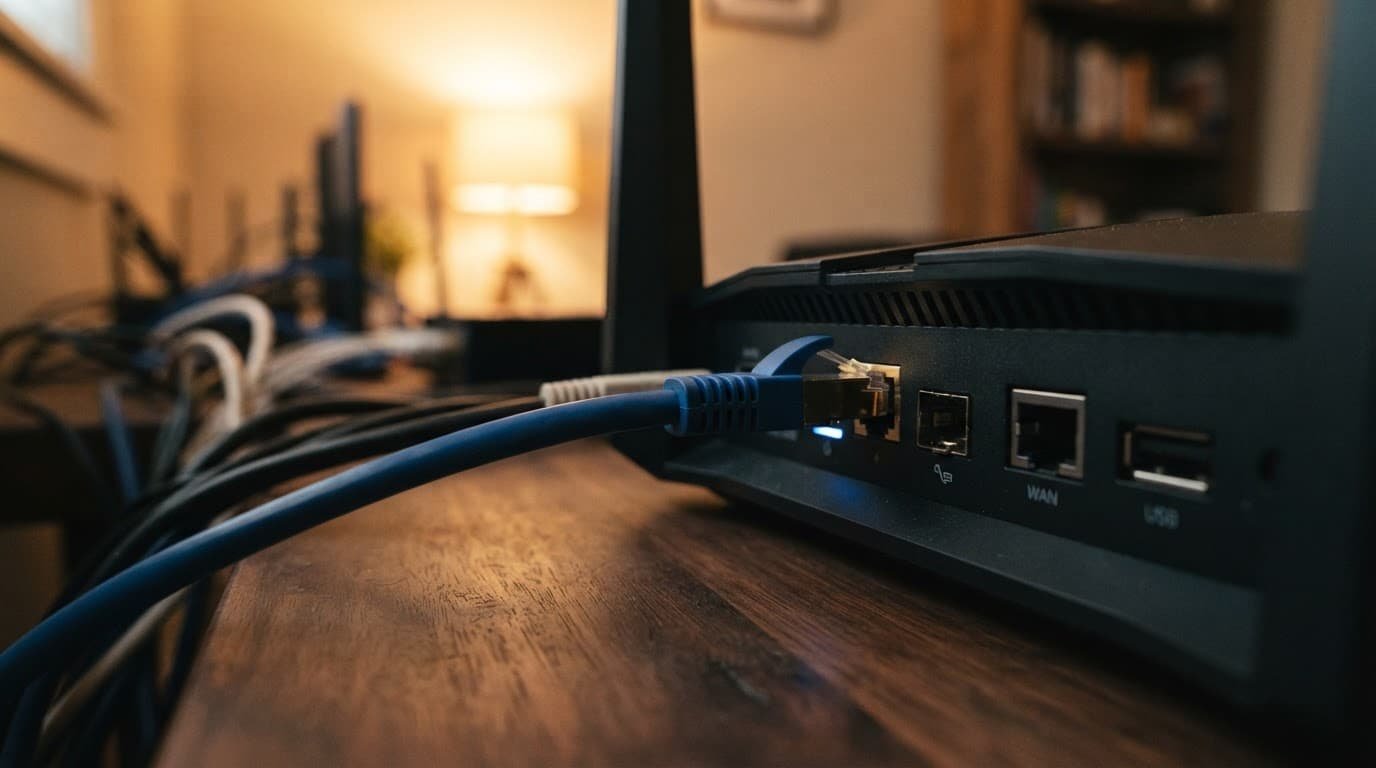
The Linksys Atlas WiFi 6E is a better fit when one router cannot reach the whole house. A mesh system uses two or more nodes to cover separate areas. That can help with a long ranch house, a finished basement, thick interior walls, or a detached office.
For the biggest homes, ASUS ZenWiFi BQ16 Pro is a premium Wi-Fi 7 mesh option that delivers robust Advanced WiFi across large spaces. It is built for homes with many devices and more demanding coverage needs. It is not the low-cost choice, but buying one good mesh system can be better than adding cheap range extenders later.
What to Check Before You Buy
Most Spectrum gig internet routers will work because the modem hands off service through a standard Ethernet connection. Before choosing a router, confirm that your internet service is fully provisioned and that you’re using approved, compatible modems. Compatibility problems are more likely to come from the modem, old cables, or incomplete activation than from the router brand.
Check these details before placing an order:
- Choose Wi-Fi 6E or Wi-Fi 7 if you are replacing a router that is more than a few years old.
- Make sure the router has at least one WAN port, and choose 2.5 Gbps WAN when the price difference is reasonable.
- Count wired devices such as game consoles, desktop PCs, streaming boxes, and smart-home hubs, and make sure the router provides enough ports for a stable wired connection. Mobile devices can rely on Advanced WiFi while using your Spectrum Internet Gig plan.
- Consider mesh Wi-Fi if the router must cover more than one floor or more than about 2,000 square feet.
- Use Cat5e or Cat6 Ethernet cables between the modem and router, and make sure the coaxial cable is securely attached to an approved modem.
Do not buy based only on the large speed number printed on the box. Those numbers combine several Wi-Fi bands under ideal lab conditions. Your phone, walls, distance, and device age decide the speed you see at home.
Wi-Fi 7 offers the most future room, but it does not make an older phone become a Wi-Fi 7 device. A Wi-Fi 6 phone can still connect and work well. The router’s extra capacity helps when several devices are active at once.
Community reports in this Wi-Fi 7 router discussion also show why real home layout matters. The best model for a small apartment may not be the best choice for a two-story home with dense walls.
Set Up Your New Router the Right Way
During self-installation, disconnect the old router, then connect the Spectrum modem to the new router’s WAN or Internet port. Power on the modem first and give it time to reconnect, then power on the router. The My Spectrum App can help you manage network settings during setup.
Use the router app or web setup page to create a new Wi-Fi name and password. You can reuse the old network name and password if you want smart devices to reconnect automatically. This saves time, but it can also carry old setup issues forward.
Place the router in an open, central location. Keep it off the floor and away from metal cabinets, large TVs, and enclosed shelves. If you have a mesh kit, place the second node about halfway between the main router and the weak area to create a more consistent Invincible WiFi environment.
Run a speed test over a direct wired connection first. This tells you whether the Spectrum connection is reaching the router at the expected speed. Then run another speed test over Wi-Fi near the router and in the rooms you use most.
If connectivity issues persist, update the router firmware before changing settings. You can also contact Spectrum customer service for help or review more home network options through our router buying guides.
Frequently Asked Questions
Do I need a special router for Spectrum Internet Gig?
You do not need a Spectrum-specific router, but your router should support gigabit speeds and have a suitable WAN port. A model with a 2.5 Gbps WAN port provides more headroom than a standard Gigabit port.
Can I use my own router with a Spectrum modem?
Yes. Connect the Spectrum modem to the router’s WAN or Internet port with a Cat5e or Cat6 Ethernet cable. The router will manage your Wi-Fi, wired devices, guest access, and network settings.
Is Wi-Fi 7 necessary for Spectrum Gig service?
No, Wi-Fi 6 and Wi-Fi 6E can handle Spectrum Gig service in many homes. Wi-Fi 7 is a better long-term choice if you want more capacity, newer features, and stronger performance with several compatible devices connected at once.
Should I choose a mesh system or a single router?
A single router is usually enough for a smaller home with an open layout. Choose mesh Wi-Fi when you need coverage across multiple floors, large spaces, thick walls, a finished basement, or a detached office.
How can I get the best speeds from my Spectrum Gig router?
Place the router in an open, central location away from floors, metal objects, and enclosed shelves. Test the connection over Ethernet first, then check Wi-Fi in the rooms you use most, and update the router firmware if performance problems continue.
The Right Router Makes Gig Service Feel Like Gig Service
The TP-Link Archer BE550 is the best fit for most Spectrum Internet Gig homes because it works as an Advanced WiFi router with Wi-Fi 7 and 2.5 Gbps ports, helping you get full value from high-speed internet without moving into premium pricing. The Archer AXE75 remains a practical Wi-Fi 6E option, while a mesh system is the better answer for hard-to-reach rooms.
When comparing spectrum gig internet routers, focus on coverage, port selection, and the devices you already own. Strong Advanced WiFi benefits every connected device, including smartphones using Spectrum Mobile, so a well-placed router that fits your home will do more than an expensive model with features you never use.