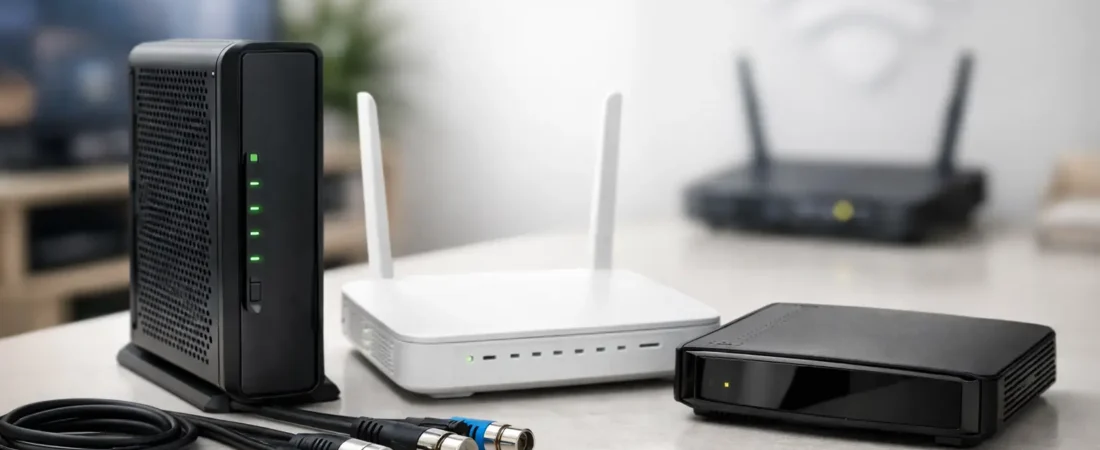
Renting Spectrum’s modem can feel easier right up until you start comparing monthly equipment fees, limited feature control, and the hardware sitting on your shelf. This spectrum modem compatibility guide is here to make that decision simpler if you want to buy your own modem, avoid a bad match, and get the speeds you actually pay for.
What the Spectrum modem compatibility guide really means
For most households, modem compatibility comes down to three questions. Will Spectrum activate the modem on your plan, will it support your speed tier without bottlenecking performance, and does it work with any extra service you have, such as home phone.
That last point trips up a lot of buyers. A modem can be technically compatible with Spectrum internet but still be the wrong pick for your setup if you also have Spectrum Voice. In that case, many standard retail modems will not cover everything you need.
Spectrum generally supports customer-owned modems for internet service, but not every modem sold online is a smart buy. Some are outdated. Some are built for lower speed tiers. Some are approved on paper but not ideal if you have multiple people streaming, gaming, or working from home at the same time.
Spectrum modem compatibility guide: what to check before you buy
The biggest thing to look at is DOCSIS version. If you are shopping for a modem today, DOCSIS 3.1 is usually the right move. It gives you more headroom, better long-term value, and a better chance of handling higher Spectrum speed tiers without forcing another upgrade soon.
DOCSIS 3.0 modems still exist, and some can work on lower plans, but they are usually a budget choice with a shorter useful life. If the price difference is small, DOCSIS 3.1 is the safer buy.
You should also check channel capacity and stated speed support, but do not treat marketing numbers as the whole story. A modem labeled for very high speeds may still be more than your plan needs. On the other hand, buying too close to your current tier can leave no room for future upgrades.
A practical approach is to buy for your current plan plus some headroom. If your household is on a mid-tier Spectrum plan and you expect to stay there for years, a solid DOCSIS 3.1 modem is usually the sweet spot. If you may move to gig service, make sure the modem is clearly positioned for that level.
Separate modem or modem-router combo?
A lot of people searching for Spectrum compatibility are really deciding between two types of hardware. A standalone modem connects your home to Spectrum. A separate router handles Wi-Fi, Ethernet ports, device traffic, and coverage around the house. A combo unit does both jobs in one box.
For most Spectrum customers, a separate modem and router is the better long-term choice. It gives you more flexibility, easier upgrades, and usually better Wi-Fi options. If your wireless coverage is weak now, replacing only the modem probably will not fix that. Your router matters just as much, and often more, once the internet signal is already coming into the house correctly.
A modem-router combo can still make sense in a smaller apartment or for a buyer who wants the fewest boxes possible. The trade-off is that if one part becomes outdated, you replace the whole unit. That usually makes combos less appealing for families, larger homes, and anyone who cares about stronger Wi-Fi performance.
The biggest compatibility mistake: forgetting phone service
If you only have Spectrum internet, your options are much better. If you also have home phone service through Spectrum, slow down before you buy anything.
Many retail cable modems do not support Spectrum Voice in the way a household expects. That means you may still need provider equipment for phone service, even if your internet modem would otherwise work. Some buyers assume they can replace every box with one retail device, then find out activation is not that simple.
If home phone matters in your house, verify voice support first and treat that as a non-negotiable filter. If you do not use Spectrum Voice, you can ignore that issue and shop more freely.
Speed tiers, real usage, and when a better modem helps
A modem does not create internet speed out of nowhere. If your plan is 300 Mbps, buying a modem advertised for much more than that will not magically deliver 900 Mbps. But a better modem can still help in a few practical ways.
First, it can make sure your hardware is not the bottleneck. Second, it can give you room to upgrade later without buying again. Third, a newer modem often pairs better with a stronger router, which matters if your real complaint is buffering in the back bedroom or poor video call quality upstairs.
That is why the right buying decision depends on your household. A one-bedroom apartment with light browsing has different needs than a family streaming on multiple TVs while someone joins Zoom calls and another person games online. The modem must fit the service level, but the router and Wi-Fi setup shape the day-to-day experience.
How to confirm Spectrum modem compatibility without overthinking it
If you want to keep this simple, use a three-step filter before purchase. Make sure the modem is explicitly approved or supported for Spectrum internet, make sure it supports your current speed tier with room to spare, and make sure it matches any phone-service requirement you have.
After that, think about your router. If you are replacing old equipment because your house has dead zones, random disconnects, or weak streaming performance, the router may be the larger upgrade. RouterForMyISP focuses on that exact problem because many people blame the modem when the real issue is poor Wi-Fi coverage.
Another practical check is your home size. In a smaller space, a basic router may be fine. In a larger home, a stronger standalone router or mesh system often does more for your experience than spending extra on a premium modem alone.
When you should keep Spectrum equipment instead
Buying your own modem is not always the best answer. If you want the simplest support experience, Spectrum’s equipment may still be worth keeping. When service issues happen, it is easier to avoid finger-pointing between your ISP and your hardware.
This is also true if you have a bundled setup with voice service or if you are not sure whether you will stay with cable internet long enough to recover the upfront cost of buying equipment. Some households simply prefer renting because it removes research and replacement responsibility.
That said, if you plan to stay with Spectrum, want more control over your home network, and are tired of using whatever hardware the provider hands out, buying your own modem can make a lot of sense. Just make sure you are solving the right problem. If the issue is weak Wi-Fi, budget for the router too.
A smart buying approach for most Spectrum households
If you want the shortest path to a good decision, start with a DOCSIS 3.1 modem from a reputable brand. Match it to your speed tier with some upgrade room. Skip older DOCSIS 3.0 models unless the savings are meaningful and your internet needs are modest. If you have Spectrum Voice, verify that first before doing anything else.
Then pair that modem with a router that actually fits your home. For apartments and smaller homes, a solid dual-band or tri-band router may be enough. For bigger homes or heavier streaming households, a better standalone router or mesh setup is usually money better spent than chasing the most expensive modem on the shelf.
The best compatibility decision is not the most expensive one. It is the one that works with Spectrum, fits your plan, and supports how your household really uses the internet every day. Buy with that in mind, and you are far more likely to end up with a setup that feels faster, more reliable, and a lot less frustrating.