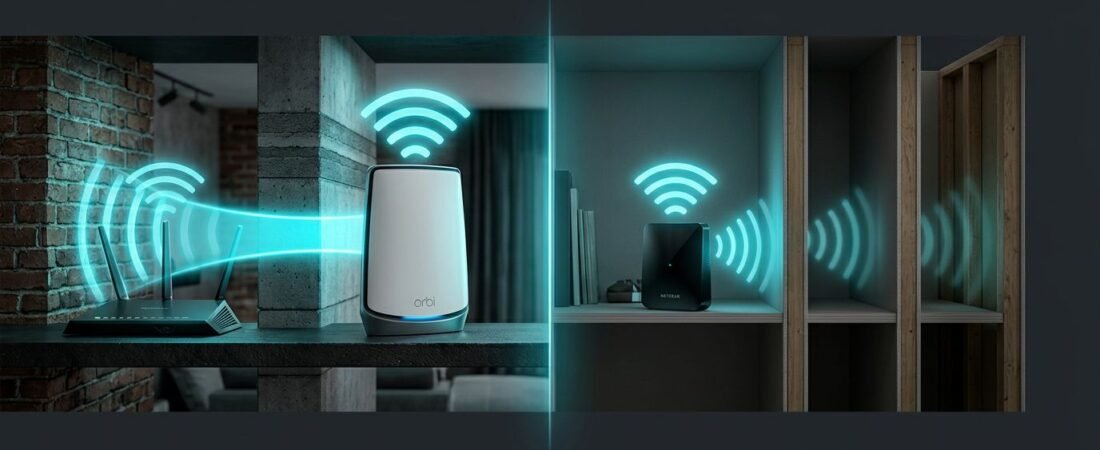
Brick, concrete, plaster, stone, and other dense walls can turn a good Wi-Fi plan into a frustrating home network. You may get full speed beside the router, then lose signal two rooms away.
The right Netgear mesh system can improve coverage, but premium hardware can’t guarantee every weak area disappears. Practical results depend on the wall path, satellite placement, where your internet connection enters the home, your internet plan, and Ethernet availability.
Use this guide to compare practical coverage options, including a less expensive Nighthawk mesh setup, before spending too much on coverage you may not need.
This post may contain affiliate links. If you make a purchase through these links, I may earn a small commission at no extra cost to you.
Key Takeaways
- Thick brick, concrete, plaster, and stone walls can weaken both client Wi-Fi and the wireless backhaul between mesh nodes.
- Orbi generally suits demanding homes better than Nighthawk mesh, but the exact model, wall path, internet plan, and device load still matter.
- Start with one satellite in a strong signal path and test the problem rooms before adding more nodes.
- Wired Ethernet backhaul is often the most reliable fix because it bypasses the wall path between the router and satellites.
- Manufacturer coverage numbers are best-case estimates, so choose based on practical placement and measured performance rather than advertised square footage.
Why Thick Walls Are Hard on Mesh Wi-Fi
Wi-Fi travels through open air well, but dense materials can sharply weaken it. Brick and poured concrete absorb radio energy, while stone fireplaces can block the signal between rooms. Metal framing may reflect or obstruct it, and old plaster walls can add further attenuation.
A single mesh router still has to push its signal through these barriers. A distributed system can place nodes closer to devices, but the building materials and signal path still determine the WiFi coverage.
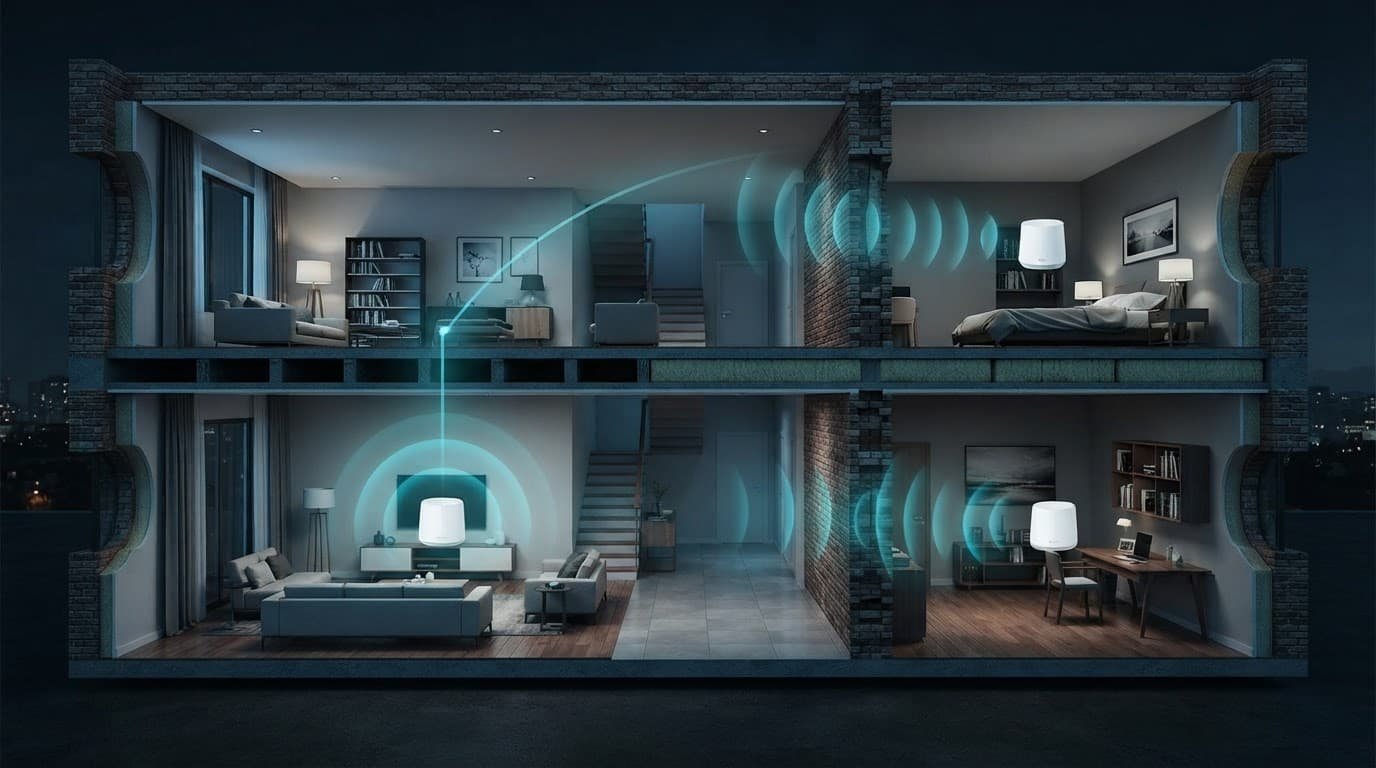
A mesh system uses a main router and mesh satellites that communicate with each other around the house. The path from a client device to a satellite is separate from the router-to-satellite backhaul. A satellite may show full Wi-Fi bars to your phone while its weak upstream link delivers poor throughput.
NETGEAR has a useful mesh Wi-Fi guide for thick walls that explains why a multi-node system can help in difficult homes. This manufacturer guidance offers useful placement context, but it isn’t proof of guaranteed coverage. A mesh satellite cannot repair a signal it barely receives.
The wall between nodes matters most
The distance from your phone to a satellite is only part of the picture. The bigger issue is the path between the router and that satellite.
One satellite on the other side of two brick walls may perform worse than one placed farther away through a doorway. In a difficult home, the route between nodes matters more than the advertised square footage.
Start with your problem rooms
Walk through the house and identify where Wi-Fi fails. Common dead zones include:
- Upstairs bedrooms above a concrete or plaster ceiling.
- Basements separated by foundation walls and ductwork.
- Home offices at the far end of the house.
- Detached rooms, garages, or patios beyond exterior walls.
A mesh system can be a better fit than one router when these areas need steady Wi-Fi for work calls, streaming, or gaming. Nighthawk mesh may suit homes with lighter construction, but it isn’t automatically the best choice for severe masonry attenuation.
Netgear Mesh System Options: Orbi vs. Nighthawk
Netgear sells mesh products under both the Orbi and Nighthawk names. An Orbi mesh system and Nighthawk mesh products target different buyers.
Both families include multiple generations. Compare the exact model’s radio design, Ethernet ports, satellite compatibility, and subscription terms before buying.
Orbi is the stronger choice for hard-to-cover homes
Orbi is Netgear’s premium mesh line, but the right model still depends on your home’s layout and internet plan.
The current Orbi 970 series is Netgear’s flagship. It combines quad-band WiFi 7 with extra capacity for dedicated wireless backhaul. Its router has 10Gbps WAN and LAN ports, plus four 2.5Gbps LAN ports. Each satellite adds one 10Gbps and two 2.5Gbps Ethernet ports.
Netgear rates the three-pack for up to 10,000 square feet and 200 devices. Those manufacturer claims are best-case estimates. Coverage and device capacity can fall substantially in concrete or stone homes.
The current Orbi 870 Series is a more practical WiFi 7 option for many households. Its tri-band design includes a 10Gbps WAN port and four 2.5Gbps LAN ports. Each satellite provides one 10Gbps and two 2.5Gbps Ethernet ports, and the system supports wired backhaul.
I personally use the Orbi 870 as my home mesh system.
Netgear rates its three-pack for up to 10,000 square feet and 200 devices. It can offer better value than the 970, although thick walls can reduce real-world performance. The 970 and 870 use separate satellite families, so don’t assume their satellites are interchangeable.
In a home with thick walls, a well-placed two-pack can beat a poorly placed three-pack.
Nighthawk mesh fits simpler coverage needs
Many Nighthawk systems cost less and suit smaller homes with lighter walls. However, Nighthawk models don’t all use the same radios, ports, or satellite expansion options.
As an older Nighthawk mesh example, the Nighthawk Mk83 uses a three-band WiFi 6 AX3600 design rather than current premium hardware. The WiFi standards differ, since the current Orbi models use WiFi 7 while this older example uses WiFi 6.
The Mk83 can still handle normal streaming and web use. Dense walls, busy networks, and gigabit internet plans can expose its limits. Check the exact Nighthawk kit before assuming it offers Orbi-level backhaul or expansion.
Compared with Nighthawk mesh, a suitable Orbi kit usually costs more but can provide greater capacity and faster wired options for demanding homes.
Ubiquiti Unifi may appeal to buyers who want more advanced network management, but it isn’t a direct plug-and-play equivalent for every household.
NETGEAR Armor is a separate consideration. Check its security features, trial terms, and ongoing subscription cost independently from coverage and throughput.
If you need help comparing routers, mesh systems, and ISP equipment, browse the practical RouterForMyISP setup guides.
Dual-Band, Tri-Band, and Quad-Band Mesh Systems
WiFi bands affect how a mesh system handles traffic between its router and satellites. This helps explain why systems with similar coverage claims can perform very differently.
| Mesh Type | Typical Use | What to Expect in Thick-Wall Homes |
|---|---|---|
| dual-band | Smaller homes and lighter use | Shares airtime between client devices and node-to-node traffic, so speed can drop |
| tri-band | Larger homes and busy households | May include a dedicated wireless backhaul, but designs vary by model |
| quad-band | Large homes and multi-gig plans | Adds capacity and premium backhaul options, but doesn’t guarantee reliable passage through concrete |
Why a dedicated backhaul helps
A two-band system shares airtime between phones, TVs, laptops, and mesh nodes. That creates more competition for airtime.
A tri-band system may reserve one radio as a dedicated wireless backhaul, using a backhaul radio band for node-to-node traffic. Other models use that radio capacity differently, so a third band alone doesn’t prove a dedicated link. Nighthawk mesh specifications vary by model, so check them before assuming a dedicated backhaul.
NETGEAR describes how Orbi systems use dedicated backhaul bands in its Orbi dead zone guide. A dedicated wireless backhaul still crosses the walls between nodes. A wired backhaul carries node-to-node traffic over Ethernet and bypasses that wall path.
For 300 or 500 Mbps, three bands often suffice for fewer devices and moderate traffic. Dense concrete walls can still make Ethernet between nodes valuable when available. For a 1 Gig or 2 Gig plan, premium WiFi 7 hardware suits busy networks, but it won’t overcome attenuation.
Match the System to Your Home and Internet Plan
Don’t choose by the largest coverage number on the box. Match the system to your home’s construction, node locations, and where your internet connection enters the house.
A router tucked into a basement utility room starts at a disadvantage. If your modem or fiber ONT is there, plan for a satellite on the main floor. Another satellite may be needed upstairs.
Published WiFi coverage and device counts are manufacturer estimates. Discount those figures for brick, concrete, plaster, or stone walls, especially when satellites cannot see one another clearly.
A practical buying guide
Compare WiFi standards with your devices and plan. WiFi 6 suits lighter loads, WiFi 6E adds a 6GHz band, and WiFi 7 offers more capacity for newer clients.
A tri-band system is worth the added cost when satellites use wireless backhaul. It helps when several people stream, work, or game at once. For lighter loads and simpler layouts, a dual-band system usually costs less.
| System | Wireless design | Backhaul and wired ports | Manufacturer estimate and best fit |
|---|---|---|---|
| Nighthawk MK63 | WiFi 6, 2.4GHz and 5GHz | Shared wireless backhaul, with gigabit Ethernet ports | Up to 4,500 square feet and 25 devices. A smaller home with a lighter load |
| Nighthawk MK83 | WiFi 6, 2.4GHz and two 5GHz bands | Dedicated wireless backhaul, with gigabit Ethernet ports | Up to 6,750 square feet and 40 devices. A larger home with moderate traffic |
| Orbi 870 | WiFi 7, 2.4GHz, 5GHz, and 6GHz | Dedicated wireless backhaul, 10Gbps Internet and LAN ports, plus 2.5Gbps LAN ports | Up to 10,000 square feet and 150 devices. Multi-gig plans and heavier simultaneous use |
| Orbi 970 | WiFi 7, 2.4GHz, two 5GHz bands, and 6GHz | Dedicated wireless backhaul, 10Gbps Internet and LAN ports, plus 2.5Gbps LAN ports | Up to 10,000 square feet and 200 devices. High device loads, multi-gig service, or wired satellites |
Choose a Nighthawk mesh system, such as the MK63, for a modest plan and mostly drywall construction. It is the budget-minded option.
For a smaller home, Nighthawk mesh with the MK63 is usually enough. It is less compelling when thick masonry forces large gaps between nodes.
Choose Orbi 870 when you need WiFi 7, more capacity, better reach, multi-gig Ethernet, and support for several simultaneous users. Its larger estimate does not remove the limits of dense walls.
Choose the Orbi 970 series when multi-gig service, many connected devices, 10Gbps ports, or Ethernet wiring for satellites justify the price. It is not automatically the right choice for every large home.
Match the hardware to your subscribed internet speed. A 2.5GbE or 10Gbps port does not make a slower plan faster.
A mesh router delivers multi-gig transfers only when the modem or ONT, switch, client, and NAS have matching ports. Smart TVs and most streaming devices won’t benefit much from premium local-network speeds.
As a value caveat, Nighthawk mesh models make more sense when your plan and devices cannot use Orbi’s higher-end capacity. Parental controls can be useful, but they should remain a secondary software feature.
You can compare mesh hardware, switches, adapters, and Ethernet accessories at Better WiFi Shop.
Place Mesh Satellites Before Buying More
Adding another node sounds like an easy fix. In practice, too many satellites can create more wireless traffic and make troubleshooting harder.
Start with the router and one satellite. Test coverage in the problem room before adding mesh satellites. Add a second satellite only when there is still a clear weak area.
Keep satellites within a strong signal path
Place the first satellite halfway between the router and the dead zone, where it still receives a strong signal, rather than inside the weak room. In a dense-wall home, a farther spot with one doorway can outperform a closer location behind multiple masonry walls.
Keep it out in the open, on a shelf or table. Avoid cabinets, floor-level placement, metal racks, and rooms full of large appliances.
NETGEAR’s satellite placement guidance is useful here, and the same placement logic applies to Nighthawk mesh systems. Use the current model’s smartphone app, such as the Orbi or Nighthawk app when supported, plus satellite status lights to verify the node link. Don’t rely only on a phone’s signal bars before drilling holes or buying add-on units.
Townhomes have extra interference
Townhomes and apartments may have dozens of neighboring networks that compete for airtime across shared WiFi bands. Shared walls can carry wireless interference from other routers, Bluetooth devices, baby monitors, and smart home gear.
Keep the main router away from cordless phone bases, microwave ovens, large speakers, and electrical panels. Automatic selection of wireless channels can’t overcome severe wall attenuation or nearby network congestion.
If speeds drop only during evenings, that pattern may point to the same issue. A speed test beside the router and another in the weak room will show whether your internet service or in-home Wi-Fi is the issue.
Wired Backhaul Is Often the Best Fix
A wireless backhaul is convenient, but a cable connection is more reliable when walls are the main problem. A dedicated wireless backhaul still depends on a backhaul radio band and radio propagation through the building.
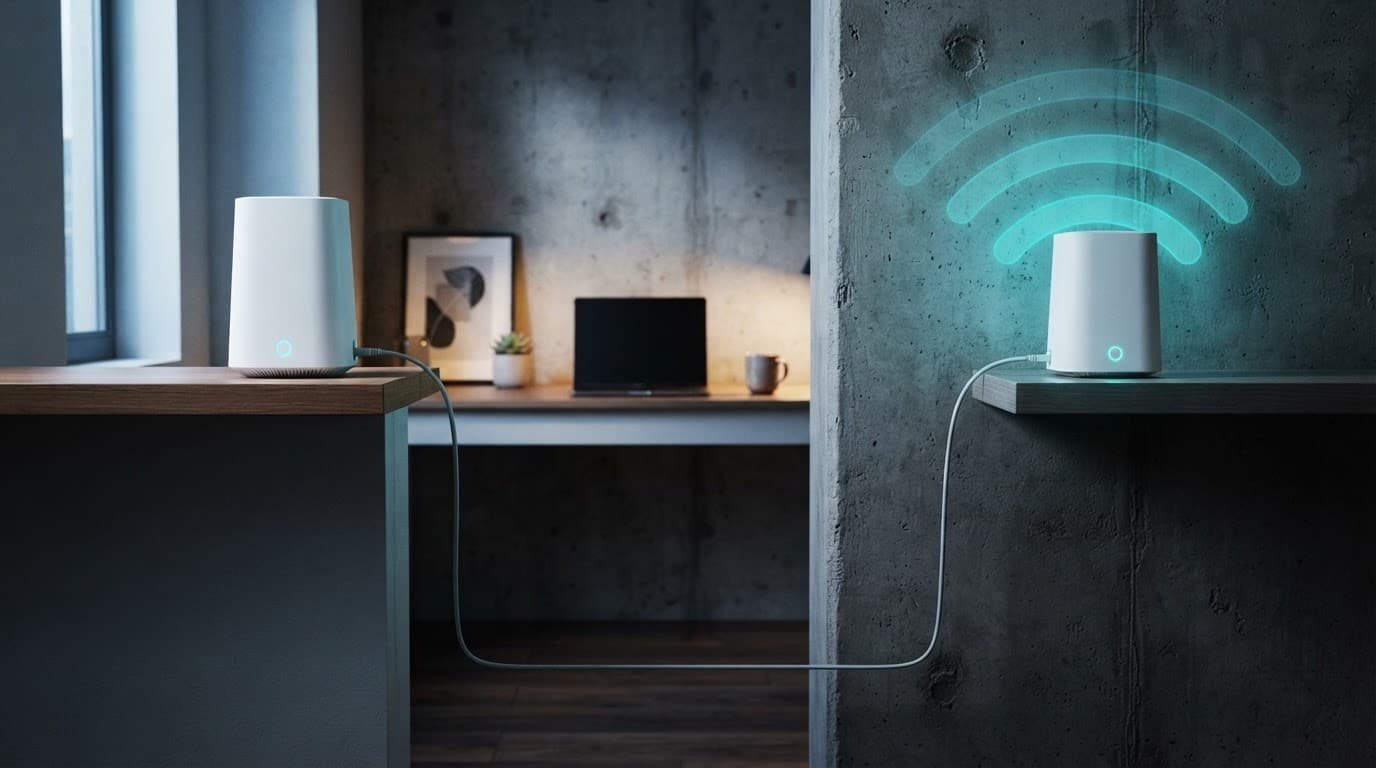
For homes where brick or concrete blocks communication between nodes, connecting the mesh satellites by cable is usually the strongest fix. It removes the wall path between the router and satellite, while phones, laptops, and TVs continue using Wi-Fi.
Use existing Ethernet runs when possible
You do not need to replace every in-wall cable with Cat6 before testing. For normal home runs, a good Cat5e cable is commonly sufficient for Gigabit Ethernet and may support 2.5GbE over suitable distances.
Cable quality, termination, and port capabilities determine the result. Start with a short, known-good Cat5e or Cat6 Ethernet cable. If it works but the wall jack does not, inspect the in-wall cable, connectors, bends, and termination.
Confirm the port roles and support for cable-connected satellites on your exact Orbi model before testing. The basic layout is simple:
- Connect your modem, ONT, or ISP gateway to the Orbi router’s Internet port with an Ethernet cable.
- Connect a LAN port on the Orbi router to a downstream Ethernet switch if needed.
- Connect each satellite to that switch or an approved wired path.
Keep all satellites downstream of the router. Avoid linking network equipment in a loop.
What Ethernet backhaul improves
Ethernet backhaul does not increase a 500 Mbps internet plan to 1 Gig. It improves stability and latency inside your home.
The gains are usually steadier video calls, lower latency, fewer speed drops, and better performance in far rooms. It’s especially helpful for a basement office, garage room, or upstairs bedroom behind thick walls.
NETGEAR users also discuss real results from this setup in its Orbi community thread. Results vary, but difficult homes usually show the clearest improvement.
Fix Big Speed Drops Before Replacing Hardware
Run a wired speed test beside the main router first. This checks your internet speed without the in-home Wi-Fi path. If it is slow, check the modem, ONT, plan speed, Ethernet cable, and internet connection before blaming the mesh nodes.
If the wired result is good, compare a wireless test in the problem room with one beside the satellite. This helps separate a weak satellite link from wireless interference or a local hardware fault.
Evening slowdowns can come from network congestion caused by neighboring networks or heavy local use.
Check these common problems
An amber or weak satellite connection usually points to placement. Move the satellite toward the router, even if that feels counterintuitive. Repeat the comparison before changing advanced settings.
Inconsistent results can reflect changing wireless channels, but advanced changes aren’t a universal fix. Restart the router and satellites after a firmware update, then update every unit, not only the main router.
Check the Ethernet cable from your modem or gateway. It belongs in the router’s WAN or Internet port, not a normal LAN port.
If you add an Orbi or Nighthawk satellite, check the current official compatibility list for that satellite and your exact system family. For Orbi systems and Nighthawk mesh, verify model-specific app and firmware behavior, and don’t assume different generations will pair.
A Wi-Fi extender isn’t the same as a dedicated mesh system. Extenders often create a separate network name and repeat a weaker signal. Mesh satellites coordinate across the home, but placement and backhaul still affect performance.
Frequently Asked Questions
Is Orbi better than Nighthawk mesh for thick walls?
Orbi usually offers more capacity and stronger backhaul options, making it a better fit for demanding homes. However, placement and the wall path between nodes can matter more than the product line.
How should I place a mesh satellite in a home with thick walls?
Place the satellite halfway between the router and the weak room, where it still receives a strong signal. A farther location through a doorway can outperform a closer spot behind several masonry walls.
Does adding more mesh satellites fix every dead zone?
No. Too many satellites can increase wireless traffic and make troubleshooting harder. Start with one satellite, test the problem room, and add another only when a clear weak area remains.
Is wired backhaul worth using with a Netgear mesh system?
Yes, especially when brick or concrete blocks communication between the router and satellites. Ethernet backhaul improves stability, latency, and speed consistency without increasing the speed of your internet plan.
Should I choose WiFi 7 for a thick-wall home?
WiFi 7 can provide more capacity, multi-gigabit ports, and better support for busy networks, but it cannot overcome severe wall attenuation. Choose it when your internet plan, devices, and wired infrastructure can use those features.
Choose Coverage, Not Marketing Numbers
The best Netgear mesh system for thick walls fits your home, wall materials, and satellite placement. Practical WiFi coverage matters more than the manufacturer’s advertised number.
An Orbi mesh system is a conditional choice for busy homes. Orbi 870 suits many homes, while Orbi 970 fits those needing multi-gig ports or higher capacity. Nighthawk mesh may be sufficient for smaller homes with fewer obstructions. No mesh product guarantees that every room will be free of dead zones.
Start with placement and test speeds in the rooms that matter. When thick walls weaken wireless node-to-node traffic, use wired backhaul for more reliable whole home WiFi.
A stable connection in the far bedroom matters more than a huge advertised coverage number on the box.