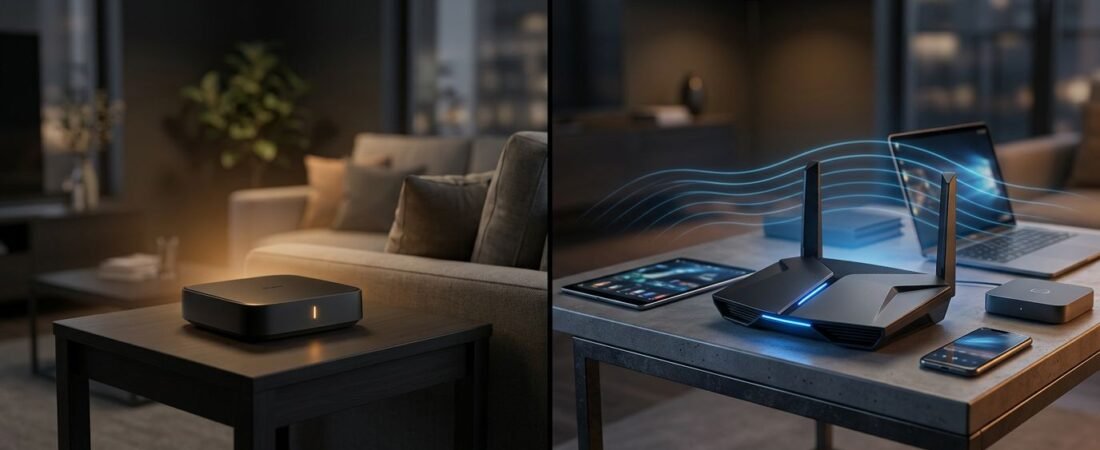
A smaller home needs reliable WiFi coverage, not the biggest router on the shelf. It should work well where you work, stream, game, and use smart devices.
The Netgear RS200 vs RS300 choice comes down to one question: which features will your home actually use? Both routers are strong options for apartments, condos, and smaller houses, but the RS300 costs more for features many households won’t use yet.
Use this comparison to choose the right WiFi 7 router without paying for speed or coverage you don’t need.
This post may contain affiliate links. If you make a purchase through these links, I may earn a small commission at no extra cost to you.
Key Takeaways
- The Nighthawk RS200 is the better value for most smaller homes, especially when your devices mainly use 5 GHz Wi-Fi and your internet plan is up to 2 Gbps.
- The Nighthawk RS300 adds a 6 GHz band, making it a better choice for newer Wi-Fi 7 devices, crowded wireless environments, and heavier local network use.
- Both routers offer similar advertised coverage of up to 2,500 square feet and include 2.5Gbps WAN and LAN ports.
- The RS300 does not provide a major range increase. Its main advantage is extra capacity and less congestion for compatible devices close to the router.
- Neither router is ideal for difficult dead zones or larger homes where a mesh Wi-Fi system would provide more consistent coverage.
Netgear RS200 vs RS300: The Quick Answer
Choose the Nighthawk RS200 if you want a practical WiFi 7 router for a smaller home, have internet up to 2 Gbps, and mostly use 5 GHz devices. It offers strong wired connectivity for streaming, work, gaming, and everyday use.
Choose the Nighthawk RS300 if your home has newer Wi-Fi 7 phones, laptops, or gaming devices that support 6 GHz. The tri-band WiFi 7 option adds a 6 GHz band, improving capacity and wireless performance rather than advertised range.
Here is the basic comparison.
| Feature | Netgear Nighthawk RS200 | Netgear Nighthawk RS300 |
|---|---|---|
| Wi-Fi class | Wi-Fi 7 BE6500 | Wi-Fi 7 BE9300 |
| Bands | Dual-band, 2.4 GHz and 5 GHz | Tri-band, 2.4 GHz, 5 GHz, and 6 GHz |
| Rated total speed | Up to 6.5 Gbps | Up to 9.3 Gbps |
| Advertised coverage | Up to 2,500 sq. ft. | Up to 2,500 sq. ft. |
| Concurrent devices | Up to 80 devices | Up to 100 devices |
| 2.5Gbps ports | 2.5 Gbps WAN and 2.5 Gbps LAN | 2.5 Gbps WAN and 2.5 Gbps LAN |
| USB port | USB 3.0 | USB 3.0 |
Both models offer similar WiFi coverage, so the RS300 is mainly a capacity upgrade for compatible devices. Netgear’s own RS200 and RS300 comparison makes that difference clear.
Why the 6 GHz band matters most
The Nighthawk RS200 is a dual-band WiFi 7 router. It uses the familiar 2.4 GHz band for longer-range devices and 5 GHz for faster everyday connections.
The Nighthawk RS300 adds a third band. This band faces less interference from older Wi-Fi devices, nearby networks, Bluetooth gear, and household electronics. In a crowded apartment, that can reduce network congestion.
There is a catch. The 6 GHz band only helps devices that support 6 GHz Wi-Fi. Older phones, smart TVs, printers, cameras, and laptops still connect on 2.4 GHz or 5 GHz.
The 6 GHz band also has a shorter range than 5 GHz. It works best in the same room or nearby rooms. Thick walls, brick, metal, and floors reduce its reach faster.
The benefit is strongest when newer devices are close to the router. It won’t fix weak Wi-Fi in a distant bedroom.
The RS200 can still be the better buy if most of your devices use 5 GHz. Its 5 GHz radio is rated up to 5.8 Gbps, which is plenty of wireless headroom for a smaller household.
The RS200 also launched without Multi-Link Operation (MLO). MLO is a Wi-Fi 7 feature that can let compatible devices use more than one band at once. That sounds important, but it only matters when both the router and client device support it. For many homes, device support matters more than the Wi-Fi 7 label on the box.

Real-World Wi-Fi Performance in a Small Home
Both routers claim WiFi coverage up to 2,500 square feet. That’s a useful starting point, not a promise that every room will get the same speed.
A 1,200-square-foot apartment with drywall is easier to cover than an older home with plaster, brick, or a detached office. Router placement still matters. Put either model in a central, open area. Avoid hiding it in a cabinet, utility closet, or behind a TV.
The Nighthawk RS200 is enough for most smaller homes with:
- A few people streaming 4K video, browsing, and working from home.
- Several smart home devices, including speakers, lights, cameras, and plugs.
- One or two gamers using wired Ethernet or 5 GHz Wi-Fi.
- Internet service below 2 Gbps.
The RS300 makes more sense when several concurrent devices need fast local Wi-Fi at once. Think of two people gaming, another person transferring large files to a network storage drive, and multiple 4K streams running nearby. Its 6 GHz band helps nearby compatible devices handle this heavy network traffic.
The 80-device and 100-device ratings can also be misleading. A smart bulb barely uses bandwidth. A laptop downloading a game or a TV streaming high-bitrate video does. Look at what your devices do, not only how many appear in your app.
For a small home with normal use, the RS200’s stronger 5 GHz capacity is usually enough. Device activity and construction matter more to real-world wireless performance than headline device ratings. A TechRadar RS200 review also points out its value as one of the more affordable paths into Wi-Fi 7.
Both Routers Support 2.5 Gbps Internet
Both models include matching 2.5Gbps ports, with one for internet service and one for LAN. They matter when your internet speed exceeds 1 Gbps, including 1.2 Gbps, 1.5 Gbps, or 2 Gbps plans.
Your existing router may have only a 1 Gbps port. If so, it can limit an internet plan above 1 Gbps. Either model gives you room to use a faster plan.
A wired connection is still the best choice for a desktop PC, game console, work dock, or network-attached storage. Ethernet provides steadier data throughput for devices that stay in one place.
Remember that a 2.5 Gbps router port does not make every device faster. Your computer, switch, or dock also needs a 2.5GbE port. Most smart TVs, streaming boxes, and older laptops still use Gigabit Ethernet or Wi-Fi.
These are routers, not modem/router combos. Cable customers need a separate compatible modem. Fiber customers usually connect the router to an optical network terminal or ISP gateway. If your provider requires its own gateway, ask whether bridge mode or IP passthrough is available before buying.
Setup, Security, and Subscription Costs
Both models work with the Nighthawk app for router setup, Wi-Fi settings, connected-device checks, software checks, and basic network management. Setup is simple for most homes: connect your modem or ONT, follow the app prompts, and create a strong Wi-Fi password.
Each router supports WPA3, which helps protect your Wi-Fi traffic, while current firmware provides another practical network security measure. Keep automatic updates turned on, install each firmware update promptly, and use a unique router admin password.
Netgear includes trials for Netgear Armor and a separate service with parental controls. Armor adds security tools, while the second service adds features such as content filtering and time limits.
Don’t assume those services are included for the life of the router. Subscription pricing can change by plan and region, so check the current subscription fee before starting a paid plan.
You can skip the subscriptions if you prefer. Use WPA3, keep firmware current, and use built-in device tools such as Apple Screen Time, Google Family Link, or Microsoft Family Safety for household limits.
Which Nighthawk Router Should You Buy?
The practical buying decision is easier when you start with your devices, not the top speed on the package.
Buy the Nighthawk RS200 if you live in an apartment, condo, or smaller house and mainly need reliable 5 GHz Wi-Fi for an internet speed of up to 2 Gbps. It is also the right choice if your current devices don’t support 6 GHz. Check the current RS200 price on Amazon before buying, since sale pricing can change the value difference.
Buy the Nighthawk RS300 if you already own two or more devices that support the 6 GHz band, live near many neighboring Wi-Fi networks with frequent network congestion, or expect to add newer laptops and phones soon. It can be a future-proof upgrade for homes likely to add compatible devices, but it commonly costs about $30 more at full retail.
Skip both models if your home is larger than their practical WiFi coverage or has difficult dead zones. A mesh Wi-Fi system may be a better answer than a single stronger router.
Frequently Asked Questions
Is the Netgear RS200 or RS300 better for a smaller home?
The RS200 is the better choice for most smaller homes because it provides strong 5 GHz performance at a lower cost. The RS300 is worth considering when you already have several devices that support 6 GHz Wi-Fi.
Does the RS300 provide better Wi-Fi range than the RS200?
Not significantly. Both routers advertise coverage of up to 2,500 square feet, while the RS300’s main advantage is additional capacity through its 6 GHz band rather than longer range.
Do I need Wi-Fi 7 devices to benefit from the RS300?
You can connect older devices to the RS300, but they will use the 2.4 GHz or 5 GHz bands. The biggest benefits come from newer phones, laptops, and other devices that support 6 GHz Wi-Fi.
Are the RS200 and RS300 suitable for internet plans above 1 Gbps?
Yes. Both routers include a 2.5Gbps WAN port, so they can support compatible internet plans up to 2 Gbps and beyond the limits of standard Gigabit Ethernet. Your modem, computer, switch, or dock also needs compatible multi-gigabit ports to use those speeds.
Do these routers require a modem?
Yes. The RS200 and RS300 are routers, not modem/router combinations. Cable customers need a separate compatible modem, while fiber customers usually connect the router to an optical network terminal or ISP gateway.
Final Thoughts
For most smaller homes, the Nighthawk RS200 is the smarter value and the better WiFi 7 router choice. It delivers strong 5 GHz performance and enough capacity for everyday home internet use.
The Nighthawk RS300 earns its higher price when compatible devices use the 6 GHz band and local wireless conditions justify its extra capacity. Otherwise, the RS200 leaves more room in your budget without giving up the features that matter most.