
A fast internet plan can still feel slow when your router is the weak point. This Netgear Nighthawk RS700S review asks whether you have the internet plan, wired devices, and Wi-Fi 7 clients to justify a $549.99 router.
For a multi-gig home with newer laptops, gaming PCs, and a busy smart-home setup, the RS700S is a strong standalone router. For most 1 Gbps households, it is more router than you need.
This tri-band WiFi 7 model is a premium Wi-Fi 7 router built for people who want fewer bottlenecks at home.
This post may contain affiliate links. If you make a purchase through these links, I may earn a small commission at no extra cost to you.
Key Takeaways
- The Netgear Nighthawk RS700S is best suited to homes with 2Gbps or faster internet, Wi-Fi 7 devices, and at least one multi-gig wired device.
- Its strongest hardware advantage is the combination of one 10Gbps WAN port and one 10Gbps LAN port, though the other four LAN ports are limited to 1Gbps.
- Wi-Fi 7 performance is strongest at short range with compatible 6GHz clients and 320MHz channel support; older Wi-Fi devices will not receive the full benefit.
- Setup is straightforward, but coverage, ISP requirements, airflow, and firmware updates still matter in real-world use.
- At $549.99, plus a possible $99.99 annual NETGEAR Armor renewal, it is more router than most 1Gbps households need.
Netgear Nighthawk RS700S Review: Who Should Buy It?
The RS700S is a good fit if you have 2 Gbps, 5 Gbps, or faster service and want one powerful Wi-Fi 7 router instead of a mesh system. It has enough processing power for a home full of active devices.
It also makes sense for gamers and remote workers who need reliable wired performance. Its 10Gbps ports can connect a fast desktop, NAS, or multi-gig switch without a 1Gbps bottleneck. That can help keep latency rates steady during demanding sessions.
The catch is simple. Wi-Fi 7 hardware is still catching up. Buyers who want deeper controls may prefer the ASUS RT-BE96U, while the RS700S offers a simpler web user interface.
A Wi-Fi 6 or Wi-Fi 6E phone will work with the RS700S, but it will not receive the full benefit of Wi-Fi 7 features. If your household has older phones, TVs, and laptops, a discounted Wi-Fi 6E router may be the better value.
The RS700S is built for a home that is already multi-gig, not a home hoping a new router will create faster internet service.
Before spending this much, compare your current plan, modem or gateway, and coverage needs with our router buying guides.
Hardware Built for Fast Home Networks
The Nighthawk RS700S is not a small router. Its upright design looks more like a compact speaker than a traditional router with antennas sticking out of every side.
It uses internal antennas and a large internal heatsink instead of a cooling fan. That keeps it quiet, but it also needs open space around it. Do not place it inside a closed media cabinet or behind a TV.
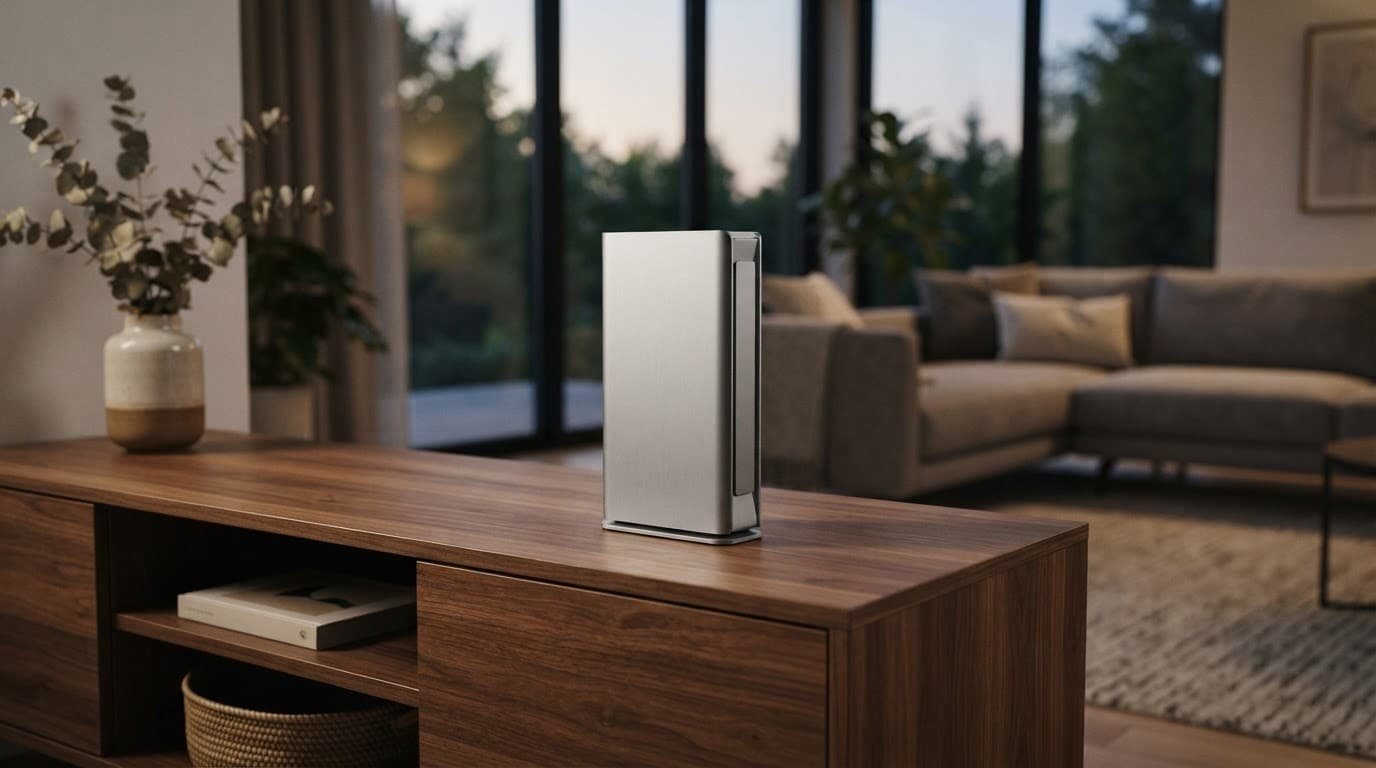
Here is what the hardware gives you:
| Feature | What You Get |
|---|---|
| Wi-Fi standard | tri-band WiFi 7, rated BE19000 |
| Wireless bands | 2.4GHz, 5GHz, and 6GHz |
| Processor | quad-core processor, 2.6GHz |
| Memory | 2GB RAM and 512MB flash storage |
| Wired ports | One 10Gbps WAN, one 10Gbps LAN, four 1Gbps LAN |
| Other connections | USB 3.2 Gen 1 port for storage sharing |
| Claimed coverage | Up to 3,500 square feet |
This tri-band WiFi 7 design combines the 2.4GHz, 5GHz, and 6GHz bands with a BE19000 rating. Like the ASUS RT-BE96U, it sits in the premium class of home networking hardware.
That dual 10Gbps setup is the main reason to consider this model. You can connect a multi-gig fiber ONT to the WAN port and still have a 10Gbps connection available for a desktop or switch.
The limitation is the four remaining LAN ports. They are standard 1Gbps ports. If you own several 2.5Gbps PCs, NAS devices, or wired access points, plan on adding a multi-gig switch.
Wireless Performance Depends on Your Devices
The RS700S has the hardware to deliver excellent wireless performance. Independent testing from Dong Knows Tech found strong short-range and long-range results, especially on the 6GHz band. Independent testing of the ASUS RT-BE96U can provide context, but only when the test conditions are comparable.
The RS700S is a tri-band WiFi 7 platform, but its 19Gbps rating is an aggregate theoretical figure. It combines theoretical throughput rates across all bands, so no single client reaches the combined rating. Actual speed depends on your internet plan, device radio, distance, walls, channel settings, and other nearby networks.
The biggest Wi-Fi 7 advantage is the 6GHz band’s 320MHz channel width. To use it, you need a Wi-Fi 7 client that supports 6GHz and that 320MHz channel width. A Wi-Fi 6E client can use 6GHz, but it cannot use the wider Wi-Fi 7 channel.
The practical difference is most noticeable when you are near the router. A Wi-Fi 7 laptop can download large files, stream high-bitrate video, and handle cloud backups while streaming devices remain active. The wider channel width helps most at short range, where signal conditions are strongest. Results compared with the ASUS RT-BE96U should be judged only under similar client, channel, and distance conditions.
Distance still matters. The 6GHz signal penetrates fewer walls than 5GHz or 2.4GHz. In a larger two-story home, central placement matters more than any advertised signal coverage number.
If you need whole-home coverage, don’t assume any EasyMesh device will work well with another brand. Mixed-brand mesh setups can be unpredictable. A matched system is usually the safer choice.
The 10Gbps ports Matter More Than the Speed Rating
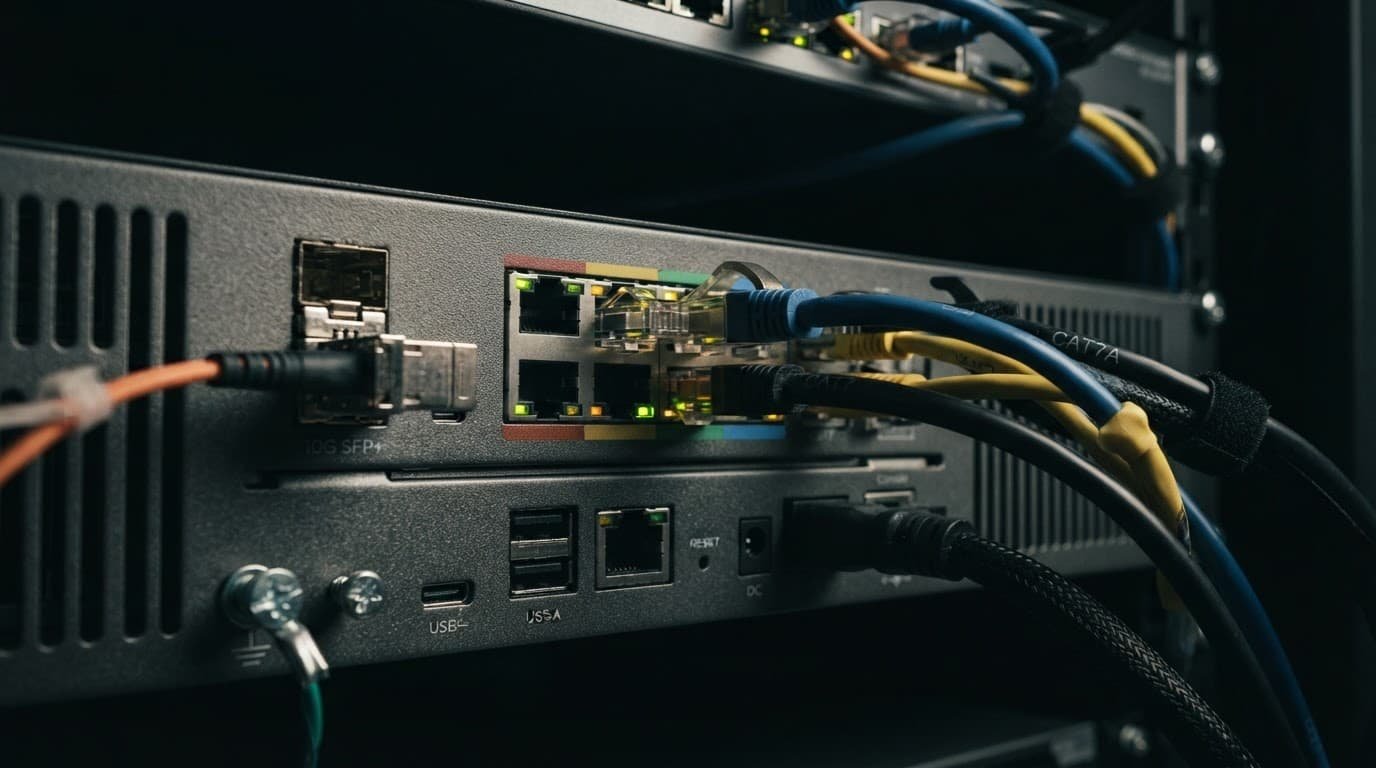
The RS700S is a multi-gigabit router first, then a Wi-Fi 7 system. That distinction matters for wired performance.
A 5Gbps fiber plan needs more than fast Wi-Fi. Your modem or ONT, router WAN port, Ethernet cables, and wired endpoints must support the speed. The web user interface can show negotiated link speeds and device status. One old 1Gbps switch can limit an otherwise expensive setup.
The 10Gbps ports are useful for a gaming PC, work desktop, or network-attached storage. A 10Gbps LAN connection can also feed a 10Gbps switch and several wired rooms. The ASUS RT-BE96U offers a useful comparison for shoppers considering port layout and multi-gig switching.
Long transfers also create heat. The RS700S has a fanless design, so power consumption and airflow still deserve attention. Test it during your return period with a large local file transfer, streaming video, and other devices in use. A quick speed test cannot show whether the router stays stable under a busy household load.
Setup Is Simple, but Check Your ISP Details First
You can set up the RS700S through the Nighthawk mobile app or the web user interface. The app is easier for basic setup, while the web user interface provides advanced controls for Wi-Fi settings, DHCP reservations, and port forwarding, though the ASUS RT-BE96U may offer more granular tuning.
Use this order for a cleaner first setup:
- Start with a firmware update before changing advanced settings. Early Wi-Fi 7 firmware often improves compatibility and fixes bugs.
- Connect your ISP modem or fiber ONT to the 10Gbps WAN port. Restart the modem or ONT if the router does not receive an IP address.
- Set separate Wi-Fi names only if you need manual control. Most households should start with one network name and let the router manage band selection.
- Add wired devices next, then test Wi-Fi with your connected devices in the rooms where you work, game, or stream most often.
Some providers require PPPoE details or VLAN settings. Confirm those requirements before buying. If needed, enter them through the web user interface, then follow your provider’s instructions carefully. The RS700S is a consumer router, not a replacement for a managed network setup with detailed VLAN rules for every smart-home device.
A recent real-world RS700S discussion is also worth reading if you plan to use advanced features and want to compare owner experiences after firmware updates.
Price, NETGEAR Armor, and the Real Cost
As of August 2026, Netgear lists the RS700S at $549.99, down from $599.99. Older reviews often reference its $699.99 launch price, so check the current seller price before you buy.
The router includes one year of NETGEAR Armor, powered by Bitdefender. After that first year, Armor costs $99.99 per year.
That changes the long-term cost, so compare the ASUS RT-BE96U based on total ownership cost, not just hardware price:
| Cost Item | Three-Year Cost |
|---|---|
| RS700S at $549.99 | $549.99 |
| Two Armor renewals | $199.98 |
| Total before tax | $749.97 |
Premium parental controls can also require a separate subscription. Check the web user interface for included features before relying on paid filtering or household usage reports.
This is where the Netgear Nighthawk RS700S review becomes less simple. The router is fast, but its price tag grows with the security plan. That added network security may help some households, but it isn’t essential for everyone.
Netgear Nighthawk RS700S review: ASUS RT-BE96U vs. TP-Link Archer BE800
The RS700S competes most directly with the ASUS and TP-Link models listed here. All three are tri-band WiFi 7 options for high-speed homes. Each is a Wi-Fi 7 router, but they suit different buyers.
| Router | Better Choice For |
|---|---|
| Netgear Nighthawk RS700S | A simple standalone router with two 10Gbps ports and strong Wi-Fi 7 performance |
| ASUS RT-BE96U | Users who want more advanced controls, deeper customization, and stronger network segmentation options |
| TP-Link Archer BE800 | Homes with several 2.5Gbps wired devices and buyers who prefer more multi-gig port flexibility |
The ASUS RT-BE96U is usually the better match for a power user who wants to spend time adjusting settings. For advanced controls, the ASUS RT-BE96U offers deeper customization through a web user interface. TP-Link is often attractive when several 2.5Gbps wired ports matter more for wired performance than a single 10Gbps LAN connection.
Buyers who value that flexibility may find the ASUS RT-BE96U a stronger fit. The RS700S is easier to recommend when you want fast Wi-Fi, one high-speed wired device, and a cleaner setup experience.
Frequently Asked Questions
Who should buy the Netgear Nighthawk RS700S?
The RS700S is a good fit for homes with 2Gbps, 5Gbps, or faster internet and newer Wi-Fi 7 devices. It is especially useful if you also have a gaming PC, work desktop, NAS, or switch that can use a 10Gbps connection.
Does the RS700S support older Wi-Fi devices?
Yes, Wi-Fi 6 and Wi-Fi 6E phones, laptops, TVs, and other devices can connect to the router. They will work normally, but they will not receive the full benefit of Wi-Fi 7 features such as 320MHz 6GHz channels.
Is the RS700S good for a large home?
The router can provide strong coverage, but 6GHz signals lose strength more quickly through walls and floors. Central placement is important, and a matched mesh system may be a better choice for a larger or multi-story home.
What are the main drawbacks of the RS700S?
The router is expensive, and only two of its Ethernet ports support 10Gbps; the remaining four LAN ports are limited to 1Gbps. NETGEAR Armor is included for one year but costs $99.99 per year afterward, which raises the long-term ownership cost.
Is Wi-Fi 7 worth it for a 1Gbps internet plan?
Usually not, unless you already have several Wi-Fi 7 devices or demanding local network needs. For most standard 1Gbps households, a less expensive Wi-Fi 6E router is likely to provide better value.
Final Thoughts
The Netgear Nighthawk RS700S is a capable choice for a home with multi-gig internet, Wi-Fi 7 devices, and at least one wired device that can use 10Gbps Ethernet.
Its fast wireless performance and dual 10Gbps ports are real advantages. The ongoing cost and limited number of multi-gig LAN ports are the tradeoffs.
For the right home, this Netgear Nighthawk RS700S review points to a router that can stay useful for years. Setup is straightforward through the web user interface, while the ASUS RT-BE96U is a better alternative for deeper controls and customization. For a standard 1Gbps home, Wi-Fi 6E is still the smarter place to save money.