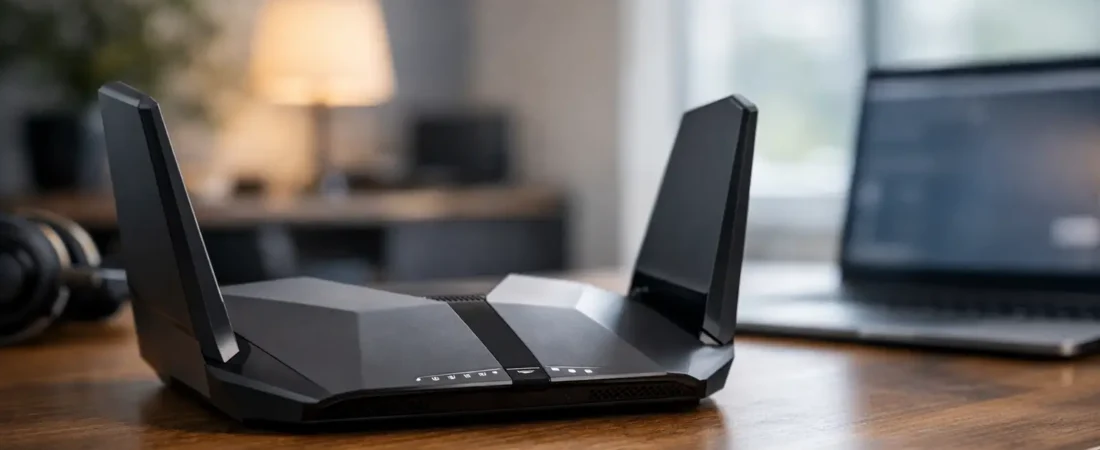
Renting a router from your internet provider usually feels fine right up until the Wi-Fi starts dropping in the back bedroom, your Zoom call stutters, or the monthly equipment fee starts looking ridiculous. That is exactly where a netgear nighthawk review matters – not as a spec-sheet exercise, but as a buying decision for real households trying to get better coverage, faster speeds, and fewer headaches.
The tricky part is that Nighthawk is not one router. It is a broad lineup that ranges from solid midrange models to very fast premium units aimed at large homes, heavy streaming, and gaming. So the right question is not simply whether Netgear Nighthawk is good. It is whether the specific Nighthawk model you are considering fits your ISP, your speed tier, and your home.
Netgear Nighthawk review: what this lineup gets right
Netgear built the Nighthawk name around performance-first home networking, and that general reputation is deserved. Most Nighthawk routers are easy to recommend for households that want stronger Wi-Fi than the average ISP gateway can deliver. In practical terms, that usually means better range, better handling of multiple devices, and a cleaner upgrade path if you have gigabit-class internet or a busy home network.
Setup is usually straightforward. The app-based process is easier than what many people expect from networking gear, and for mainstream buyers that matters. If you are replacing a provider gateway or adding your own router behind a modem, a smoother setup experience can be the difference between a one-hour upgrade and a weekend project.
Nighthawk routers also tend to make sense for households with mixed use. Maybe one person is streaming 4K video, another is gaming, and someone else is working from home on video calls. That is where stronger processors, better radios, and newer Wi-Fi standards start to pay off. You may not notice it in a speed test screenshot, but you do notice it when the network stays stable under pressure.
Where Nighthawk can disappoint
The biggest issue with Nighthawk is not quality. It is pricing and model confusion. Netgear offers many routers under the same brand, and shoppers can easily overbuy. A household on a 300 Mbps cable plan in a modest apartment does not need a premium Nighthawk model designed for multi-gig speeds and large-home coverage.
There is also the question of value. Some Nighthawk routers are excellent, but not always the best deal at full price. Depending on the model, you may find similar real-world performance from competing routers for less. That does not make Nighthawk a bad choice. It just means the brand premium is real, and the smart buy is often the model that matches your needs closely rather than the most expensive one on the shelf.
Another trade-off is that advanced features can be a little more appealing on paper than in everyday use. Security extras, parental controls, and subscription add-ons may sound useful, but many households mainly want stable Wi-Fi and strong coverage. If you are not going to use the extra software layer, the hardware itself needs to justify the price.
Performance in a real home
For most buyers, the practical question is simple: does a Nighthawk router actually improve the home internet experience? In many cases, yes.
Compared with standard ISP-provided equipment, a good Nighthawk router often delivers stronger signal strength at medium range and better consistency when several devices are active. That is especially true if your provider gateway is older, underpowered, or stuck in a central closet where Wi-Fi coverage is already compromised.
Still, performance depends on the layout of your home. In a one-story apartment, even a midrange Nighthawk can feel like a big upgrade. In a larger two-story house with dead zones, a single router may still struggle no matter how good the brand is. That is where a mesh setup can make more sense than a traditional standalone router.
This is an important point because people often expect a premium router to solve a coverage problem that is really a placement problem or a square-footage problem. If your issue is range more than raw speed, buying a stronger Nighthawk is not always better than buying the right mesh system.
ISP compatibility matters more than branding
A netgear nighthawk review is only useful if it addresses compatibility. That is especially important for households trying to replace rented ISP equipment.
If you have cable internet from Xfinity, Spectrum, or Breezeline, many Nighthawk products can work very well, but you need to know whether you are buying a router only, a modem-router combo, or a cable modem plus separate router setup. Those are very different purchases. A standalone Nighthawk router cannot replace a cable modem by itself.
If you have Verizon Fios or AT&T Fiber, the situation is different. Fiber customers often use a gateway or optical network terminal setup from the provider, and in many cases a Nighthawk router works best as your main router behind that connection, not as a direct replacement for every piece of ISP hardware. That is normal, but shoppers should know it before buying.
This is where RouterForMyISP-style advice becomes useful. The best router is not just the fastest one. It is the one that actually works with your service, supports your speed tier, and saves you from paying for features you cannot use.
Which type of buyer should choose Nighthawk?
Nighthawk is a strong fit for households that want better-than-basic Wi-Fi without getting too deep into networking jargon. If your current setup struggles with streaming, gaming, work-from-home traffic, or a growing number of smart home devices, a good Nighthawk router can be a very sensible upgrade.
It also fits buyers who are trying to cut rental fees and want something from a known brand with broad retail availability. That matters more than tech enthusiasts sometimes admit. A familiar product line, decent app setup, and clear replacement path can reduce a lot of buying stress.
On the other hand, Nighthawk is not automatically the best fit for every home. If your budget is tight, there are cases where a simpler router gives you everything you need. If your house is large or oddly shaped, a mesh system may be the better answer. And if your internet plan is relatively modest, paying for high-end Nighthawk hardware may not give you a noticeable benefit.
Netgear Nighthawk review for speed tiers and home size
The easiest way to think about Nighthawk is by matching the router to your actual internet use.
For plans under 500 Mbps, a midrange Nighthawk model is often enough for most families. You do not need flagship hardware just to browse, stream, and join video calls. For plans around gigabit speeds, Nighthawk starts to make more sense because stronger hardware can help preserve performance across many connected devices. For multi-gig plans, you need to be more selective. Some Nighthawk models are ready for that level, while others are not worth the premium if your modem, ports, or devices cannot take advantage of it.
Home size matters just as much. Small to medium homes often do well with a single Nighthawk router placed centrally. Larger homes, homes with multiple floors, or homes with thick walls may need mesh coverage instead. A premium standalone router can still leave dead spots if physics is working against you.
Is the setup and day-to-day use beginner friendly?
For mainstream buyers, Nighthawk is generally approachable. The app is designed for people who do not want to live in router settings all day, and basic setup is usually manageable even if this is your first time replacing ISP equipment.
That said, beginner friendly does not mean mistake proof. You still need to know whether your ISP requires a modem, whether bridge mode is needed, and whether you are replacing the whole setup or just the Wi-Fi part. Most frustrations people blame on the router are really installation mismatches.
Once running, Nighthawk routers are usually easy enough to manage. You can handle password changes, device checks, and routine controls without much hassle. For most homes, that is exactly the right level of control.
Final verdict
If you want the short answer, Netgear Nighthawk is a good router line with several models that are genuinely worth buying. The catch is that the name alone is not enough. Some Nighthawk routers are ideal for cutting ISP rental fees and improving home Wi-Fi. Others are overkill unless you have a large home, heavy traffic, or very fast internet.
The smartest move is to buy based on your provider, your speed plan, and your coverage needs rather than the biggest performance claim on the box. When you match the model to your household, Nighthawk is often a strong, low-regret upgrade. When you do not, it can be an expensive way to solve the wrong problem.
If your current router is holding back streaming, work, or whole-home coverage, this is one of those upgrades that can make your internet feel better every single day.