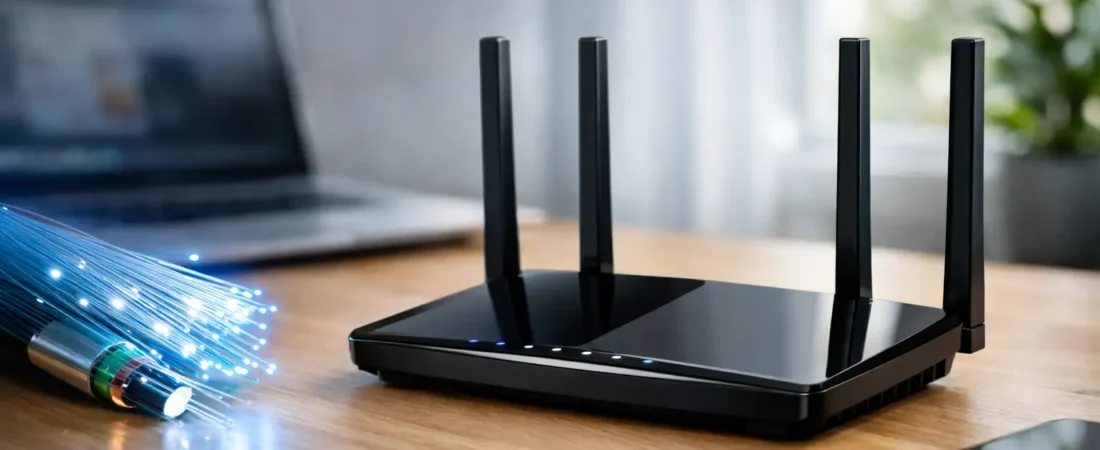
Fiber speeds can look amazing on paper and still feel disappointing in your living room. That usually happens when the plan is fast, but the router is outdated, badly placed, or just not a good fit for the size of the home. This fiber internet router guide is built to help you avoid that mismatch and buy based on how your household actually uses the internet.
If you have Verizon Fios, AT&T Fiber, or another fiber provider, the good news is simple: fiber can support excellent performance. The less fun part is that not every router will let you feel the benefit. Some households need a straightforward Wi-Fi upgrade. Others need a router that plays nicely with provider equipment, multi-gig speeds, or a bigger home where one box in the corner won’t cut it.
What makes a router good for fiber internet?
A good fiber router is not just a “fast” router. It needs to match your internet speed, support your ISP setup, and cover your home well enough that your devices can actually use that speed.
That sounds obvious, but this is where many people overspend. If you have a 300 Mbps fiber plan in a modest apartment, buying a top-tier gaming router with every premium feature is usually unnecessary. On the other hand, if you have gigabit or multi-gig fiber, work from home, stream on several TVs, and have smart home devices all over the house, a bargain router can become the bottleneck very quickly.
For most buyers, the three things that matter most are Wi-Fi standard, Ethernet port speeds, and coverage. Wi-Fi 6 is now the practical baseline for a new router purchase. Wi-Fi 6E and Wi-Fi 7 can make sense if you have newer devices or a faster plan, but they are not automatic must-buys for every household. Port speeds matter too. A router with only 1 Gig Ethernet ports may be perfectly fine for a 500 Mbps or 1 Gig plan, but it can limit you if your provider offers speeds above that.
Fiber internet router guide: start with your ISP setup
Before you compare brands or features, figure out how your fiber service enters the home. This matters more than shoppers expect.
Some fiber providers use an ONT, which converts the fiber signal for home networking. In many homes, your router connects by Ethernet to that ONT. In that case, you may have more flexibility to use your own router. Verizon Fios is one of the more familiar examples where many customers can use their own router, depending on their service setup.
Other providers make things less flexible. AT&T Fiber often uses a gateway that combines modem-like and router functions, and full replacement is not always straightforward. In those cases, many people keep the provider gateway and either use its built-in Wi-Fi or connect their own router in pass-through or bridge-like modes if supported.
This is the first trade-off to understand. “Can I use my own router?” and “Can I fully replace ISP equipment?” are not always the same question. You may be able to improve your Wi-Fi without completely removing the provider device.
That distinction saves people a lot of frustration. It also helps you avoid buying a router for a setup your ISP will not support cleanly.
Match the router to your speed tier
Fiber plans vary a lot. So should your router choice.
If your plan is 300 to 500 Mbps, a good Wi-Fi 6 router is usually enough for most households. You can stream, work, game, and run plenty of smart devices without chasing expensive hardware. The best value is usually in strong midrange routers with reliable dual-band performance and solid coverage.
If your plan is around 1 Gig, you should still look at Wi-Fi 6 first, but be more careful about hardware quality. This is where cheap routers start to show their limits, especially in busier homes. Better processors, better antennas, and stronger traffic handling matter more than flashy marketing terms.
If you pay for 2 Gig or faster fiber, read the specs carefully. You want multi-gig WAN support at a minimum, and ideally at least one multi-gig LAN port if you plan to connect a high-performance desktop, switch, or access point. Without that, you may be paying for speed your equipment cannot pass through effectively.
A lot of people also need a reality check here. Even with a multi-gig plan, many phones, TVs, and laptops will not hit those speeds over Wi-Fi in real-world use. That does not mean the plan is useless. It means the value may show up more in total household capacity than in one dramatic speed test on a single device.
Coverage matters as much as speed
A fast router in the wrong home is still the wrong router.
If you live in a small apartment or a single-floor home, one quality router may be all you need. In that case, it often makes more sense to buy a stronger standalone router than a cheap mesh system.
If you live in a larger home, a two-story layout, or a place with dead zones at the edges, mesh becomes much more appealing. Fiber internet highlights Wi-Fi weak spots because the incoming connection is so fast that any drop-off inside the home becomes easier to notice.
This is where practical buying beats spec-sheet buying. A family with a 500 Mbps fiber plan and a good mesh system may have a much better experience than a family with gigabit fiber and one powerful router shoved into an office on the far side of the house.
RouterForMyISP focuses a lot on this kind of real-world fit because router decisions are rarely just about the speed tier. Placement, walls, floors, and device count all matter.
Which features are actually worth paying for?
Not every premium feature deserves your money.
Wi-Fi 6 is worth it for most buyers because it balances performance, compatibility, and price. Wi-Fi 6E becomes more attractive if you own newer devices that can use the 6 GHz band and you want less wireless congestion. Wi-Fi 7 is promising, but for many households it still sits in the “nice if the price is right” category rather than the “must upgrade now” category.
You should also pay attention to basic quality-of-life features. Easy setup matters. A solid app matters. Automatic firmware updates matter. Good parental controls may matter a lot if you have kids. Guest network support is useful and often overlooked.
What tends to matter less than ads suggest? Huge theoretical speed numbers, gamer styling, and oversized feature lists that most households will never touch. If you are not tuning advanced network settings, do not pay a premium just because the box makes the router sound like enterprise gear.
When keeping ISP equipment makes sense
There is a strong temptation to replace rented equipment immediately, but it is not always the smartest move.
If your provider gateway supports your current speed well and your main issue is weak coverage, adding your own router or mesh system may solve the real problem faster than trying to force a full replacement. This is especially true when the ISP gateway is tied to phone service, TV service, or account support tools.
There is also a support trade-off. ISP equipment is usually easier for provider tech support to troubleshoot. Your own router may offer better performance or more control, but it can also shift setup responsibility onto you. Some buyers are happy with that. Others just want the internet to work without a weekend project.
The right answer depends on your goal. If you want lower monthly equipment costs, buying your own router can make a lot of sense over time. If you want fewer compatibility headaches, keeping at least part of the ISP setup may be worth it.
A simple buying approach for most homes
If you are stuck between options, make the decision in this order.
First, confirm whether your fiber provider allows a full router replacement or expects you to keep a gateway or ONT-based setup. Second, match the router to your speed tier instead of shopping by hype. Third, choose based on home size and coverage needs, which is where many buying mistakes happen. Fourth, only pay extra for newer standards like Wi-Fi 6E or Wi-Fi 7 if your devices and plan can make use of them.
That process is not flashy, but it usually leads to a better purchase than chasing whatever model has the loudest marketing.
The best fiber router is the one that fits your house
The best router for fiber is not the most expensive one or the newest one. It is the one that works with your ISP, fits your plan, covers your space, and keeps your daily internet use from turning into constant troubleshooting.
If your current setup struggles with dead zones, dropped video calls, or speed that falls apart a room away, the fix may be simpler than you think. Start with compatibility, be honest about your coverage needs, and buy for the way your household actually uses Wi-Fi. A good router should make your internet feel easier, not more complicated.