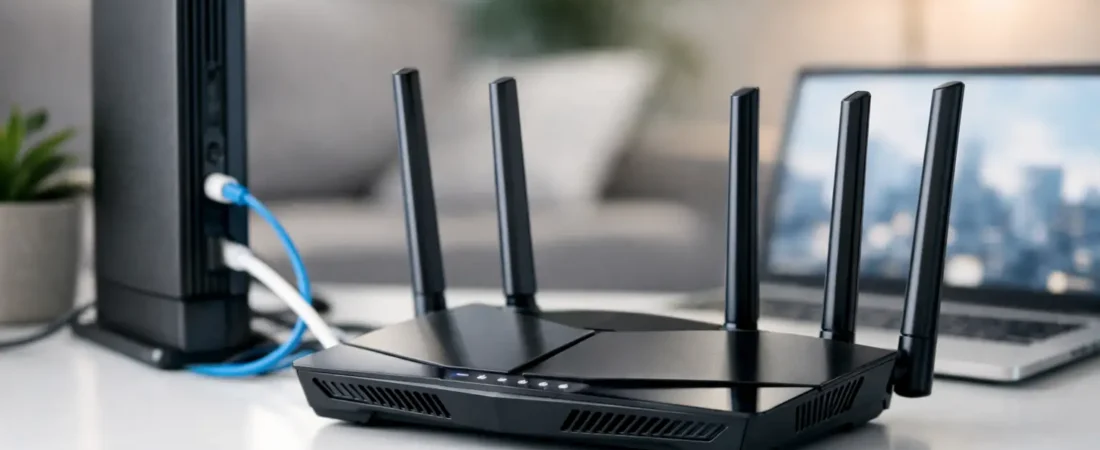
If you are shopping for an AT&T Fiber compatible router, the first thing to know is this: most AT&T Fiber customers cannot fully replace the AT&T gateway. That single detail trips up a lot of buyers, especially people hoping to return the ISP box, buy one router, and be done. In most homes, the smarter move is to keep the AT&T gateway in place and add your own router behind it for better Wi-Fi, stronger coverage, or more control.
That may sound like a compromise, but for many households it works well. You still get the fiber service AT&T requires, while your own router handles the part you actually care about day to day: wireless performance, device capacity, parental controls, VPN support, and mesh expansion.
What an AT&T Fiber compatible router really means
With cable internet, compatibility usually means a retail modem-router combo can replace the provider equipment. AT&T Fiber is different. The service typically depends on AT&T equipment such as a gateway paired with an ONT, or a gateway with the ONT built in, like the BGW320.
So when people search for an AT&T Fiber compatible router, they are usually looking for one of two things. Either they want a router that can work alongside the AT&T gateway, or they want to know whether any router can replace it outright. For most users, the practical answer is the first one.
Your own router can still be fully compatible with AT&T Fiber if it connects properly to the AT&T gateway and supports the speeds and features your home needs. That is the compatibility question that matters most for buyers.
Can you replace the AT&T Fiber gateway?
Usually, no – at least not in the simple, consumer-friendly way most people want.
AT&T often requires its gateway for authentication and service delivery. Some advanced users try workarounds with bypass methods, but that is not a mainstream recommendation. It can be complicated, model-specific, and harder to maintain if AT&T changes its setup or pushes firmware updates. If your goal is reliable internet for work, streaming, gaming, and the rest of the household, that route is more trouble than it is worth for most people.
The safer path is to use IP Passthrough mode on the AT&T gateway and connect your own router. That setup lets your router do most of the routing work while the AT&T hardware stays in the chain because the service expects it.
When buying your own router makes sense
A lot of households do not actually hate the AT&T gateway itself. They hate what happens at the far bedroom, upstairs office, or back patio when the Wi-Fi signal falls apart.
That is where a retail router or mesh system helps. If you have a larger home, a lot of smart devices, several people streaming at once, or you work from home and need more stable coverage, your own router can be a worthwhile upgrade. The same goes if you want better app controls, easier guest network management, or stronger security features than the standard gateway offers.
For smaller apartments or modest internet plans, the AT&T gateway may be good enough. There is no reason to overspend if your current setup already covers the whole space and your speeds are stable. This is one of those cases where it depends on your home layout more than the raw fiber plan.
What to look for in an AT&T Fiber compatible router
The best choice depends on whether you need speed, coverage, or flexibility.
If you have an AT&T Fiber plan up to 1 Gig, a quality Wi-Fi 6 router is usually the sweet spot. It gives you strong performance without paying extra for features you may never notice. If you have a newer phone lineup, a busy smart home, or you want more long-term value, Wi-Fi 6E or Wi-Fi 7 can make sense, but they are not mandatory for every household.
Pay close attention to Ethernet ports. If your AT&T plan is 2 Gig or 5 Gig, you need a router with multi-gig WAN support or you will bottleneck your connection. A router that tops out at a 1 Gbps WAN port can still work, but it will not let you use the full speed you are paying for.
Coverage matters just as much. A single high-end router can work well in a smaller or medium-size home, but larger homes often do better with mesh Wi-Fi. That is especially true if your AT&T gateway is stuck in an inconvenient location, which happens often because fiber entry points are not always ideal for whole-home wireless coverage.
Best router types for AT&T Fiber homes
Single-router setups for apartments and smaller homes
If your home is under roughly 2,000 square feet and the layout is fairly open, a single router can be the easiest and most cost-effective option. Look for Wi-Fi 6 models with strong dual-band or tri-band performance, a good mobile app, and at least one multi-gig port if you subscribe to a faster AT&T plan.
This setup is a good fit for couples, smaller families, and people who mainly want better Wi-Fi than the AT&T gateway provides. It is also easier to manage than a mesh kit if you do not need extra nodes.
Mesh systems for larger homes and dead zones
If you are dealing with weak signal upstairs, spotty coverage in a detached room, or a house filled with streaming TVs and smart gear, mesh is often the better answer. A good mesh system can spread coverage more evenly than one powerful router sitting in the wrong corner of the house.
For AT&T Fiber, mesh makes a lot of sense because the gateway location is often fixed by where the fiber line enters the home. Instead of fighting that placement, you can use your gateway with IP Passthrough and let the mesh system handle the wireless network.
Performance routers for gaming and heavy traffic
Some homes need more than general coverage. If you have competitive gaming, frequent large downloads, multiple work-from-home users, or a local network with NAS storage, a more powerful standalone router may be the better fit.
These models usually offer faster processors, stronger quality-of-service controls, and better wired connectivity. They cost more, and the extra spend is not always necessary, but they can be worth it in a busy household where internet slowdowns create daily frustration.
Setup tips for an AT&T Fiber compatible router
The easiest way to avoid headaches is to think of the AT&T gateway as required service hardware and your own router as the performance upgrade.
In many setups, you will connect your router to the AT&T gateway with Ethernet, then enable IP Passthrough on the AT&T device so your router receives the public IP address. You will usually want to disable Wi-Fi on the AT&T gateway as well, especially if you are using a mesh system. That helps prevent network confusion and keeps your devices from bouncing between two separate wireless networks.
If you are using a BGW320, the process is usually straightforward, but the menu names can vary a bit by firmware version. If you are not comfortable changing network settings, choose a router brand with a strong app and clear setup instructions. Fancy specs matter less if setup turns into a weekend project.
Common mistakes buyers make
The biggest mistake is buying a modem-router combo. AT&T Fiber does not use a cable modem, so a modem-router combo is the wrong product category from the start.
Another common mistake is paying for a premium gaming router when the real problem is home layout. If the gateway is in the front corner of a two-story house, one expensive router may still leave dead zones. In that situation, a mesh system usually solves more problems than a top-shelf standalone router.
It is also easy to overbuy for speed. Not every household needs Wi-Fi 7 or a flagship tri-band setup. If you have a 300 Mbps or 500 Mbps AT&T Fiber plan and a modest number of devices, a solid midrange Wi-Fi 6 router may feel just as good in daily use.
So what should most buyers do?
For most AT&T Fiber households, the best move is simple: keep the AT&T gateway, add a quality router or mesh system, and choose based on your home size and internet plan.
If you live in an apartment or smaller home, a good Wi-Fi 6 router is usually enough. If you have dead zones or multiple floors, go with mesh. If you pay for multi-gig fiber, make sure your router has multi-gig WAN support or you are leaving speed on the table.
That is the practical way to shop for an AT&T Fiber compatible router. You are not trying to outsmart the ISP hardware. You are building a better home network around it, with fewer compromises and less guesswork. If you keep that goal in mind, the right choice gets a lot easier.