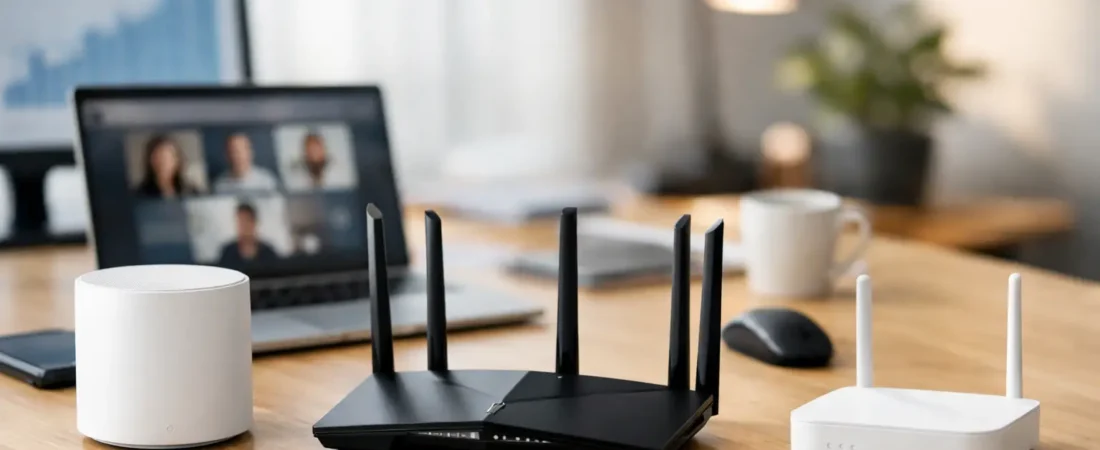
Your Zoom call freezes right when you need to present, the kids start streaming in the next room, and suddenly your “fast” internet feels anything but fast. That is usually the moment people start looking for the best routers for work from home – not because they want fancy specs, but because they need stable Wi-Fi that holds up during a real workday.
For most households, the right router is less about chasing the highest advertised speed and more about matching your internet plan, your home size, and the number of people sharing the connection. A one-bedroom apartment with fiber has very different needs than a two-story house on cable internet with multiple remote workers and smart TVs running all day. If you buy based on marketing alone, it is easy to overspend or pick something that still leaves dead zones.
What actually matters in the best routers for work from home
If you work from home, reliability matters more than headline speed. Video calls, cloud backups, VPN access, and large file uploads all depend on consistent performance. A router that looks great on the box but struggles with range or device management can make your workday frustrating fast.
Start with your internet service provider. If you have Xfinity, Spectrum, or Breezeline, you may be using cable internet, which often means you need a separate modem unless you choose a modem-router combo. If you have Verizon Fios or AT&T Fiber, the setup is different, and compatibility matters in a different way. The safest approach is always to confirm whether you need a standalone router or a router that works alongside your ISP gateway.
You should also think about Wi-Fi standard, coverage, and ports. Wi-Fi 6 is the sweet spot for most work-from-home users because it handles multiple devices better than older Wi-Fi 5 models and usually costs less than Wi-Fi 7 gear. If your home is larger or has signal trouble spots, a mesh system may be the better choice than a single traditional router. And if your job depends on maximum stability, having Ethernet ports for a wired PC or docking station still makes a real difference.
7 best routers for work from home
Netgear Nighthawk RAX54S
This is a strong fit for people who want a traditional router with enough power for remote work, streaming, and everyday household use. It supports Wi-Fi 6, offers solid coverage for a mid-size home, and has the kind of performance that feels stable rather than flashy.
It makes sense for cable and fiber households alike, as long as you understand it is a router only, not a modem. For someone with Xfinity or Spectrum who wants to stop relying on weak built-in Wi-Fi from rented equipment, this can be a practical upgrade. It is especially appealing if you want better performance without jumping all the way into an expensive mesh setup.
Netgear Nighthawk RAXE300
If your home office handles large uploads, frequent video meetings, and a lot of connected devices, the RAXE300 gives you more headroom. It adds 6 GHz support for newer devices and has stronger overall throughput than entry-level Wi-Fi 6 models.
The trade-off is price. Not every work-from-home household needs this much router, especially if your internet plan is modest or your devices do not support the newer band. But if you have gigabit internet and want a router that should stay relevant for years, this is one of the more future-friendly choices.
Netgear Orbi RBK762
For larger homes, the Orbi RBK762 makes a better case than trying to force one router to cover everything. This is a mesh system, which means you place multiple units around the home to extend coverage more evenly.
That matters for work from home because weak signal in the office is often the real problem, not the internet plan itself. If your calls break up in a back bedroom or upstairs office, mesh can solve the issue more effectively than buying a single stronger router. The downside is cost, and mesh can be more than you need if you live in a smaller apartment.
TP-Link Archer AX73
The Archer AX73 is a good value pick for buyers who want dependable Wi-Fi 6 performance without paying premium prices. It handles typical work-from-home needs well, including video calls, web apps, streaming, and multiple connected devices.
This one is easy to recommend for medium-size homes and shoppers who care about price just as much as performance. It may not feel as premium as higher-end Netgear options, but for many households, it lands in the practical middle ground where the real-world experience is better than what the price suggests.
ASUS RT-AX88U Pro
If your home office setup is more demanding, this ASUS router deserves a look. It is well suited for users who want strong wired networking options, faster processing, and a little more control over their network settings.
That makes it attractive for people running a desktop over Ethernet, using a work VPN heavily, or juggling a lot of simultaneous traffic. It is probably more router than a casual user needs, but if your job depends on a connection that stays predictable under pressure, paying more can make sense.
Eero Pro 6E
The Eero Pro 6E works well for people who want a cleaner setup and easy app-based management. It is another mesh option, and one of its biggest strengths is simplicity. If you do not want to fuss with settings and just want broad coverage with a straightforward setup process, that has real value.
This is especially useful in family homes where work, school, streaming, and smart devices all happen at once. The trade-off is that power users may find it less flexible than some traditional routers. Still, for many buyers, ease of use is part of performance because a router is only helpful if it is actually set up well.
Netgear Nighthawk RS300
For shoppers who want newer hardware without going to the very top of the price range, the RS300 is an interesting option. It brings modern Wi-Fi performance and enough speed for demanding home use, including remote work and heavy streaming households.
This type of router makes the most sense if you are upgrading from an older Wi-Fi 5 device and want something that feels noticeably better across the board. It may be more than necessary for lower internet tiers, but it gives you room to grow if you expect to upgrade your plan or add more devices over time.
How to choose the right one for your home office
The best router depends on where the bottleneck is. If your problem is poor coverage, get a mesh system. If your problem is an overloaded older router, a solid Wi-Fi 6 upgrade is usually enough. If your problem is your ISP equipment doing too many jobs poorly, replacing the Wi-Fi side of that setup can make the whole house feel faster.
For apartments and smaller homes, a single router like the Nighthawk RAX54S or TP-Link Archer AX73 is often plenty. For mid-size to larger homes, especially with upstairs offices or dead zones, the Orbi RBK762 or Eero Pro 6E is usually a smarter buy. For power users with faster plans and heavier workloads, the ASUS RT-AX88U Pro or a higher-end Nighthawk can be worth the extra cost.
It is also worth checking your internet speed before buying. If you are on a 300 Mbps plan, an expensive top-tier router may not transform your experience the way better placement or mesh coverage would. On the other hand, if you are paying for gigabit service and using a five-year-old ISP gateway, upgrading your router can remove a real performance cap.
A few buying mistakes to avoid
One common mistake is assuming any fast router will work the same with every ISP setup. That is not always true, especially if you are dealing with provider gateways, fiber ONTs, or modem requirements. Compatibility is not glamorous, but it matters.
Another mistake is focusing only on download speed. Work from home often depends just as much on upload stability, latency, and coverage in the exact room where you work. A router that benchmarks well in ideal conditions can still disappoint if your office is at the far end of the house.
Finally, do not ignore wired options. Even the best Wi-Fi setup can benefit from plugging your work desktop, laptop dock, or VoIP phone into Ethernet. If your router is close enough to your office, that one decision can improve call quality and reduce random dropouts.
If you are trying to narrow it down quickly, think in plain terms. Choose a traditional Wi-Fi 6 router for a smaller home, choose mesh for larger homes or dead zones, and spend more only when your internet plan, device count, or job actually demands it. That approach will get most households to a better answer faster than chasing the most expensive box on the shelf.
A good work-from-home router should disappear into the background. When your calls stay clear, your files upload on time, and nobody in the house has to think about the Wi-Fi, you picked the right one.