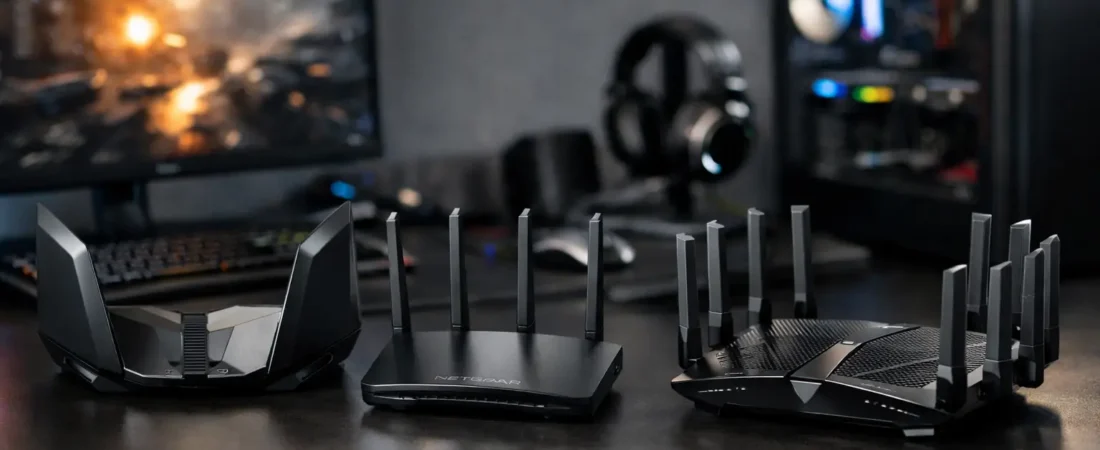
That lag spike right as the match gets serious usually is not your internet plan alone. In many homes, the real issue is the router – especially when gaming, streaming, video calls, and smart devices are all fighting for bandwidth at once. If you are shopping for the best Netgear routers for gaming, the right pick depends less on marketing claims and more on your ISP, home size, and how you actually play.
Netgear has a wide range, from affordable Wi-Fi 6 routers to premium Nighthawk models built for faster processors, better traffic handling, and stronger coverage. The tricky part is that not every Netgear router makes sense for every gamer. Some are great for apartments with a single console. Others are better for large homes where your PlayStation, Xbox, or gaming PC sits two rooms away from the router.
How to choose the best Netgear routers for gaming
For most households, gaming performance comes down to three things: low latency, stable Wi-Fi, and enough overhead for everything else happening in the house. Raw speed matters, but not as much as people think. Online gaming itself does not need a huge amount of bandwidth. What it needs is consistency.
That is why a better router can help even if you already pay for decent internet. A stronger processor can manage more devices without choking. Better Wi-Fi radios can hold a stable connection across the house. Quality of Service features can prioritize gaming traffic so somebody streaming 4K in the living room does not wreck your match.
Your ISP matters too. If you have cable internet from Xfinity or Spectrum, a standalone router still needs to pair with a compatible modem unless you use your provider gateway in bridge mode. If you have fiber from Verizon Fios or AT&T Fiber, setup is usually more straightforward, though there can still be provider-specific quirks. RouterForMyISP focuses heavily on that real-world compatibility angle because a great gaming router is only great if it actually fits your service setup.
1. Netgear Nighthawk RS700S
If your budget is high and you want a router that feels future-ready, the RS700S is the premium pick. It supports Wi-Fi 7, has a fast processor, and is built for homes with heavy traffic. For gaming, that means better handling when multiple people are online at once.
This is not the practical choice for every buyer. It is expensive, and many households will not fully use what it offers yet. But if you have multi-gig internet, a newer gaming PC, and a busy home network, it gives you room to grow without replacing hardware again soon.
2. Netgear Nighthawk RAXE300
The RAXE300 hits a useful middle ground for shoppers who want premium performance without jumping all the way to top-tier pricing. It brings tri-band Wi-Fi 6E, which can be a real upgrade if your gaming device supports the 6 GHz band. That extra band helps reduce congestion, especially in crowded neighborhoods or apartment buildings where the usual bands get noisy.
The catch is simple: Wi-Fi 6E only helps if your devices can use it. If your console or PC does not support 6E, you are mostly paying for headroom and better traffic management. That still has value, but it changes the equation.
3. Netgear Nighthawk RAX50
For many homes, this is the sweet spot. The RAX50 is one of the best Netgear routers for gaming if you want strong Wi-Fi 6 performance without overspending. It is fast enough for common cable and fiber plans, handles multiple devices well, and usually makes sense for medium-sized homes.
This is the model I would point many mainstream buyers toward first. It is easier to justify than a premium Nighthawk, and it is far more capable than the bargain-basement routers that often cause random connection issues. If you game, stream, and work from home, this one checks a lot of boxes.
4. Netgear Nighthawk XR1000
The XR1000 is the most gaming-focused option in the lineup for buyers who want gamer-specific software rather than just good hardware. It includes DumaOS features that appeal to people who actually tweak their settings, including traffic prioritization and more visibility into network performance.
That said, this router makes the most sense for enthusiasts. If you enjoy adjusting network settings and want more control, it is appealing. If you just want stable gaming with minimal setup, a regular Nighthawk may be the simpler buy. Specialized gaming routers can be great, but they are not always the best value for every household.
5. Netgear Nighthawk AX5400
This model is a smart step-up choice for families with a lot going on at once. It gives you strong Wi-Fi 6 performance and enough capacity for gaming alongside streaming boxes, phones, tablets, and smart home gear.
Where it stands out is balance. It is not trying to be the flashiest gaming router on the shelf, but it tends to fit real households well. If your internet plan is in the mid-to-upper range and you want fewer compromises, this is a strong pick.
6. Netgear Orbi 850 Series
Not every gaming problem is about speed. Sometimes the issue is that the router is on one side of the house and your console is on the other. In that case, mesh can matter more than buying a more powerful standalone router. The Orbi 850 Series is one of the better Netgear options for large homes where coverage is the main problem.
Mesh systems do introduce trade-offs. They are excellent for wider coverage, but competitive gamers often still prefer a wired Ethernet connection to the main node whenever possible. If your dead zones are the real issue, though, Orbi can be a bigger improvement than a traditional router upgrade.
7. Netgear Nighthawk R6700AX
If you want a more affordable option, the R6700AX is a reasonable entry point into Wi-Fi 6. It is not the strongest performer here, and I would not choose it for gigabit-heavy homes with dozens of devices. But for a smaller home, a modest internet plan, and one or two active gamers, it can do the job without stretching your budget.
This is the kind of router that makes sense when you are replacing older ISP equipment and just want a clear, practical upgrade. It is not fancy, but it can still be a meaningful step up from rental gear.
Which Netgear gaming router is best for your setup?
If you want the safest recommendation for most buyers, the Nighthawk RAX50 is hard to beat. It delivers a strong mix of price, performance, and ease of use. For large homes, the Orbi 850 Series is the better answer if weak coverage is your main problem. For shoppers with top-tier internet and a bigger budget, the RS700S is the premium choice.
If you are on Xfinity or Spectrum, check your modem situation before you buy. A great router will not replace the need for a compatible modem on most cable plans. If you are on Verizon Fios or another fiber service, you may have more flexibility, but it is still worth confirming setup details before spending more than you need.
What actually helps gaming performance most?
A lot of shoppers focus on maximum advertised speed, but that number can be misleading. For gaming, lower latency and stability matter more than a giant speed figure on the box. A router with solid QoS, a modern Wi-Fi standard, and enough processing power for your household usually beats an older router with inflated marketing language.
Placement matters too. Even the best Netgear routers for gaming will struggle if they are shoved into a cabinet, placed next to interference-heavy electronics, or installed at one end of a long house. If possible, put the router in a central open area and use Ethernet for your main gaming device. That one decision often helps more than chasing a more expensive model.
It also helps to be honest about your internet plan. If you are paying for 300 Mbps and have a small household, you probably do not need a flagship router. If you have gigabit internet, multiple gamers, and constant streaming, spending more makes more sense. The right buy is not the most expensive one. It is the one that fits your network without creating new headaches.
Before you buy, match the router to your ISP, your home size, and the number of devices competing for bandwidth each day. That usually leads to a better result than buying the model with the loudest gaming branding on the box.