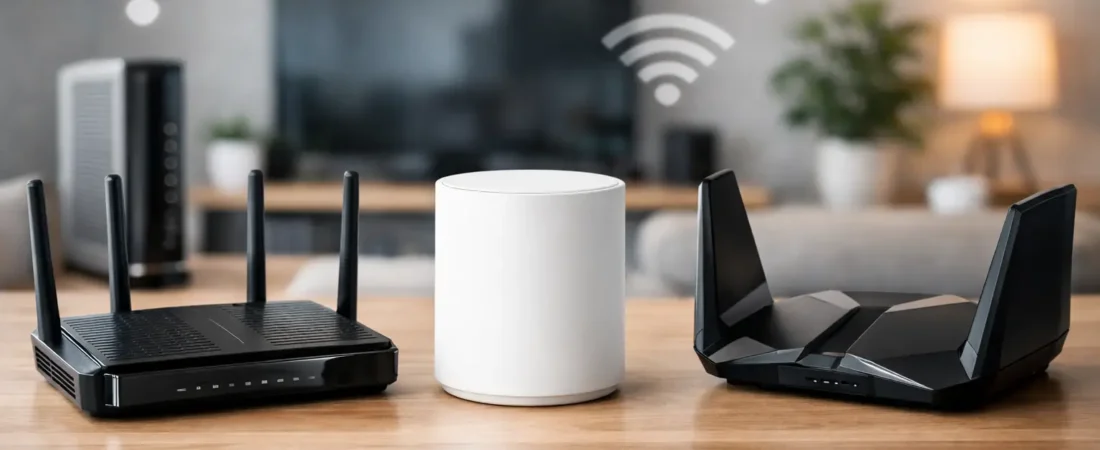
If you pay for Xfinity’s 1.2 Gbps tier and your Wi-Fi still feels average, the bottleneck is usually not the internet plan. It is the hardware in your home. The best routers for Xfinity 1.2 Gb plan are the ones that can actually handle multi-gig input, strong Wi-Fi 6 or Wi-Fi 6E performance, and the real demands of streaming, gaming, and work calls happening at the same time.
That last part matters more than the speed number on the box. Plenty of routers advertise fast wireless rates but still fall short for an Xfinity plan this fast because they lack a 2.5G WAN port, have weak range, or start struggling once the whole household is online. If you want to stop renting gear or upgrade past an underpowered setup, you need to shop for fit, not just marketing.
What the best routers for Xfinity 1.2 Gb plan need
For this plan, the first thing to check is the internet port on the router. A standard 1 Gigabit WAN port can still work, but it will cap what the router can accept from your modem. If you want to get as close as possible to the full value of a 1.2 gig plan, look for a router with a 2.5G WAN port or a multi-gig port that can be assigned as WAN.
Next comes Wi-Fi generation. Wi-Fi 6 is the practical baseline here. Wi-Fi 6E is even better if you have newer phones, laptops, or gaming devices that can use the 6 GHz band, but it is not mandatory for every home. A good Wi-Fi 6 router is still a strong fit for most families, especially if your main goals are fast streaming, better coverage, and fewer slowdowns in busy hours.
You should also think about house size. In a small or medium home, a strong standalone router may be enough. In a larger house, a multi-story layout, or a place with dead spots, mesh is often the smarter buy. A single powerful router can beat a cheap mesh kit, but a good mesh system usually wins when coverage is the real problem.
7 best routers for Xfinity 1.2 Gb plan
Netgear Nighthawk RAXE300
This is one of the clearest fits for shoppers who want speed headroom without jumping into a full mesh system. It supports Wi-Fi 6E, includes a 2.5G internet port, and has enough wireless capacity for homes with a lot of active devices.
What makes it a practical choice is balance. You get multi-gig support for the Xfinity plan, strong performance for newer devices, and a setup that is less complicated than managing multiple mesh nodes. The trade-off is price. If your home is not very large and most of your devices are older Wi-Fi 5 or Wi-Fi 6 models, you may not get full value from the 6E premium.
Netgear Nighthawk RAX120
The RAX120 remains a solid option for households that want strong Wi-Fi 6 performance and multi-gig support without paying specifically for 6E. It has the horsepower for heavy use, and it fits homes where multiple people stream in 4K, game online, and work from home all day.
This one makes sense if you care more about raw stability than chasing the newest wireless band. It is still a premium router, though, so it is best for buyers who know they need upper-tier performance and are not just trying to save a few dollars on rental fees.
Netgear Nighthawk RS300
If you want a newer Wi-Fi 7-leaning option with room to grow, the RS300 is worth a look. For an Xfinity 1.2 gig plan, that extra future-proofing can be appealing, especially if you plan to keep your router for years instead of replacing it every time your ISP speed changes.
The main reason to consider it is longevity. The downside is that many households still will not fully use what a newer generation router offers today. If your devices are a mix of older smart TVs, budget laptops, and phones from a few years ago, the benefit may feel more gradual than dramatic.
Netgear Orbi RBK852
For larger homes, this is where mesh starts to make real sense. The Orbi RBK852 is a high-performance Wi-Fi 6 mesh system that can cover more space than a single router while still keeping up with fast internet service.
It is a better answer than a standalone router if your problem is not just speed at the router but weak signal in bedrooms, upstairs offices, or back patio areas. The catch is cost. Premium mesh is expensive, and for apartments or smaller homes, it is often more system than you need.
Netgear Orbi 970 Series
This is the high-end choice for people who want top-tier mesh performance and are willing to pay for it. It is overkill for many homes, but if you have a large house, lots of devices, and want the strongest premium option available, it belongs in the conversation.
For most Xfinity 1.2 gig subscribers, this is less about necessity and more about convenience and coverage quality. It is the kind of system you buy when poor Wi-Fi across a big house has become more frustrating than the price tag.
ASUS RT-AX88U Pro
This is one of the better non-Netgear alternatives for people who want a strong standalone router with a good feature set. It includes multi-gig support, dependable Wi-Fi 6 performance, and a reputation for handling busy home networks well.
It is a smart fit for users who want more control over settings without getting too deep into advanced networking. Compared with some flashier options, it can feel less exciting on paper, but in actual use that often works in its favor.
TP-Link Archer AXE300
The Archer AXE300 is a serious performance router with Wi-Fi 6E and multi-gig connectivity. It is aimed at shoppers who want high-end hardware for gaming, streaming, and fast local transfers, not just basic web browsing.
Its biggest strength is headroom. Its biggest downside is that it may be more router than the average household needs. If you just want stable Wi-Fi for a moderate-sized home, you can spend less and still get a very good result.
How to choose between a router and mesh for Xfinity 1.2 Gb plan
This is where many buyers overcomplicate things. If your current issue is that the internet is fast near the modem but weak across the house, mesh is probably the answer. If your issue is that your existing gateway feels underpowered everywhere, a premium standalone router could fix it.
A one-bedroom apartment, condo, or smaller ranch home usually does well with a strong single router. A two-story house, finished basement, or home with brick walls often benefits from mesh even if the internet plan itself is not the problem. Coverage and speed are connected, but they are not the same thing.
Modem compatibility still matters
Xfinity’s 1.2 gig plan adds one more wrinkle. Your router can only perform as well as the modem feeding it. If you are using your own equipment, make sure your modem is approved for your Xfinity tier and supports the speed level you are paying for.
This is also why some people keep the Xfinity gateway in bridge mode and add their own router or mesh system behind it. That setup can work well if you want better Wi-Fi without sorting through modem compatibility right away. If your main goal is replacing rental equipment entirely, then you need both the modem and router side to line up.
Best routers for Xfinity 1.2 Gb plan by type
If you want the simplest recommendation, the Netgear Nighthawk RAXE300 is a strong all-around pick for many homes. If you need broad coverage, the Orbi RBK852 is the better fit. If you want a capable standalone alternative outside the Netgear lineup, the ASUS RT-AX88U Pro is easy to recommend.
That said, there is no single best router for every Xfinity subscriber on this plan. A family in a 3,000-square-foot house has a different problem than a couple in an apartment with one gaming PC and two TVs. The right choice comes down to home size, device count, and whether you value maximum speed, better range, or lower cost most.
A good router should make your internet feel less like a service you troubleshoot and more like a utility that just works. If you buy with that goal in mind, you will usually make the right call the first time.