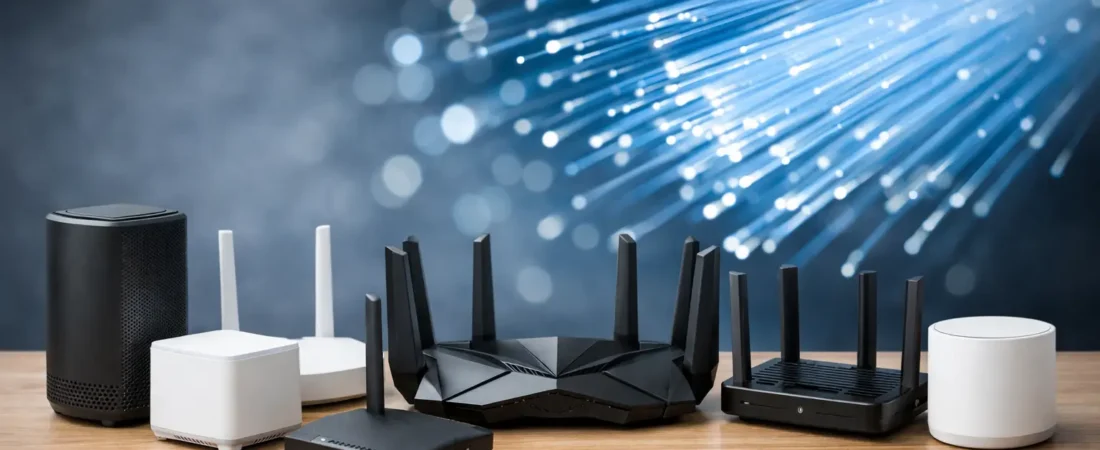
If your AT&T Fiber speed test looks great near the gateway but your living room TV still buffers, the problem usually is not the fiber line. It is your Wi-Fi. That is why people start looking for the best routers for AT&T Fiber – not because AT&T internet is slow, but because the included equipment often is not the best fit for larger homes, busy families, or work-from-home setups.
Here is the key thing to know before you buy anything: with AT&T Fiber, you generally cannot remove the AT&T gateway entirely. In most homes, you will keep the AT&T device and either add your own router behind it or put your router system into a setup that handles Wi-Fi better than the stock hardware. That makes this less about replacing the internet service and more about improving coverage, speed consistency, and device handling where it actually matters.
What matters most when choosing the best routers for AT&T Fiber
For most households, the right choice comes down to three things: your internet speed tier, your home size, and how many devices stay connected all day. A small apartment with 300 Mbps service does not need the same hardware as a two-story house with gig fiber, four smart TVs, gaming consoles, cameras, and two people on Zoom calls.
Compatibility also matters, but in a different way than it does with cable internet. You are not shopping for a modem-router combo for AT&T Fiber. Fiber customers usually need a standalone router or mesh Wi-Fi system that works with the AT&T gateway. If you accidentally buy a modem/router combo, you are paying for hardware you do not need.
Wi-Fi 6 is the practical sweet spot for most buyers right now. It gives you better device handling and strong real-world performance without the price jump of premium Wi-Fi 7 gear. If you are buying for a larger home or planning to keep the system for years, Wi-Fi 6E or Wi-Fi 7 can make sense, but only if your devices can use those bands and your budget allows for it.
The 7 best routers for AT&T Fiber
1. NETGEAR Nighthawk RS300
If you want one strong standalone router for a medium to large home, the NETGEAR Nighthawk RS300 is an easy recommendation. It is a good fit for gigabit-class AT&T Fiber plans and for households that need better range and stronger device handling than the provider gateway offers.
What makes it appealing is the balance. You get modern wireless performance, strong coverage, and enough horsepower for streaming, gaming, and home office use without paying top-tier flagship prices. For many families, this is the point where spending more starts giving smaller returns.
The trade-off is simple: this is still a single-router solution. If your home has dead zones at the far ends, thick walls, or multiple floors, a mesh system may be the better move.
2. NETGEAR Orbi 770 Series
For larger homes, the Orbi 770 Series makes more sense than trying to force one router to cover everything. This is the kind of system you buy when the problem is not just speed, but coverage. If your Wi-Fi falls apart upstairs, on the patio, or in back bedrooms, mesh is usually the cleaner answer.
The appeal of Orbi is whole-home consistency. Instead of chasing the highest possible speed in one room, you get more dependable coverage across the house. That matters more for families streaming in multiple rooms than a flashy maximum speed number on the box.
The cost is higher than buying one standalone router, and that is the main downside. But if you already know one router will not reach the whole house well, buying cheap first often ends up costing more later.
3. NETGEAR Nighthawk RAXE300
The Nighthawk RAXE300 is a strong pick for households that want more headroom. It is well suited for gigabit and multi-gig environments, especially if you have newer phones, laptops, or gaming devices that can benefit from advanced wireless standards.
This is the kind of router that fits a busy home with lots of simultaneous use. If one person is gaming, another is streaming 4K, someone else is on a work call, and your smart home is constantly active, better hardware can reduce congestion and improve consistency.
That said, this is not the budget choice. If your AT&T Fiber plan is on the lower end and you live in a smaller space, you may not feel enough difference to justify the extra cost.
4. NETGEAR Orbi RBK763
The Orbi RBK763 hits a practical middle ground for people who know they need mesh but do not want to overspend on the most expensive system available. It is a smart fit for households with 500 Mbps to 1 Gbps service where coverage matters just as much as top-end speed.
It tends to work well for families because mesh helps keep phones, tablets, TVs, and laptops connected as people move around the house. That is especially useful if the AT&T gateway has to stay in an awkward location, which is common.
The limitation is that mesh systems take a little more setup planning. Node placement matters. Put satellites too far apart and performance drops. Put them too close and you waste the benefit.
5. NETGEAR Nighthawk AX5400
If you want a more affordable standalone option, the Nighthawk AX5400 is a strong value choice. It covers what many households actually need: solid Wi-Fi 6 performance, enough speed for typical AT&T Fiber plans, and a simpler purchase decision for buyers who do not need premium extras.
This router makes sense for apartments, smaller homes, and buyers upgrading from older Wi-Fi 5 equipment. If your main goal is smoother streaming, fewer dead spots, and better day-to-day stability, it can get you there without going overboard.
The compromise is future-proofing. It is not the model you buy if you want top-shelf performance for years of upgrades, but it is often enough for current needs.
6. eero Pro 6E
Not every good AT&T Fiber option has to come from one brand. The eero Pro 6E is appealing for people who care more about simple setup and stable whole-home Wi-Fi than advanced tweaking. It is especially good for households that want a cleaner app experience and less hands-on management.
This is a good fit for users who do not want to think like network engineers. The system is designed to stay easy. For a lot of busy households, that matters more than having endless custom settings they will never touch.
The trade-off is control. Power users may find it a bit limited compared with more configurable router platforms.
7. TP-Link Deco XE75 Pro
The Deco XE75 Pro is another strong mesh choice for AT&T Fiber users who want broad coverage and strong value. It often lands in a sweet spot between budget mesh kits and premium systems, making it attractive for larger homes that need better Wi-Fi without the highest mesh pricing.
It is particularly worth considering if your current issue is inconsistent performance in different rooms rather than poor speed everywhere. Mesh can fix that kind of uneven experience better than a stronger single router in many homes.
Like other mesh systems, it is not ideal if you only need better performance in a small apartment. In that case, a single router is usually simpler and cheaper.
Standalone router or mesh for AT&T Fiber?
This is where most buying mistakes happen. People assume a more expensive single router is always better than mesh. In reality, it depends on the shape of your home more than the peak specs.
If you live in an apartment, condo, or smaller single-story house, a good standalone router is often the best buy. It is cheaper, simpler, and can deliver excellent speeds. If you live in a larger home, a two-story layout, or a place with brick walls and hard-to-reach rooms, mesh usually wins because it spreads strong Wi-Fi where you actually use it.
For AT&T Fiber specifically, mesh also helps when the gateway is installed in a bad location. That happens all the time. If the fiber entry point is in a corner room, garage, or utility area, even a strong router can struggle if everything starts from the wrong spot.
A few setup realities before you buy
The best router for AT&T Fiber still needs to be set up properly behind the AT&T gateway. In many cases, users place the gateway in IP Passthrough mode so the new router can handle more of the networking work. The exact steps vary by AT&T gateway model, so it is worth checking your device settings before purchase.
You should also think about ports if you have wired devices. A fast Wi-Fi system is great, but desktop PCs, game consoles, and streaming boxes often perform better over Ethernet. If you need multiple wired connections, make sure your router or mesh satellites have enough ports or be ready to add a switch.
And do not buy for your speed tier alone. Buy for your house. A family on 500 Mbps with bad coverage can benefit more from a good mesh system than a person on gigabit living in a small apartment.
Which router should most AT&T Fiber users buy?
If you want the safest all-around pick, a strong Wi-Fi 6 or Wi-Fi 7 standalone router like the NETGEAR Nighthawk RS300 is a smart starting point for average homes, and our rundown of the best Netgear routers for AT&T Fiber covers the top models in more depth. If your main problem is dead zones, an Orbi system or another quality mesh setup is usually the better answer.
That is really the heart of this decision. The best routers for AT&T Fiber are not just the fastest models on paper. They are the ones that fit your home, your device load, and the way your family actually uses the internet. Get that part right, and your Wi-Fi will finally feel as fast as the fiber plan you are already paying for.
If you are stuck between two options, lean toward the one that solves your coverage problem first. Raw speed is nice, but dependable Wi-Fi in every room is what makes home internet feel worth it.