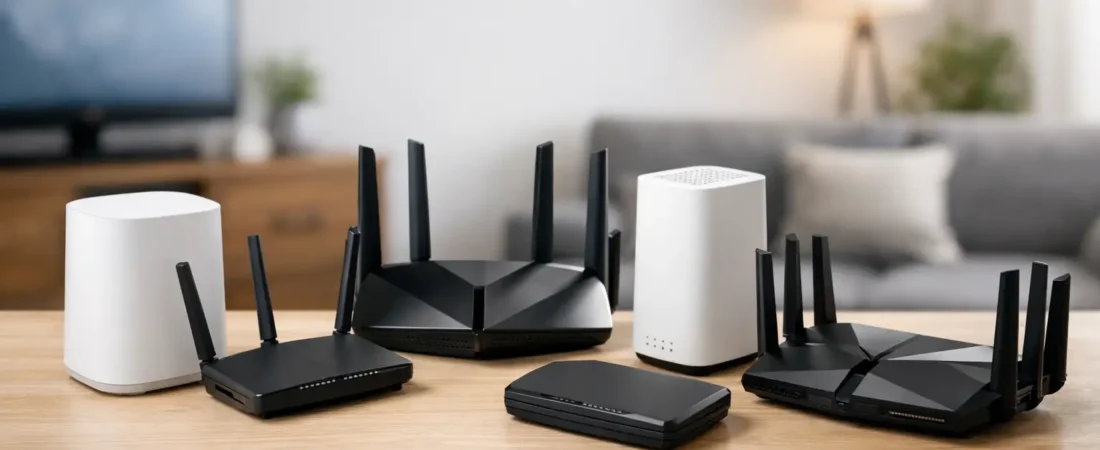
If your Xfinity Gigabit plan still feels slow in the bedroom, buffers during family movie night, or drops calls in the home office, the issue often is not the internet plan. It is the hardware. Finding the best router for Xfinity Gigabit usually comes down to three things: compatibility, Wi-Fi strength, and whether your home actually needs a traditional router or a mesh setup.
That matters because Xfinity gigabit service can expose every weak point in your network. An older Wi-Fi 5 router might look fine on paper, but once you add a couple of 4K TVs, phones, tablets, gaming consoles, and a laptop on Zoom, the experience falls apart fast. The good news is that you do not need to overbuy if you know what to look for.
What actually matters for Xfinity Gigabit
For most households, the best router is not the one with the biggest number on the box. It is the one that fits your internet plan, your home size, and the number of devices fighting for bandwidth every day.
With Xfinity Gigabit, start with compatibility. If you are replacing an all-in-one Xfinity gateway, you need to know whether you are buying a standalone router, a modem-router combo, or a router to pair with a separate modem. That distinction trips up a lot of buyers. A router alone will not work if you do not already have a compatible cable modem.
After that, focus on Wi-Fi generation. Wi-Fi 6 is the current sweet spot for most homes because it handles multiple devices much better than older standards. Wi-Fi 6E can be great if you have newer phones and laptops, but not every household will notice a major benefit. Wi-Fi 7 is promising, but for most Xfinity Gigabit users it is still more luxury than necessity.
Coverage is the next big piece. A strong single router can work well in an apartment, condo, or smaller house. In a larger home, especially one with multiple floors or stubborn dead zones, mesh tends to be the better call even if the advertised top speed is a little lower.
Best router for Xfinity Gigabit: the smartest picks
Best overall: NETGEAR Nighthawk AX5400
For most households, this is the easiest recommendation. It gives you Wi-Fi 6, strong real-world speed, and enough capacity for heavy streaming, gaming, and work-from-home use without pushing into premium pricing too aggressively.
It is a good fit for people who want a clear upgrade over ISP equipment without turning router shopping into a research project. In a typical medium-size home, it should have no trouble keeping up with a gigabit plan. You also get a better chance of seeing stable performance across multiple devices than you would with older budget models.
The trade-off is that it is still a traditional router, not a mesh system. If your house has lots of walls or awkward room placement, even a strong router like this may not solve every dead zone.
Best for larger homes: NETGEAR Orbi WiFi 6 mesh system
If your biggest complaint is coverage rather than raw speed, Orbi makes more sense than chasing a more expensive standalone router. For Xfinity Gigabit, a good Wi-Fi 6 Orbi setup can spread usable speed farther across the house than a single router placed in one corner of the living room.
This is especially useful for families with devices scattered everywhere – smart TVs upstairs, tablets in bedrooms, and work laptops at opposite ends of the house. Mesh also helps if your modem has to stay in a bad location because of where the cable line enters the home.
The downside is cost. Mesh systems are usually more expensive than a single router, and some people buy them when they really just needed better router placement. But for bigger homes, mesh is often the practical answer.
Best value: NETGEAR Nighthawk AX3000
Not every Xfinity Gigabit household needs a premium router. If your home is smaller and your expectations are realistic, the AX3000 class is often enough. You may not squeeze out the absolute fastest wireless numbers at long range, but you can still get a solid everyday experience for streaming, browsing, video calls, and light gaming.
This is a good choice for buyers focused on savings after cutting modem rental fees. It keeps the upgrade simple and avoids paying for performance your home may never use.
The catch is headroom. If you have a lot of devices or want consistently high wireless speeds in every corner, you may outgrow it sooner than you would a stronger AX5400 or mesh setup.
Best premium pick: NETGEAR Nighthawk AXE7800
If you have newer devices that support the 6 GHz band and you want more room for high-performance wireless networking, a Wi-Fi 6E router like the AXE7800 is worth a look. This kind of router can reduce congestion and help newer devices perform better, especially in busy homes.
It is not the right pick for everyone. If most of your devices are older, you are paying for a feature set you may barely use. But for households with newer laptops, flagship phones, and a strong appetite for future-proofing, it can be a smart step up.
Best for gamers: NETGEAR Nighthawk XR1000
If gaming is the main reason you are upgrading, this router stands out because it is built around traffic management and low-latency performance, not just raw throughput claims. That makes it appealing for homes where gaming competes with streaming and general household use.
It still works well as an everyday router, but the value is strongest if you actually care about gaming features. If you do not, a more mainstream Wi-Fi 6 router may deliver similar household performance for less money.
Best modem-router combo: NETGEAR Nighthawk CAX80
Some buyers do not want separate devices. They want one box, fewer cables, and one less thing to troubleshoot. In that case, a modem-router combo like the CAX80 can make sense for Xfinity Gigabit, provided it is approved for your service tier.
The main advantage is simplicity. It can save space and reduce clutter, which matters if your modem sits in a visible area. It may also help you replace Xfinity rental equipment in one move.
The trade-off is flexibility. If the router side becomes outdated, you usually replace the whole unit. Separate modem and router setups are easier to upgrade over time.
Best simple upgrade from rented equipment: NETGEAR Nighthawk AX4200
This is the kind of router that works well for buyers who are not trying to optimize every spec. They just want Wi-Fi that feels stronger and more reliable than the equipment from the provider. The AX4200 hits that middle ground nicely.
It is a practical fit for average families with several active devices and a normal mix of streaming, work, school, and smart home gear. It may not be the flashiest option, but it solves the problem most people actually have.
Router or mesh for Xfinity Gigabit?
This is where a lot of purchase regret starts. People buy a powerful single router, set it up in a far corner of the house, and wonder why the guest room still gets weak Wi-Fi.
If you live in an apartment, condo, or smaller single-story home, a standalone router is often enough. If you live in a larger home, have multiple floors, or know you have dead zones already, mesh is usually the safer buy. The best router for Xfinity Gigabit is not always one router. Sometimes it is two or three coordinated nodes that cover the house properly.
Placement matters too. Even a great router performs badly when it is tucked behind a TV, hidden in a cabinet, or stuck in the basement.
Common mistakes to avoid
The most common mistake is confusing internet speed with Wi-Fi speed. Your gigabit plan does not guarantee that every phone will hit near-gigabit speeds over wireless, especially at distance. Wired devices usually perform closer to the plan’s maximum than Wi-Fi devices do.
Another mistake is buying based only on top advertised speed. Coverage, stability, and device handling matter more in real homes. A slightly slower router with better placement or mesh support can feel much faster day to day.
It is also easy to overlook modem compatibility. If you are pairing your router with a separate cable modem, make sure that modem is approved for Xfinity and appropriate for your speed tier.
How to choose the right one for your home
If you want the safe recommendation, go with a solid Wi-Fi 6 router in the AX5400 range for a small to medium-size home. If coverage is already a problem, skip the stronger standalone router and move straight to mesh. If you want one device instead of two, a combo unit can work, but it is better for simplicity than long-term flexibility.
That practical middle-ground approach is usually what RouterForMyISP readers need most. Not the most expensive hardware, and not the cheapest box on the shelf either. Just the right fit for the way the house actually uses internet.
The best choice is the one that fixes your weak spots without making you pay for features you will never notice. If your current setup is holding back a fast Xfinity plan, the right router can make the whole connection feel like an upgrade again.