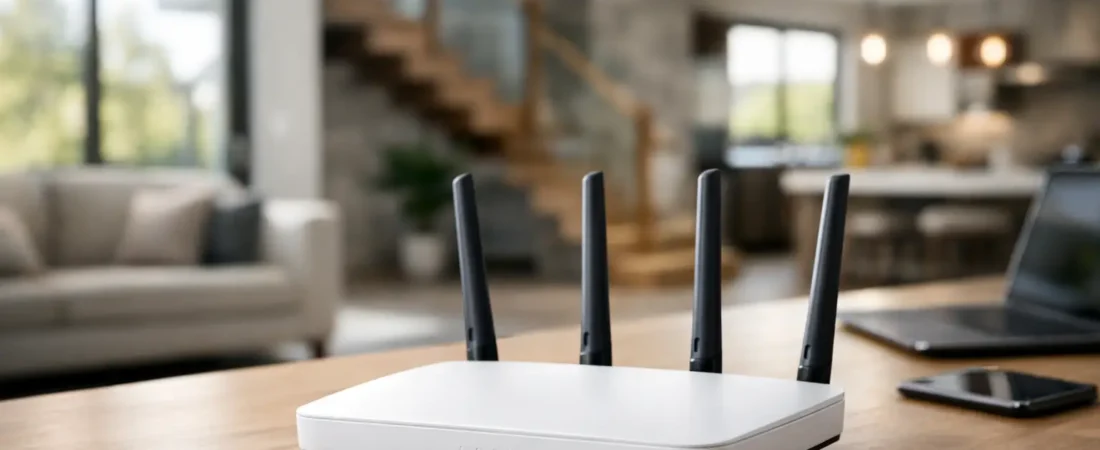
If your Wi-Fi works fine in the living room but falls apart in the back bedroom, garage, or upstairs office, you do not just need “better internet.” You usually need the right router for large house coverage, and in many homes that means fixing both range and layout problems at the same time.
A big house creates two challenges that people often mix together. The first is square footage. The second is how that square footage is divided by walls, floors, appliances, and distance from the router. That is why one household can cover 3,000 square feet with a strong standalone router, while another struggles in a 2,200 square foot two-story home with thick interior walls.
What matters most in a router for large house coverage
The biggest mistake shoppers make is buying based on advertised speed alone. A router can claim huge numbers on the box and still perform poorly at the far end of the house. For larger homes, coverage strategy matters more than chasing the highest possible top speed.
Start with the house itself. A single-story open floor plan is easier to cover than a narrow two-story home with bedrooms at opposite ends. Brick, plaster, concrete, metal ductwork, and radiant barriers all weaken Wi-Fi. Even where you place the router matters. If it is stuck in a basement corner because that is where the ISP installed service, your Wi-Fi is already starting at a disadvantage.
Then look at how your household actually uses the network. A family streaming 4K video, gaming, taking Zoom calls, and running smart home devices at the same time needs more than broad coverage. It needs consistent performance under load. That is where newer standards, stronger processors, and better traffic handling make a real difference.
Single router vs mesh for a large house
For many buyers, this is the decision.
A high-end standalone router can be the right choice if your house is not unusually complicated, your internet plan is fast, and you can place the router near the center of the home. This setup is simpler, often cheaper than a premium mesh system, and can deliver excellent performance close to the router. It also makes sense if you plan to wire some devices directly with Ethernet and only need strong Wi-Fi in the main living areas.
But if you have dead zones, multiple floors, long hallways, or rooms that sit far from the modem location, mesh is often the smarter answer. A mesh system uses a main router and one or more satellite units to spread coverage more evenly across the house. Instead of one powerful source trying to reach everywhere, you get multiple access points working together.
That does not mean mesh is always better. A cheap mesh system can underperform a good standalone router. Wireless backhaul between mesh nodes also reduces efficiency compared with wired Ethernet backhaul. Still, for most large homes, mesh solves the real problem better than trying to overpower the house with one device.
When a single router is enough
A single router is usually worth considering when the home is under about 2,500 square feet, has fewer major obstructions, and allows central placement. It is also a good fit when you want the lowest equipment cost and your dead zones are minor rather than severe.
When mesh is the better fit
Mesh is usually the safer choice when the home is over 2,500 square feet, has two or more floors, or has clear weak spots where signal drops badly. It is also a better fit for households that want easier expansion later. If you move in and find one upstairs node is not enough, adding another is often simpler than replacing the whole setup.
Wi-Fi standards and features that actually help
Most households shopping for a router for large house use should focus on Wi-Fi 6 or Wi-Fi 6E. Wi-Fi 7 is available now, but it usually costs more than most families need unless you are buying for a high-performance setup and want more future-proofing.
Wi-Fi 6 hits the sweet spot for many homes because it handles multiple active devices better than older standards and is widely supported by phones, laptops, TVs, and gaming systems. Wi-Fi 6E adds access to the 6 GHz band, which can help in busy households, but only if your devices support it and your budget allows for it.
Tri-band systems can also help in larger homes, especially mesh systems. That extra band can improve communication between nodes or reduce congestion when many devices are online. Dual-band can still work well, but tri-band tends to make more sense as house size and device count go up.
Do not ignore Ethernet ports either. In large homes, a wired connection for a gaming console, work PC, or streaming box can take pressure off the wireless network. If you can run Ethernet to mesh nodes, that is even better.
ISP compatibility comes first
Before you buy anything, make sure you are solving the right equipment problem.
If you have cable internet from providers like Xfinity, Spectrum, or Breezeline, you may need both a modem and a router, or a modem-router combo if you want fewer boxes. If you are replacing rented ISP equipment, compatibility matters. Not every router works by itself on every setup because some homes still need a separate approved modem.
If you have fiber internet from Verizon Fios or AT&T Fiber, the setup is different. Fiber customers often connect a router to an optical network terminal or ISP gateway rather than to a cable modem. In some cases, replacing the ISP router is easy. In others, you may need to keep part of the provider equipment in place and use your own router behind it.
This is where shoppers waste money. They buy a great router and then find out it does not replace the box they thought it would. If you are trying to stop rental fees, verify whether you need a standalone router, a separate modem plus router, or a mesh system that works with your existing provider hardware.
How to choose the right setup for your house
Think in terms of coverage first, then speed.
If your internet plan is 300 to 500 Mbps and your main issue is dead zones, spending extra on a top-tier performance router may not help as much as moving to a solid mesh system. If your plan is gigabit or faster and you have heavy traffic from work, gaming, and streaming, then a stronger router or higher-end mesh setup starts making more sense.
Placement matters more than most buyers expect. Put the main router or mesh base in an open area, not inside a cabinet or tucked behind a TV. Try to place satellite units halfway between the dead zone and the main router, not inside the dead zone itself. In two-story homes, placing one unit on each floor often works better than stacking everything on one side of the house.
Device count matters too. A couple with laptops and a few streaming devices can get by with less than a family running doorbells, cameras, tablets, consoles, smart speakers, and remote work gear. More devices mean more competition for airtime, and that is where better hardware earns its keep.
Common buying mistakes
One mistake is assuming your ISP speed tier guarantees good in-home Wi-Fi. Your provider can deliver the promised speed to the modem or gateway, but that does not mean the signal reaches every room well.
Another mistake is replacing the router when placement is the real issue. If your current equipment is stuck in the worst possible spot, even a very good replacement may disappoint.
The third is buying too little system for the house. People understandably want to save money, but underbuying often means you pay twice. For a genuinely large or difficult layout, forcing a single router to do a mesh system’s job usually ends badly.
The fourth is buying too much router for an average internet plan. If your plan is modest and your house layout is simple, paying for a premium flagship model may not produce a noticeable difference.
A practical way to decide
If your house is large but fairly open, start by considering a strong Wi-Fi 6 router with good placement. If your house has multiple floors, dead zones, or a spread-out floor plan, start with mesh. If you have cable internet, check modem compatibility before replacing ISP gear. If you have fiber, confirm whether you can fully replace the provider router or need to build around it.
That is the most useful way to shop because it matches equipment to the real problem. A large home does not always need the most expensive router on the shelf. It needs the setup that fits the floor plan, your ISP, and how your family uses the internet every day.
At RouterForMyISP, that usually means steering people away from marketing hype and toward the option that will still feel like a good decision six months from now. Buy for coverage, confirm compatibility, and give placement the attention it deserves. That is how you end up with Wi-Fi that reaches the rooms you actually use.