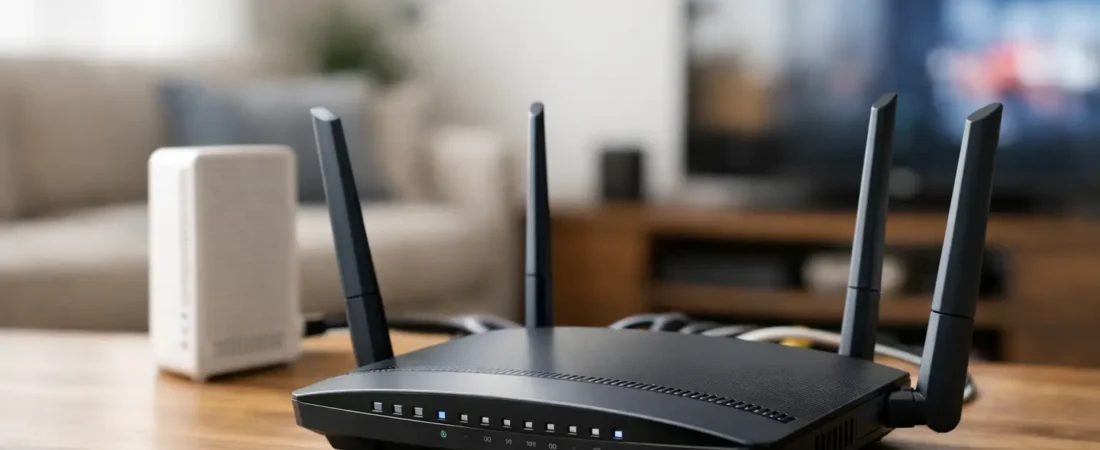
If you’re asking what is the best router to buy for Xfinity, you’re probably trying to fix one of three things: weak Wi-Fi, monthly rental fees, or a home network that falls apart the second everyone gets online at once. That makes this a practical buying decision, not a tech hobby. The right answer depends on your Xfinity plan, your home size, and whether you want one box or a better long-term setup.
For most households, the best router to buy for Xfinity is not simply the most expensive one. It is the one that matches your internet speed, plays nicely with Xfinity’s network, and gives you enough wireless coverage for the way your household actually uses the internet. A small apartment with a 400 Mbps plan needs something very different from a two-story home with gamers, remote workers, and four TVs streaming at night.
What is the best router to buy for Xfinity for most homes?
For a lot of Xfinity customers, a Wi-Fi 6 router from a reliable brand is the sweet spot. It gives you modern performance without pushing you into premium pricing that many homes will never fully use. If you are shopping today, a strong midrange Wi-Fi 6 router is usually the safest pick for value, speed, and compatibility.
If you want a straightforward recommendation, Netgear models in the AX line are often the easiest fit for Xfinity households. They tend to offer solid coverage, simple setup, and enough performance headroom for streaming, smart home devices, and work-from-home traffic. A model like the Netgear Nighthawk AX5400 makes sense for many homes because it is fast enough for higher-tier cable plans without being excessive.
That said, the best choice changes based on your setup. If your home is under 1,500 square feet and your internet plan is moderate, a smaller and less expensive Wi-Fi 6 router can be plenty. If your home is large or has dead zones, a mesh system may be a better buy than any single traditional router.
Before you buy, know this about Xfinity equipment
Xfinity service uses a modem to bring the internet into your home and a router to spread that connection over Wi-Fi and Ethernet. Some devices combine both jobs in one box. Others split them into two separate devices.
This is where many shoppers get tripped up. A router alone will not replace your Xfinity gateway if you still need a cable modem. If you are replacing rented equipment, you need either a compatible modem-router combo or a separate compatible cable modem plus a router.
In plain English, if you already own a compatible modem and just want better Wi-Fi, buy a router. If you are replacing the full Xfinity rental box, make sure you are not forgetting the modem side of the setup.
How to choose the best router to buy for Xfinity
Start with your internet speed. If your Xfinity plan is around 300 to 500 Mbps, you do not need a premium gaming router just to browse, stream, and work from home. A good Wi-Fi 6 router will handle that easily. If your plan is closer to gigabit speeds, then stepping up to a stronger dual-band or tri-band model makes more sense.
Next, think about coverage. A router can be very fast on paper and still disappoint in a larger house. Walls, floors, brick fireplaces, and distance all weaken Wi-Fi. If you have dead spots in bedrooms or a detached office, a mesh system often solves the real problem better than buying one oversized single router.
Also consider how many people and devices are online at once. A couple in a condo has different needs from a family with school laptops, security cameras, smart TVs, gaming consoles, and voice assistants all pulling on the network. More devices usually means you want better traffic handling, not just a higher top speed number.
Finally, check compatibility. Xfinity compatibility matters most for modems and modem-router combos, but it still helps to choose mainstream routers with current standards like Wi-Fi 6 or Wi-Fi 6E. That gives you better longevity and fewer setup headaches.
The best types of routers for different Xfinity users
Best for most households
A mid-to-upper-range Wi-Fi 6 router is the easiest recommendation. This is the right fit for average families, streamers, and remote workers who want stronger Wi-Fi than the rented gateway usually provides. It balances speed, range, and price better than older Wi-Fi 5 gear or expensive Wi-Fi 7 models.
If your Xfinity plan is fast but not extreme, this category gives you the most for your money. It is also the safest option if you want something that should still feel current for several years.
Best for apartments and smaller homes
If you live in an apartment, townhouse, or smaller single-story home, do not overbuy. A compact Wi-Fi 6 router can deliver excellent performance in a smaller footprint and often costs much less. In tighter spaces, huge range claims matter less than stable everyday performance.
This is also where a simpler setup helps. You probably do not need a mesh kit unless your layout is unusual or your walls are especially unfriendly to Wi-Fi.
Best for larger homes
For bigger homes, the best router to buy for Xfinity may not be one router at all. A mesh Wi-Fi system is often the better answer when coverage matters more than benchmark speed. If your current connection is fine near the modem but terrible upstairs or across the house, mesh is usually the fix.
This is a classic case of buying for the actual problem. Many people think they need a faster router when what they really need is better signal distribution.
Best for gigabit plans and heavier use
If you pay for gigabit Xfinity service, have multiple heavy users, or transfer large files for work, it is worth buying a router with stronger hardware and faster Ethernet ports. You want something that can keep up not only with the incoming speed but also with heavy local network traffic.
This does not mean you need the most expensive flagship model. It does mean you should avoid entry-level hardware that could become the bottleneck.
Should you get a modem-router combo or separate devices?
For simplicity, a modem-router combo is appealing. One device, fewer cables, and often lower upfront cost. If you live in a smaller space and want the easiest path away from rental fees, a combo can work well.
But separate devices are usually the better long-term buy. A standalone modem plus a separate router gives you more flexibility, easier upgrades, and often better Wi-Fi performance. If Wi-Fi quality is your main concern, separate gear usually wins.
This is especially true for Xfinity customers who may want to upgrade Wi-Fi before they need a new modem. Replacing one piece is cheaper and easier than replacing an all-in-one unit.
Common mistakes when buying a router for Xfinity
The biggest mistake is confusing internet speed with Wi-Fi quality. A faster Xfinity plan will not fix poor signal in the back bedroom. Better placement or a mesh system might.
The second mistake is buying based only on the largest speed number on the box. Those numbers are theoretical and shared across bands. Real-world performance depends on your devices, your walls, interference from neighbors, and where the router sits.
Another common mistake is ignoring modem compatibility. If you are replacing the full Xfinity gateway, check that the modem or combo unit is approved for your service tier. This matters more than flashy marketing.
Finally, some buyers spend too little for demanding households and then spend twice. If you have a busy home with many connected devices, getting a stronger router upfront is often cheaper than troubleshooting weak performance for the next year.
So what should most Xfinity shoppers actually buy?
If you want the simplest answer, buy a quality Wi-Fi 6 router from a trusted brand and pair it with a compatible modem if needed. For many homes, that is the best balance of price and performance. Netgear is an easy place to start if you want dependable options without getting buried in technical specs.
If your home is large or has known dead zones, skip the idea of one super-router and go straight to mesh. If you live in a smaller home and have a moderate plan, save your money and buy a solid midrange model instead of chasing premium features you may never notice.
The real goal is not buying the most powerful router. It is buying the right one for your Xfinity service and your home. Once you match those two things, your internet usually gets a lot less frustrating, and that is what most people are really paying for.