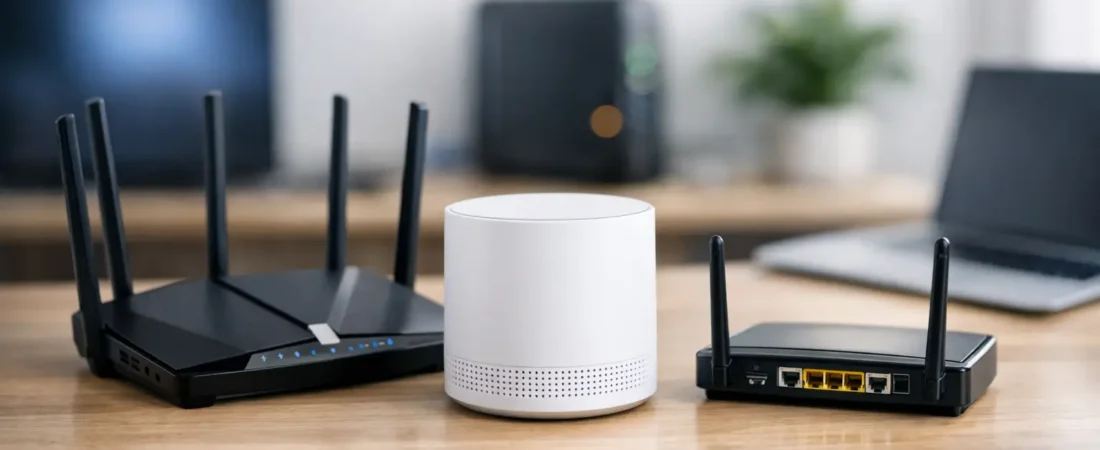
That question usually comes up right after a frustrating moment – a rental fee on your bill, dead Wi-Fi in the bedroom, or a provider rep insisting you need their equipment. If you’re wondering, can I use any router, the short answer is no. The better answer is that you can often use your own router, but it has to match your internet setup.
That distinction matters because “router” gets used as a catch-all term when your home internet may actually depend on a modem, a gateway, an ONT, or provider-specific hardware. Buy the wrong box and you may not get online at all. Buy the right one and you can improve coverage, cut rental costs, and get more control over your home network.
Can I use any router with any ISP?
Not with any ISP, and not in every setup. A router’s job is to share your internet connection around your home, mostly over Wi-Fi and Ethernet. But your ISP may also require a separate device to bring the internet into the house in the first place.
For cable internet providers like Xfinity, Spectrum, and Breezeline, you usually need a compatible cable modem or a modem/router combo that works on that provider’s network. A standalone router by itself is not enough unless you already have a working modem. That is where a lot of people get tripped up. They replace the ISP gateway with a Wi-Fi router and then wonder why the internet light never comes on.
For fiber providers like Verizon Fios and AT&T Fiber, the situation is different. Fiber service usually comes into an ONT, which converts the signal for your home network. In many cases, you can connect your own router after that point, but some providers still prefer or require their gateway for activation, phone service, TV service, or advanced account features.
For DSL or fixed wireless, compatibility gets even more specific. Some providers require approved hardware, and some use equipment that is preconfigured for their network. So the real question is less “can I use any router” and more “can I use this router with my ISP and service type?”
What determines whether a router will work?
The first thing is your provider’s technology. Cable, fiber, DSL, and 5G home internet do not all use the same hardware path. If you have cable internet, you need a modem that is approved for your provider and speed tier. If you have fiber, you may be able to use your own router, but not replace every provider device in the chain.
The second factor is whether you’re replacing only the router or replacing the full gateway. That is a big difference. If you keep your ISP modem or fiber terminal and only swap the router, your options are much wider. If you want to replace the all-in-one rental unit completely, compatibility gets tighter fast.
Speed is the next issue. A router may technically work and still be a bad fit. An older Wi-Fi 5 router can run a basic plan, but it may struggle in a busy home with streaming, gaming, video calls, and smart devices all competing at once. Likewise, a cheap router with limited Ethernet ports or weak CPU performance can become the bottleneck even if your ISP speed looks great on paper.
Then there are provider-specific features. Some households need TV service, landline phone support, mesh compatibility, parental controls, or app-based troubleshooting. Replacing ISP hardware can affect some of that. You may save money and get better Wi-Fi, but lose easy support from your provider if something breaks.
The biggest mistake: confusing modem and router
If you remember one thing before shopping, make it this: a modem and a router are not the same device.
The modem connects to your ISP. The router creates your home network. A gateway combines both into one box. If your provider gave you a single device with a coax cable on the back and Wi-Fi in the house, that is probably a gateway.
This is why people ask, can I use any router, and get conflicting answers. If they mean “Can I connect my own Wi-Fi router to my existing ISP modem or ONT?” the answer is often yes. If they mean “Can I replace my provider equipment with any random router from the store?” the answer is often no.
Once you separate those two jobs, the buying decision gets much simpler.
When you usually can use your own router
If your ISP equipment already brings internet into the home and offers an Ethernet handoff, you can usually connect your own router. That is common with fiber ONTs, cable modems, and ISP gateways put into bridge mode.
This setup works well for people who mostly want better Wi-Fi coverage, stronger performance, or more control over settings. It is also the easiest path if you are not trying to replace every piece of provider hardware at once. You keep the required internet connection device and upgrade the part that handles wireless coverage.
For many households, this is the sweet spot. It reduces risk, avoids activation headaches, and still gives you a meaningful upgrade over the standard rental gateway.
When you cannot just use any router
Some providers lock down parts of the setup more than others. AT&T Fiber is a common example where the provider gateway often remains part of the connection path, even if you add your own router behind it. Some TV and voice bundles also work best, or only work, with provider equipment.
Cable internet can also create problems if you try to skip the modem requirement. A router without a cable modem cannot connect directly to a coax outlet. Even if the packaging says fast Wi-Fi or gigabit speeds, that does not make it cable-compatible.
You also cannot assume every modem/router combo works on every cable ISP. Approval lists matter. Firmware support matters. Speed tier support matters. A device may work on one provider and be unsupported on another.
How to shop without wasting money
Start with your ISP and your exact plan, not with the router aisle. Check whether you have cable, fiber, DSL, or wireless home internet. Then figure out whether you need a modem, a router, or both.
After that, think about your home, not just your speed test. A small apartment on a 300 Mbps plan has different needs than a two-story house full of 4K streaming TVs and work-from-home laptops. If coverage is your issue, a better router or mesh system matters more than chasing the highest advertised top speed.
It also helps to be realistic about futureproofing. Spending more for Wi-Fi 6 or Wi-Fi 6E can make sense if you’re upgrading for the next few years, but only if the rest of your setup can benefit from it. There is no payoff in buying high-end hardware if your provider plan is modest and your home is small.
This is where sites like RouterForMyISP can save you time. The best choice is usually not “the best router” in general. It is the best compatible router for your provider, your speed tier, and your house.
A simple way to answer “can I use any router”
Use this rule of thumb. If your home internet setup already has a modem, ONT, or provider gateway handling the ISP connection, you can often add your own router. If you are trying to replace the provider device itself, you need to confirm compatibility first.
That means asking a few basic questions before you buy:
- What type of internet service do I have?
- Am I replacing just the router, or the modem/gateway too?
- Does my ISP approve this equipment?
- Will it support my speed plan and home size?
- Do I need provider features like phone or TV support?
Those answers will narrow your choices much faster than product marketing ever will.
A good router upgrade should make your internet feel easier to live with. Better coverage in the rooms that matter, fewer dropouts during streaming, and one less monthly fee on the bill is usually a better goal than chasing specs you will never notice.