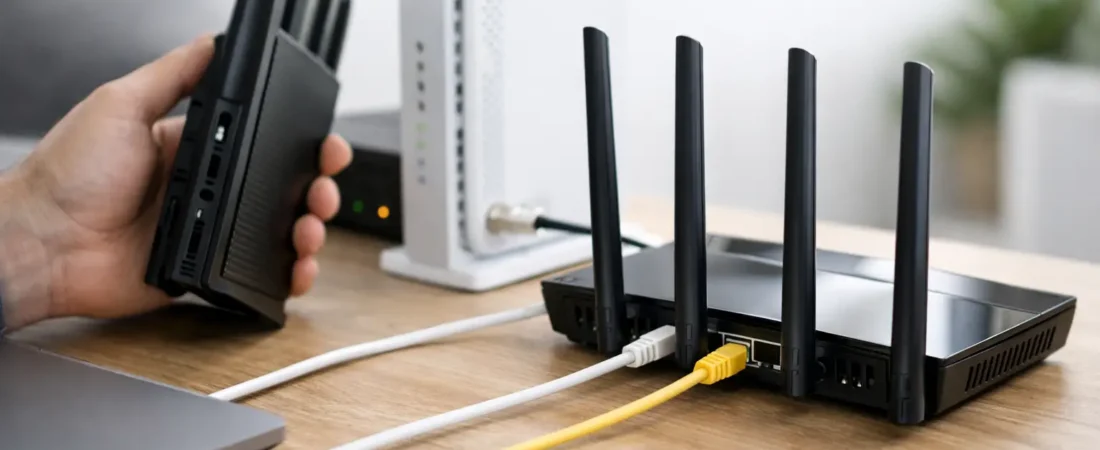
If you’re staring at a monthly equipment charge and wondering, can I use my own router, the short answer is usually yes. The catch is that “usually” does a lot of work here. Some internet providers make it easy, some require specific gear, and some bundle the modem, router, and phone service in ways that limit what you can replace.
For most households, using your own router makes sense when you want better Wi-Fi, more control, or a way to stop paying rental fees forever. But before you buy anything, you need to know whether your ISP requires a separate modem, an ONT, or a gateway, because that changes what you can swap out and what has to stay.
Can I use my own router with any internet provider?
Not with every provider in every setup, but with many of them, yes.
If you have cable internet from providers like Xfinity, Spectrum, or Breezeline, you can often use your own modem and your own router. In that setup, the modem connects to the ISP, and the router handles your home Wi-Fi and wired devices. That gives you the most freedom.
If you have fiber internet, things work a little differently. Providers like Verizon Fios and AT&T Fiber usually install an ONT, which converts the fiber signal for home use. In many cases, you can connect your own router behind that equipment. What varies is whether you can fully remove the provider’s gateway or whether it still needs to stay in place for authentication, phone service, or TV features.
If you have DSL, fixed wireless, or a bundled gateway with voice service, the answer depends even more on the provider’s rules and the hardware involved. So the question is less “can I use my own router” and more “can I replace all of my ISP equipment, or just part of it?”
The part people mix up: modem vs router vs gateway
A lot of purchase mistakes happen because people use “router” as a catch-all term.
A modem connects your home to a cable internet provider. A router creates your local network and Wi-Fi. A gateway combines both in one box. Fiber setups often use an ONT plus a router or gateway.
That matters because many people think they need to replace the whole ISP box when all they really want is better Wi-Fi. In plenty of homes, the easiest fix is to keep the provider modem or ONT and add your own router. That improves wireless coverage and performance without creating a compatibility headache.
If your provider gave you one all-in-one gateway, you may still be able to use your own router by putting the ISP device into bridge mode or pass-through mode. That disables most routing functions so your new router can take over. Not every provider supports this cleanly, but it is common.
When using your own router is a smart move
The biggest reason is performance. ISP rental equipment is often fine for basic browsing in a small apartment, but it can struggle once you add multiple TVs, gaming consoles, work laptops, video calls, and smart home devices. A better router can improve coverage, device handling, and speed consistency, especially in medium and large homes.
The second reason is cost. Renting a gateway for years adds up fast. Even if your monthly fee looks small, it can exceed the price of a solid router in less time than most people expect.
The third reason is control. Your own router gives you more say over security settings, parental controls, guest networks, mesh expansion, and upgrade timing. You’re not stuck waiting for whatever hardware your ISP decides to hand out.
This is where a site like RouterForMyISP is useful to shoppers. The best router is not just the best one on paper. It is the one that fits your provider, your speed tier, and the size of your home without making setup harder than it needs to be.
When using your own router may not be worth it
Sometimes the ISP equipment is good enough, and replacing it will not solve the real problem.
If your internet plan is slow to begin with, a premium router will not magically create more bandwidth. If your issue is a dead zone on the far side of the house, you may need a mesh system, not just a stronger standalone router. And if your provider ties TV or phone features to its gateway, removing that box can create more hassle than savings.
There is also a support trade-off. When you use ISP equipment, customer support has fewer excuses. When you use your own hardware, some providers will stop troubleshooting at the point where the signal reaches your home. That is not always a deal-breaker, but it is worth knowing upfront.
What to check before you buy
Start with your ISP type. Cable customers need to check modem compatibility if they plan to replace everything. Fiber customers need to confirm whether they can connect a personal router directly to the ONT or whether the ISP gateway must remain in place.
Next, check your speed plan. If you pay for gigabit internet and buy a budget router that tops out well below that in real-world use, you will feel the mismatch. The same goes for older routers with weak processors or outdated Wi-Fi standards.
Also think about your home layout. A single router can work well in a smaller space, but larger homes, multi-story layouts, and houses with lots of walls often do better with mesh Wi-Fi. The goal is not just fast speed near the router. It is usable internet where people actually sit, stream, and work.
Finally, check whether you use home phone or provider TV service. Those add-ons can affect whether you can fully remove the ISP device.
How setup usually works
If you are keeping the ISP modem or ONT, setup is usually simple. You connect your new router to the existing internet source with an Ethernet cable, then use the router app or web interface to finish configuration. In many homes, that is the cleanest path.
If you are replacing a cable modem and router, the modem typically has to be activated with the provider first. After that, you connect your router to the modem and set up Wi-Fi.
If you are using your own router with an ISP gateway, you may want bridge mode. This avoids double NAT, which can cause issues with gaming, VPNs, port forwarding, and some smart home devices. Double NAT is not always disastrous, but it is one of the most common reasons people say their new router “works, but not quite right.”
ISP-specific reality checks
Cable ISPs are often the most flexible. With Xfinity, Spectrum, and similar providers, many customers use approved third-party modems and routers without much trouble. The key is matching modem compatibility and speed support.
Fiber is more mixed. Verizon Fios users can often use their own router, especially for internet-only service. AT&T Fiber users can use a personal router too, but the provider gateway often still stays in the setup in some form. That does not mean your own router is pointless. It just means your router may handle your home network while the ISP device handles provider-specific requirements.
That distinction matters because some shoppers think “I can’t fully remove the gateway” means “I can’t improve my Wi-Fi.” Those are two different questions.
The best choice for most households
If you want the lowest-friction upgrade, keep the ISP modem or ONT and add your own router or mesh system. That gives you the biggest improvement in everyday Wi-Fi with the fewest compatibility headaches.
If you want to stop equipment rental fees entirely and you have cable internet, replacing both modem and router can be a strong long-term move. You just need to verify compatibility first.
If you have fiber, go in with realistic expectations. You may still be able to use your own router, but your provider’s box might remain part of the chain.
So, can I use my own router? In most cases, yes. The smarter question is how much of your ISP equipment you can replace without creating extra problems. If you start with that mindset, you are much more likely to buy the right hardware the first time and end up with a home network that actually feels better day to day.
A good router should make your internet easier to live with, not more complicated. If your next upgrade saves money, fixes weak Wi-Fi, and keeps streaming and work calls steady, that is usually the right answer.