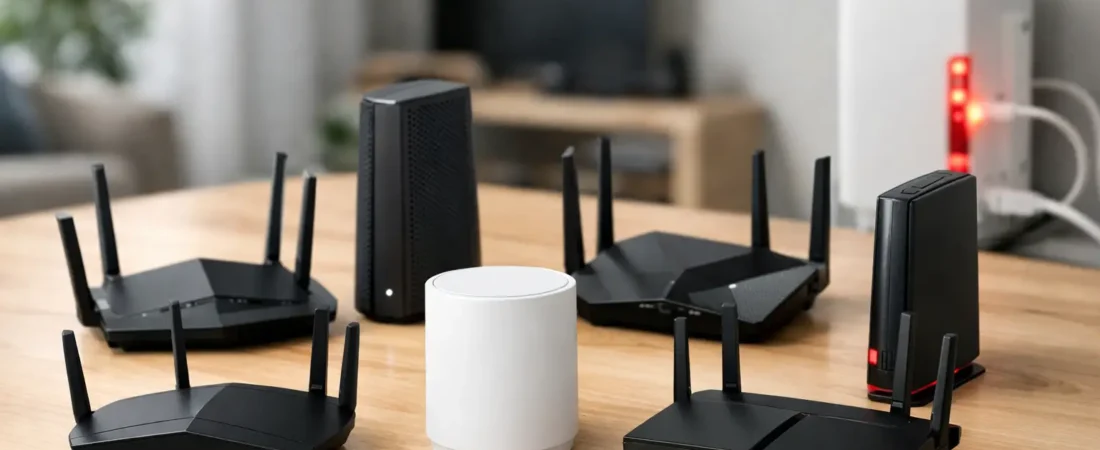
Verizon Fios can deliver excellent speeds, but the router you put behind that fiber connection still decides how good your day-to-day Wi-Fi feels. If you are shopping for the best routers for Verizon Fios, the right choice depends less on the fiber line itself and more on your home size, device count, and whether you want simple whole-home coverage or the fastest possible standalone router.
What matters when choosing the best routers for Verizon Fios
Fios uses fiber to the home, which means your router selection is less complicated than it is with cable internet. In most cases, you are connecting through Ethernet from the Optical Network Terminal, not shopping for a modem-router combo. That is the first thing many buyers get wrong – they look for a modem, even though Verizon Fios does not require one in the usual cable sense.
For most households, the big decision is whether to buy a traditional Wi-Fi router or move to a mesh system. A single router is often enough for apartments, smaller homes, or anyone who can place the router near the center of the house. Mesh makes more sense when dead spots are already a problem, when you have multiple floors, or when smart TVs, phones, work laptops, cameras, and gaming consoles are spread all over the place.
You should also think about your Fios speed tier in realistic terms. A gigabit or multi-gig plan does not automatically mean every device needs a premium router, but it does mean you should avoid older Wi-Fi 5 models unless your budget is very tight. Wi-Fi 6 is the safe baseline now. Wi-Fi 6E and Wi-Fi 7 are better fits for buyers who want more headroom, especially in busy households.
Best routers for Verizon Fios: the top picks
Best overall – NETGEAR Nighthawk RS300
If you want one strong recommendation without overthinking it, the NETGEAR Nighthawk RS300 is a very sensible fit for Verizon Fios. It gives you modern Wi-Fi performance, better long-term value than older Wi-Fi 6 models, and enough power for households that stream in 4K, work from home, and run dozens of connected devices.
Its main strength is balance. You are not paying only for peak speed claims. You are getting a router that fits current and next-upgrade internet plans while still being manageable for a normal household buyer. For many Fios users, that is the sweet spot.
The trade-off is simple: it costs more than an entry-level router. If your plan is only 300 Mbps and you live in a small apartment, it may be more router than you need. But if you want to buy once and stop worrying about upgrades for a while, it is a strong choice.
Best for value – NETGEAR Nighthawk AX5400
For buyers who want better Wi-Fi than an ISP gateway without spending premium money, the NETGEAR Nighthawk AX5400 hits the mark. It is a practical upgrade for homes on common Fios speed tiers like 300 Mbps, 500 Mbps, and even gigabit if your usage is typical rather than extreme.
This is the kind of router that makes sense when you want faster wireless performance, steadier coverage, and a more capable home network without chasing every newest spec. It is especially appealing for families streaming on multiple TVs while also using tablets, phones, and video calls.
The limitation is coverage in larger homes. Like most standalone routers, placement matters. If your house is long, wide, or split across multiple floors, you may get better results from mesh instead of trying to force one router to do everything.
Best for gigabit plans – NETGEAR Nighthawk RS500
If you are paying for Fios Gigabit and actually want to take advantage of it across newer devices, the NETGEAR Nighthawk RS500 is worth a look. It gives you more performance overhead than midrange routers and is a better fit for demanding homes with heavy traffic all day.
This is the kind of setup that suits people with a mix of remote work, cloud backups, gaming, and high-bitrate streaming happening at the same time. Verizon Fios can provide the speed, but your internal network has to keep up. A stronger router makes a difference there.
It is not the best value for lighter users. If most of your household activity is a couple of TVs, some phones, and casual browsing, you probably will not feel enough of a difference to justify the higher cost.
Best mesh for larger homes – NETGEAR Orbi 770 Series
A lot of Fios complaints are not really about internet speed – they are about weak Wi-Fi in the back bedroom, upstairs office, or basement TV area. That is where the NETGEAR Orbi 770 Series stands out. It is a better answer than a single premium router when your real problem is coverage.
Mesh systems like Orbi are built to spread Wi-Fi more evenly across a larger space. That helps if your current connection looks fast near the router but slows down badly across the house. For households with many rooms, multiple floors, or outdoor smart devices, consistent coverage often matters more than raw top-end speed.
The downside is price. Mesh systems usually cost more upfront, and they can feel excessive in a smaller home. If you live in a modest apartment, a single router is often the smarter buy.
Best premium mesh – NETGEAR Orbi 970 Series
The Orbi 970 Series is for buyers who want top-tier whole-home performance and are comfortable paying for it. If you have a large home, high-end speed plan, and a lot of devices competing for bandwidth, this is the kind of system that can justify its premium position.
For Verizon Fios users with multi-gig ambitions, dedicated office spaces, gaming setups, and lots of simultaneous streaming, this level of mesh can remove a lot of frustration. It is also a better fit for people who know their household outgrows cheaper networking gear quickly.
Still, this is not a universal recommendation. The performance is impressive, but the value only makes sense in larger, more demanding homes. For many families, a less expensive mesh system will feel nearly as good in everyday use.
Best for apartments and smaller homes – NETGEAR Nighthawk AX3000
Not every Fios household needs a high-priced router. If you live in an apartment, condo, or smaller single-story home, the NETGEAR Nighthawk AX3000 may be all you need. It is a straightforward option for moderate internet plans and normal household usage.
This kind of router works well when your main goals are cutting equipment rental costs, improving Wi-Fi compared to older ISP hardware, and keeping setup simple. If your space is compact, paying extra for high-end coverage you will never use does not make much sense.
The trade-off is future headroom. It is not the best pick for very large device counts, advanced gaming setups, or homes likely to move to faster speed tiers soon.
Best for gamers – NETGEAR Nighthawk XR1000
Gaming households have slightly different priorities. The NETGEAR Nighthawk XR1000 is a good fit for Fios users who care about responsiveness, traffic control, and reducing the feeling that someone else streaming in the next room is wrecking the connection.
Verizon Fios already has a reputation for low latency, which makes it appealing for online gaming. Pairing it with a gaming-focused router can help you manage congestion better inside your home network. That matters more than flashy speed claims.
That said, gaming routers are niche products. If you do not play online regularly, you may get better value from a standard router or mesh system with stronger all-around household coverage.
Should you replace the Verizon router?
Sometimes yes, sometimes no. If your current Verizon equipment is working well, covers your whole home, and includes any TV-related features you need, replacing it may not be urgent. But many people shop for a new router because they want better range, stronger device handling, or a way to stop paying rental fees over time.
The catch is Verizon Fios setups can vary. Some customers with Fios TV or specific service arrangements may prefer to keep Verizon equipment in the mix. Others can switch to their own router with very little hassle. If your priority is simple internet service with better Wi-Fi, using your own router is often very doable.
How to choose the right one for your home
The easiest way to narrow this down is to match the router to the house, not just the speed plan. A smaller home with 300 Mbps service can run beautifully on a midrange Wi-Fi 6 router. A 3,000-square-foot home with gigabit service and dead zones probably needs mesh, even if the internet plan itself is not the fastest one Verizon sells.
Think about where Wi-Fi usually fails. If your issue is buffering on the far side of the house, buy for coverage. If your issue is lots of devices piling onto the network at once, buy for capacity. If your issue is simply wanting a better replacement for an older rental unit, a strong midrange router is often enough.
At RouterForMyISP, the most practical advice is usually this: do not overspend on features you will never notice, but do not underspend if your home clearly needs mesh or newer Wi-Fi hardware. The right router should feel boring after setup – your video calls work, your streaming stays stable, and nobody in the house complains about the Wi-Fi anymore.
If you are still stuck between two options, choose the one that best fits your home size first and your internet speed second. That usually leads to the better long-term result.