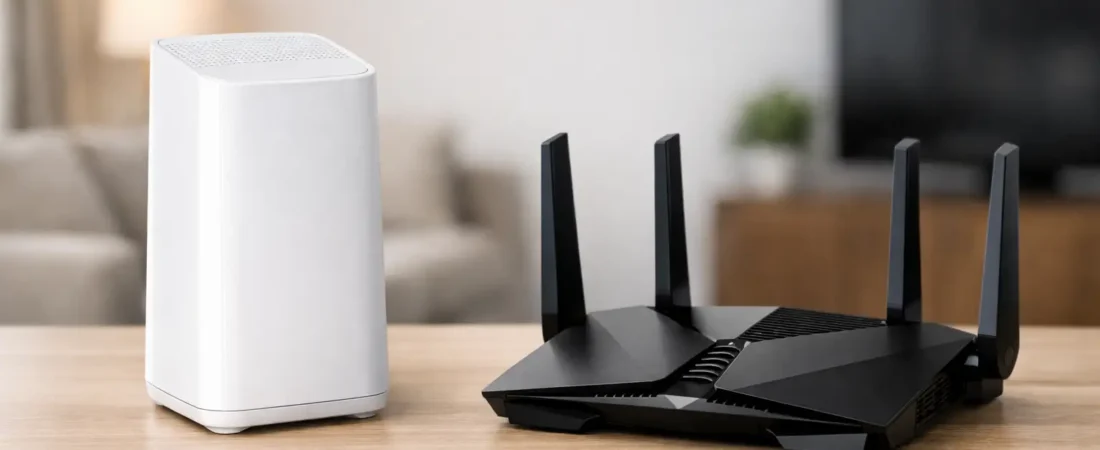
That monthly equipment charge looks small until you realize you have been paying it for years. That is usually where the xfinity router vs netgear decision starts – not with specs, but with a simple question: should you keep renting from Xfinity or buy your own router and be done with the fee?
For most households, the answer depends on how much you care about convenience, whole-home Wi-Fi coverage, and long-term cost. Xfinity’s gateway is easy. Netgear usually gives you more control and often better hardware options. But there are trade-offs, especially if you want one box that handles everything.
Xfinity router vs Netgear: the core difference
Xfinity typically provides a gateway, which combines a modem and router into one device. It is built to work with Xfinity service out of the box, and the setup is usually simple. If something goes wrong, Xfinity support can see the device on your account and help troubleshoot.
Netgear is different because the brand sells several kinds of products. Some Netgear models are cable modem-router combos, while others are standalone routers that need a separate modem. That matters because many people compare an Xfinity gateway to a Netgear router without realizing they are not always the same type of device.
If you want the closest apples-to-apples comparison, compare an Xfinity gateway to a Netgear cable modem-router combo. If you already own a compatible modem or want to choose your modem separately, then a standalone Netgear router may be the better comparison.
The biggest factor for most people: cost
If you rent an Xfinity gateway, you are paying for convenience every month. For some households, that is fine. You get a device that is easy to activate, easy to replace if it fails, and supported directly by your ISP.
The problem is that rental fees add up fast. Over a couple of years, you can easily spend more than the cost of owning a solid Netgear setup. If you plan to stay with Xfinity for a while, buying your own equipment often makes more financial sense.
Netgear usually wins on long-term value, but only if you buy the right model the first time. A cheap router that cannot handle your speed tier or your home size is not a bargain. It just creates frustration and pushes you into another upgrade sooner than expected.
Performance and Wi-Fi coverage
This is where Netgear often pulls ahead.
Xfinity gateways are designed for the average household. They usually perform well enough for basic streaming, web browsing, video calls, and a moderate number of connected devices. If you live in a smaller home or apartment and your internet plan is not especially fast, the Xfinity gateway may be perfectly adequate.
But once you have a larger home, multiple floors, smart home devices, gaming consoles, and people working or studying online at the same time, the limits become more obvious. ISP gateways can struggle with range compared to stronger retail routers.
Netgear offers more choices for different needs. Some models are better for small homes, while others are built for gigabit plans, heavier device loads, or wider Wi-Fi coverage. If your current issue is dead zones in the back bedroom or weak signal upstairs, a better Netgear router or mesh system is often the more practical fix.
That said, not every Netgear option will outperform every Xfinity gateway. Entry-level retail routers can still disappoint. The win comes when you match the hardware to your home size, speed plan, and device count.
Setup and ease of use
Xfinity has the edge on simplicity.
If you use the company’s own gateway, activation is usually straightforward. The device is designed for the service, firmware updates are handled automatically, and support is easier because Xfinity knows exactly what hardware is connected.
Netgear setup is still manageable for most people, but it may involve one extra layer of effort. If you buy a standalone router, you need a compatible modem too. If you buy a modem-router combo, you still need to make sure it is approved for your Xfinity plan. That is not difficult, but it does require more attention before you purchase.
For readers who want the easiest possible path and do not mind paying monthly, the Xfinity gateway is hard to beat. For readers willing to spend a little time upfront to save money and improve Wi-Fi, Netgear is usually worth the extra step.
Xfinity router vs Netgear for speed tiers
Your internet plan matters more than branding.
If you have a lower or mid-tier Xfinity plan, many decent Netgear options will handle it just fine. In fact, you may not notice a huge speed difference between the Xfinity gateway and a good retail setup if your main use is streaming TV and browsing.
If you have a faster plan, especially in the gigabit range, the quality of your hardware matters much more. This is where choosing the right Netgear model can pay off. Better processors, stronger Wi-Fi standards, and improved traffic handling can make a home network feel more stable under load.
Still, do not assume the highest-priced model is automatically the right one. If your internet plan is 400 Mbps and your home is modest in size, buying an expensive top-tier router may not improve much. On the other hand, if you are paying for gigabit internet and using a weak all-in-one gateway, your wireless performance may be holding you back.
Features you may or may not care about
Xfinity gateways are built for convenience, not deep customization. Most users can manage basic settings, but you are not buying it for advanced control. If your goal is to plug it in, connect your phones and TVs, and move on, that is fine.
Netgear tends to offer more flexibility. Depending on the model, you may get better app controls, stronger parental features, guest network settings, traffic management, and more upgrade paths. For some buyers, those features matter. For others, they are just extra menu screens they will never open.
This is one of those areas where it depends on your personality as much as your household. If you like having more say over your network, Netgear is more appealing. If you want fewer decisions, Xfinity keeps things simple.
When Xfinity’s router makes more sense
There are cases where keeping the Xfinity gateway is the smart move.
If you move often, do not want to research compatibility, or prefer having one company handle support, renting can be worth it. The same goes for households that are not dealing with major Wi-Fi issues and just want internet that works with minimal effort.
It can also make sense if you need a temporary solution. Maybe you just started service and want to test your coverage before buying your own equipment. Renting first and upgrading later is a reasonable path.
When Netgear is the better buy
Netgear is usually the better choice if you want to stop paying rental fees, improve Wi-Fi in a larger home, or match your hardware more closely to your internet plan.
It is also a strong option for households with more demanding usage patterns. Think multiple 4K streams, remote work, online gaming, smart home gear, and lots of devices connected at once. In those situations, better hardware is not just about speed tests. It is about consistency.
For the typical Xfinity customer who plans to keep service for more than a year or two, owning a compatible Netgear setup often makes the most sense financially and practically.
One mistake people make with this comparison
The biggest mistake is comparing a rented Xfinity gateway to a random Netgear router without checking what else is needed.
If you buy only a router but your current Xfinity device is also acting as your modem, you are not replacing the full setup. You still need a compatible cable modem unless you choose a combo unit. That is where people get confused, and it is also where many bad purchase decisions happen.
Before you buy, figure out whether you want one device or two. A combo unit is simpler. A separate modem and router setup usually gives you more flexibility for future upgrades.
So which one should you buy?
If your top priority is convenience, support, and the least amount of setup work, stick with the Xfinity gateway. It is the easier option, and for many smaller homes it is good enough.
If your top priority is long-term savings, stronger Wi-Fi, and more control over your home network, Netgear is usually the better buy. That is especially true if you are tired of rental fees or you know your current Xfinity equipment is not covering your home well.
A good rule is simple. If your internet problems are mostly about billing, buy your own equipment. If they are mostly about dead zones and weak performance, buy better equipment. In many Xfinity homes, Netgear solves both.
The right router is not the one with the most hype. It is the one that fits your Xfinity plan, your home layout, and how your household actually uses Wi-Fi every day.