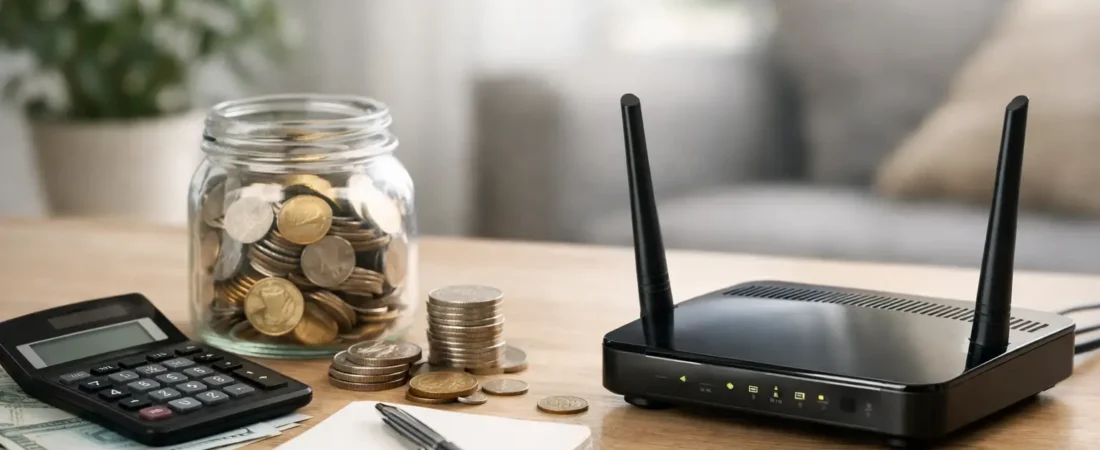
That $10 to $15 monthly equipment fee looks small until you realize you have been paying it for years. If you want to save money on router rental, the math usually gets convincing fast – especially if your ISP charges separately for a gateway, modem, or Wi-Fi add-on.
For a lot of households, renting internet equipment feels easier because it is bundled into the bill and already set up. But convenience has a price, and in many cases it is higher than it should be. Buying your own gear can lower your monthly bill, improve Wi-Fi performance, and give you more control over your home network. The catch is that the right move depends on your provider, your internet plan, and whether you need a modem, a router, or both.
Why router rental fees add up so quickly
Most major internet providers charge a recurring equipment fee. Sometimes it is called a router rental, but what you are really renting may be a wireless gateway – a single box that combines a modem and router. Other times, the modem is included and the Wi-Fi router carries the extra fee.
Either way, the cost tends to be persistent and easy to ignore. A $14 monthly fee turns into $168 per year. Keep service for three years and you are at $504, often for basic hardware that would have cost far less to buy outright.
That is why people start looking for ways to save money on router rental after they notice how little that fee changes while everything else in the home network does. Your streaming habits grow, more devices come online, and the rental box stays the same while the bill keeps coming.
What you are actually renting from your ISP
Before you buy anything, check what is on your bill. This matters more than most people expect.
Router vs. modem vs. gateway
A router manages your home Wi-Fi and local network. A modem connects your home to the ISP. A gateway combines both into one device.
If you have cable internet from providers like Xfinity, Spectrum, or Breezeline, you may need a compatible cable modem plus a separate router, unless you buy a cable gateway. If you have fiber service like Verizon Fios or AT&T Fiber, the setup can be different. In many fiber installations, the ISP supplies required equipment for the connection itself, and your opportunity to save may come from replacing only the Wi-Fi portion.
This is where people get tripped up. They think they are replacing a router when they actually need modem compatibility too. Or they buy a modem for a fiber plan that does not use one in the same way cable does.
Why compatibility matters more than the sticker price
The cheapest device is not always the cheapest choice. If a modem is not approved by your ISP or does not support your speed tier, it can create activation problems, unstable service, or a speed bottleneck.
For most households, the smart move is not just buying any router. It is buying equipment that works with your provider now and still makes sense if you keep the service for a few years.
When buying your own router makes the most sense
If your ISP allows customer-owned equipment, buying usually makes sense when you plan to keep service for more than a year. That is often the break-even point.
A household paying $12 per month in rental fees spends $144 per year. A solid standalone router can cost less than that, and a modem-router setup may still pay for itself in a reasonable timeframe. After that, the monthly savings are real.
It makes even more sense if your current rental equipment is underperforming. Many ISP gateways are fine for small apartments or light browsing, but they can struggle in larger homes, with lots of smart devices, or with heavy streaming and work-from-home traffic. In that case, replacing the rental is not just about saving money. It is about getting better Wi-Fi while lowering your bill.
When renting may still be the better deal
There are cases where keeping the rental is reasonable.
If your ISP includes equipment at no additional charge, there may be little financial upside to replacing it right away. If you move often, expect to switch providers soon, or do not want any setup responsibility, renting can still be worth it for the convenience.
Some internet services also tie advanced support, managed Wi-Fi features, or whole-home service guarantees to the rented equipment. That does not mean you should always keep it, but it does mean the decision is not purely about monthly cost.
If you rely on your ISP for phone service, TV integration, or specific troubleshooting support, using your own hardware can introduce trade-offs. The savings may still be worth it, but you should go in with realistic expectations.
How to save money on router rental without buying the wrong thing
The easiest way to save money on router rental is to slow down for ten minutes before you shop. Most bad purchases happen because people skip the compatibility check.
Step 1: Look at your current bill
Find the exact equipment fee and the equipment name if listed. See whether you are paying for a modem, router, gateway, or Wi-Fi service package.
Step 2: Confirm what your ISP allows
Some providers publish approved modem lists. Others allow almost any standards-compliant router but have tighter rules on modems. This is especially common with cable internet.
Step 3: Match the device to your internet plan
If you have a 300 Mbps plan, you do not need to overspend on hardware built for multi-gig service. If you have gigabit internet and a busy household, going too cheap will likely frustrate you.
Step 4: Think about your home, not just the speed tier
A one-bedroom apartment and a two-story house have very different Wi-Fi needs. Some homes do well with a single router. Others need mesh Wi-Fi for better coverage. Saving money on rental fees does not help much if dead zones push you into replacing the setup again six months later.
Step 5: Calculate your break-even point
Take the total purchase price and divide it by your monthly rental fee. If the equipment pays for itself in 12 to 18 months and you expect to keep your service longer than that, buying is usually the better value.
ISP-specific reality checks
Provider rules shape this decision.
For cable ISPs like Xfinity, Spectrum, and Breezeline, customers often have the clearest path to replacing rented equipment with an approved modem and their own router. That is where rental savings can be easiest to capture.
For Verizon Fios, the savings opportunity often depends on whether you need to keep certain provider hardware in the mix. Some customers can use their own router more easily than others, depending on the setup and services attached.
For AT&T Fiber, the provider equipment situation is usually less flexible. In many cases, you can improve your network by adding your own router or mesh system behind the ISP gateway rather than fully replacing it. That may not eliminate the equipment fee, but it can still improve performance where the rental hardware falls short.
This is a good example of why the phrase save money on router rental is not always a straight line to fully removing every equipment charge. Sometimes the better outcome is partial savings or better Wi-Fi for roughly the same total cost.
Should you buy a router only or a modem-router combo?
For simplicity, a combo unit can be appealing. One device, fewer cables, and often a lower upfront cost than buying two separate pieces. For smaller homes and moderate internet plans, that can work well.
But separate devices give you more flexibility. If Wi-Fi needs change, you can upgrade the router without replacing the modem. If your ISP changes speed requirements, you are not locked into replacing an all-in-one box.
For many households, separate devices are the more practical long-term choice, especially if you care about Wi-Fi performance. For basic setups, a combo unit may still be a perfectly reasonable budget move.
The hidden savings most people miss
The monthly fee is only part of the story. Owning your own router can also reduce frustration costs.
Better coverage may mean fewer dropped Zoom calls, less buffering on streaming apps, and fewer support calls. Stronger Wi-Fi can also delay the need for extenders or service upgrades you may not actually need.
That does not mean every purchased router outperforms ISP gear. Some rental gateways are decent. But when households move to equipment that actually fits their home size and usage, the value often goes beyond the bill.
RouterForMyISP focuses on that exact gap – not just whether a device works, but whether it fits the provider, speed tier, and home layout well enough to feel like an upgrade.
The smart way to think about the decision
If your rental fee is recurring, your provider allows customer-owned equipment, and your current Wi-Fi is just okay, buying your own hardware is often the clearest path to saving money. If your ISP setup is more restrictive, the smarter move may be improving only the router side or waiting until your next service change.
The best decision is the one that cuts waste without creating new headaches. Start with your bill, confirm compatibility, and buy for the home you actually have. A small monthly fee gets expensive when you let it ride for years, and that makes this one of the easier places to trim your internet costs without giving anything up.