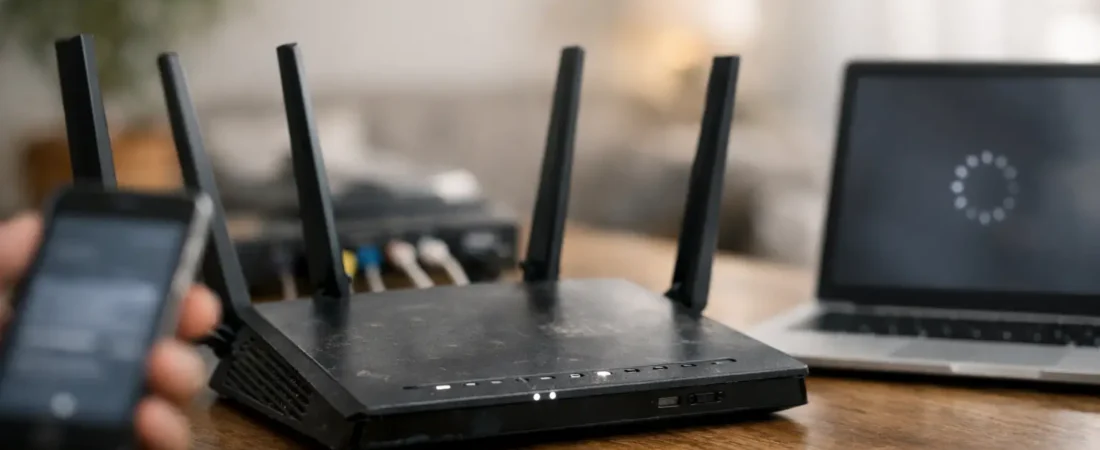
If you’ve found yourself asking, “is my Netgear router outdated,” you’re probably already seeing the warning signs at home. Maybe Netflix buffers in the back bedroom, your video calls freeze when the kids start streaming, or you’re paying for faster internet than your router can actually deliver. In most homes, an old router doesn’t fail all at once – it just slowly becomes the weakest part of the network.
That matters more now than it did a few years ago. Households have more connected devices, more 4K streaming, more smart home gear, and more work-from-home traffic competing for bandwidth. A router that felt perfectly fine in 2018 can feel frustratingly slow today, even if your ISP plan looks great on paper.
Is my Netgear router outdated if it still works?
Possibly, yes. “Still works” and “still makes sense to keep” are not the same thing. Plenty of older Netgear routers still power on, broadcast Wi-Fi, and connect to the internet. The real question is whether they still match your internet plan, your home size, and the number of devices you use every day.
An outdated router usually shows up in one of three ways. It holds back your speed, it struggles with coverage, or it lacks newer features and security support. For some households, any one of those is enough reason to upgrade. For others, a router can stay in service a bit longer if internet use is light and expectations are modest.
7 clear signs your Netgear router is outdated
The easiest sign is age. If your Netgear router is more than five years old, it deserves a closer look. That doesn’t automatically mean it belongs in a drawer, but it does mean you’re likely missing newer Wi-Fi standards, better processor performance, and stronger device handling.
The next sign is your Wi-Fi standard. If you’re using an older Wi-Fi 4 or early Wi-Fi 5 model, you may be leaving a lot of performance on the table. Newer routers with Wi-Fi 6 handle crowded households much better, especially when many phones, TVs, laptops, game consoles, and smart devices are active at once.
Another clue is that your speeds never come close to what you’re paying for. If your ISP plan is 500 Mbps or 1 Gig, but your wireless devices regularly get far less even when you’re near the router, the router may be the bottleneck. This is especially common with older budget models that were built for smaller plans.
Coverage problems are another strong signal. If certain rooms constantly drop off, or you have to reboot the router to get decent performance back, the hardware may simply be behind the demands of your home. Some people blame the ISP first, but weak in-home Wi-Fi is often an equipment problem, not a service problem.
Security support matters too. If your router no longer receives firmware updates, that is a practical reason to replace it. Older routers can keep working long after manufacturers stop actively supporting them, but unsupported networking gear is not where you want to cut corners.
Device overload is another common issue. A router that handled ten devices a few years ago may struggle when your household now has thirty or more connected products. Smart TVs, cameras, tablets, speakers, thermostats, and streaming sticks all add up.
Last, check your ports and features. If your router lacks gigabit Ethernet ports, modern parental controls, guest network options, or decent app management, it may be behind current expectations even if the Wi-Fi technically works.
How to check whether your Netgear router is too old for your internet plan
Start with the model number. Netgear usually places it on the bottom or back of the device. Once you have that, you can compare the router’s Wi-Fi generation and its maximum wired and wireless capabilities against your current ISP speed tier.
This is where context matters. If you have a 100 Mbps cable plan and a smaller apartment, an older midrange Netgear router may still be good enough. If you have gigabit cable, fiber, or a larger two-story home, “good enough” changes fast.
Pay attention to your actual use, not just the speed advertised by your provider. A couple that mostly browses the web and streams one TV at a time can get by with less. A family running multiple 4K streams, gaming, Zoom calls, and smart home devices at once needs a lot more stability and headroom.
It also helps to separate router issues from modem issues. If you use a separate modem and router, either one could be the limiting factor. If you use a combined gateway from the ISP, replacing only the router may not solve everything unless you switch modes properly or replace the gateway setup entirely.
Is my Netgear router outdated for Xfinity, Spectrum, or fiber?
It depends on the provider and the plan, but older routers tend to show their age fastest on higher-speed service. On Xfinity and Spectrum, many households upgrade internet speeds over time while keeping the same router for years. That mismatch creates the classic problem where you’re paying for faster internet but not experiencing it consistently over Wi-Fi.
On fiber, the gap is even more noticeable. Fiber plans often offer much higher throughput and lower latency, which can expose the limitations of an older router very quickly. If you have Verizon Fios or AT&T Fiber and you’re still using a dated Wi-Fi 5 router from years ago, a newer model can make a real difference in everyday responsiveness.
Compatibility is part of the equation, but performance is usually the bigger issue. Routers don’t need to be tied to one ISP the way some modems do. What matters most is whether the router can handle your speed tier, your home layout, and your usage habits.
When keeping your current Netgear router still makes sense
Not every older router needs to be replaced right away. If your current Netgear model is stable, receives security updates, supports your speed tier, and gives you strong enough coverage where you need it, there may be no urgent reason to swap it out.
This is especially true for smaller homes, lighter internet users, or households with lower-tier plans. Upgrading just because a router is old can be wasteful if the real-world experience is still fine. The best time to replace it is when age starts causing practical problems, not when a spec sheet makes you feel behind.
That said, if you are already troubleshooting the same issues every week, the router has probably stopped being a value. Frequent reboots, dead zones, and random slowdowns cost time and patience. At some point, replacing outdated hardware is the cheaper option in real life.
What to buy if your Netgear router is outdated
If your router is clearly behind, move toward at least a Wi-Fi 6 model unless your budget is extremely tight. For most US households, that is the sweet spot right now. It gives you better efficiency, stronger performance with many devices, and a longer runway before you need to think about upgrading again.
Choose based on your home, not just the box. A modest single router can be plenty for a smaller apartment or small house. A larger home with multiple floors may need a stronger router or a mesh system. This is where people often overspend or underspend – either buying a powerhouse router for a tiny space or trying to force one basic router to cover a large house.
Also think about your ISP plan. If you’re on gigabit service, buy something that can realistically support that level of throughput. If you’re on a mid-tier plan, you do not need the most expensive flagship model to get a meaningful improvement.
For shoppers trying to match gear to a specific provider, RouterForMyISP focuses on exactly that kind of decision. The goal is not buying the fanciest router. It’s buying one that actually fits your ISP, your budget, and your household’s daily internet habits.
A simple replacement rule to use
If your Netgear router is over five years old, lacks Wi-Fi 6, struggles with your current speed plan, or no longer gets security updates, replacement is usually the smart move. If it still performs well, supports your needs, and stays stable under daily use, you can keep it a bit longer without guilt.
The best test is simple: if your internet feels worse than it should inside your home, your router deserves just as much scrutiny as your ISP bill. A newer router won’t fix every problem, but when your current one is outdated, it can make your whole connection feel normal again.