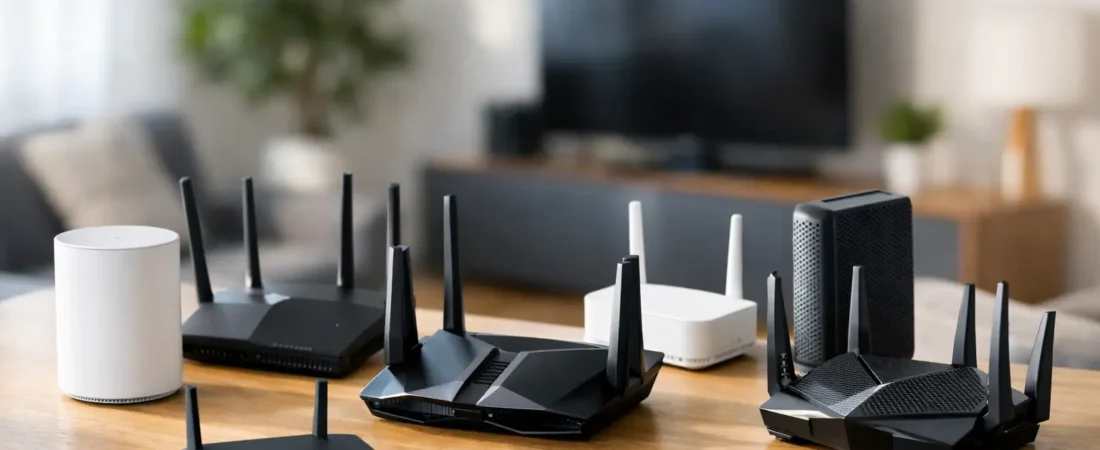
If you’re paying for Xfinity’s 1200 Mbps tier, a weak router can quietly waste a lot of that speed. The best router for Xfinity 1200 Mbps is not just the fastest model on the shelf – it’s the one that matches your home size, device count, and whether you’re using a separate modem or replacing both pieces at once.
That matters because gig-plus internet exposes weak spots fast. A bargain router may look fine on paper, but once you add 4K streaming, gaming, smart TVs, security cameras, and a couple of work-from-home laptops, performance can fall off. For most households, the right pick is a Wi-Fi 6 or Wi-Fi 6E router with a strong multi-gig WAN port and enough processing power to keep up.
What to look for in the best router for Xfinity 1200 Mbps
Start with one basic rule: if your internet plan is 1200 Mbps, you should avoid older Wi-Fi 5 routers unless you’re buying on a very tight budget and understand the compromise. They can still work, but they are not the best fit for a plan at this speed.
The first thing to check is the WAN port. Many routers still use a standard 1 Gig WAN port, which can bottleneck a 1200 Mbps cable plan before your Wi-Fi even comes into play. A router with a 2.5 Gig WAN port gives you room to actually use the extra speed Xfinity offers.
Next is Wi-Fi standard. Wi-Fi 6 is the practical sweet spot for most homes. It handles more devices better than older generations and gives you a better chance of seeing strong real-world speeds across newer phones, laptops, and streaming devices. Wi-Fi 6E is even better if you have compatible devices and want access to the cleaner 6 GHz band, but it usually costs more.
Coverage matters too. A powerful single router can be enough for a small or mid-size home, but a larger house with thick walls may need a mesh system instead. That’s where buyers often get tripped up. They focus on top speed and ignore range, then end up with dead zones in bedrooms or upstairs offices.
Best router for Xfinity 1200 Mbps: top picks
Netgear Nighthawk RAXE300
For many buyers, this is the easiest premium recommendation. The RAXE300 gives you Wi-Fi 6E, a 2.5 Gig internet port, and the kind of hardware that makes sense for a gig-plus cable plan. If your household has a lot of newer devices and you want strong speeds without stepping into the most expensive tier of networking gear, this is a very balanced option.
It fits especially well in homes where streaming, gaming, and work traffic happen at the same time. The trade-off is price. If you do not have any 6E-capable devices and your home is modest in size, you may not feel a huge difference compared with a good Wi-Fi 6 router.
Netgear Nighthawk RAX120
If you want a strong Wi-Fi 6 router and do not care about 6 GHz, the RAX120 still makes a lot of sense. It has the horsepower for heavy household use and performs well for users who want a high-end standalone router without moving to a mesh setup.
This is a good fit for buyers who want something powerful but a little simpler than newer 6E models. The main caution is future-proofing. It is still fast, but if you’re spending premium money today, some shoppers will prefer putting that money toward Wi-Fi 6E instead.
Netgear Nighthawk RS300
The RS300 is a newer option that works well for buyers who want modern performance and a cleaner upgrade path. It is well suited for households trying to get close to the full value of a 1200 Mbps plan, especially over wired connections and on newer Wi-Fi devices.
Its biggest strength is that it feels like a current-generation purchase rather than an older flagship. That can matter if you plan to keep your router for several years. As always, though, a single-router setup is still a single-router setup. Large homes may need more than one access point.
Netgear Orbi RBK762 mesh system
If your problem is not just speed but coverage, a mesh system can be the smarter buy. The Orbi RBK762 is a strong choice for larger homes where one router cannot reliably cover every room. With Xfinity 1200 Mbps service, this is often the better answer than buying an expensive standalone router and hoping the signal reaches everywhere.
Mesh has a clear advantage in multi-story homes, long ranch layouts, and houses with stubborn dead zones. The downside is cost and complexity. You’re buying more hardware, and top wireless speeds at satellite nodes can be lower than what you’d see standing next to a premium single router.
Netgear Orbi RBKE963
This is the splurge pick. If you have a large home, a lot of devices, and a budget that can handle it, the RBKE963 is one of the strongest whole-home options for a fast Xfinity plan. It brings Wi-Fi 6E and serious coverage, which makes it ideal for busy households that want strong performance in more than just one room.
For most people, this will be more system than they need. That’s the honest trade-off. It is impressive, but it only makes sense if you truly need premium mesh coverage and have devices that can benefit from it.
Netgear Nighthawk CAX80
This one is different because it is a modem router combo. If you want to replace Xfinity’s rented gateway with one device instead of two, the CAX80 is worth a look. It supports fast cable speeds and can simplify your setup while helping you avoid monthly equipment fees.
The convenience is the appeal here. Fewer boxes, fewer cables, and one device to manage. The trade-off is flexibility. Separate modem and router setups are usually easier to upgrade over time, so combo units are best for buyers who want simplicity more than modularity.
Netgear CAX30
For shoppers who want a combo unit at a more approachable price, the CAX30 can work if your expectations are realistic. It is a better fit for smaller homes or users who want to cut rental fees and still get solid Wi-Fi 6 performance.
I would be more cautious pairing it with a 1200 Mbps plan if your house is large or your network is heavily loaded all day. It can work, but this is more of a value-minded choice than a best-case performance pick.
Should you get a router only or a modem router combo?
This comes down to how you want to manage your setup. If you already have a compatible modem or plan to buy a high-quality one separately, a standalone router usually gives you the best long-term flexibility. You can upgrade Wi-Fi later without replacing the cable modem side.
If you want the simplest path away from Xfinity’s rental equipment, a modem router combo is easier. One purchase solves the whole problem. That said, combos are a little less flexible when standards change or when one part of the device ages faster than the other.
A few compatibility notes that matter
With Xfinity, compatibility is not something to gloss over. If you’re buying a router only, remember that it does not replace your modem. You’ll still need an Xfinity-compatible cable modem to activate service. If you’re buying a combo unit, make sure the device is approved for your speed tier.
Also, do not assume a router alone guarantees 1200 Mbps over Wi-Fi. Real-world wireless speeds depend on your device, distance from the router, wall interference, and whether your phone or laptop even supports the latest standards. Wired Ethernet is still the best way to get closest to full plan speed.
Which pick makes the most sense for most homes?
If you want the safest all-around answer, a strong Wi-Fi 6E router like the Netgear Nighthawk RAXE300 is hard to argue with. It gives you the right port speed, modern wireless performance, and enough power for a busy household without forcing you into the highest possible price bracket.
If your home is larger and coverage is the real issue, go straight to a mesh system instead of trying to brute-force the problem with one router. And if your main goal is replacing rented equipment with the least hassle, a combo model like the CAX80 is the cleaner path.
RouterForMyISP focuses heavily on this exact kind of ISP-specific decision because the right answer is rarely just about the fastest spec sheet. It’s about getting the equipment that fits your plan, your house, and the way your family actually uses the internet.
Before you buy, think about where your dead zones are, how many devices stay connected all day, and whether you want the flexibility of separate equipment. The best choice is the one that makes your Xfinity 1200 Mbps plan feel worth paying for every day.